The Best Robot Mops
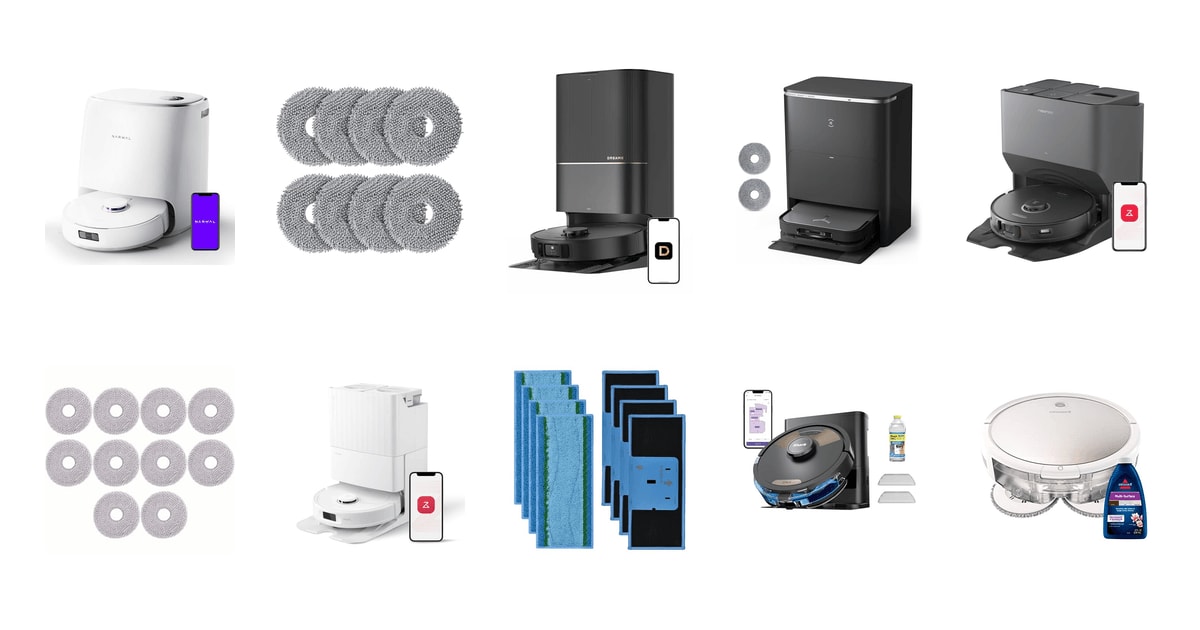
A robot mop earns its keep on ordinary days. Not the deep clean before guests arrive, but the film of dust and dried juice that builds up on a kitchen floor between real mopping sessions. Run one every day or two and your floors just stay decent. That's the whole pitch. The machines that pull it off share a short list of traits: pads that get washed and dried automatically, enough downward pressure to scrub instead of smear, and navigation that doesn't need rescuing twice a week.
None of them deep clean. Every robot mop here pushes a damp pad across the floor with modest force, so baked-on grease, grout that hasn't been scrubbed in a year, and a spill that set overnight still need your hands and a real mop. Carpet is the other honest limit. Even robots that lift their pads clear of a rug can leave the edges damp, and thick pile is off-limits for all of them. And each one is a maintenance object: filters, brushes, pads, a dock that needs a rinse.
So the question isn't which robot cleans best in a showroom. It's which one you'll still be running six months from now. That points toward hot-water pad washing, a dock that dries what it washes, and an app that doesn't fight you. Suction numbers matter less than the box implies if hard floors are your priority. We think that the Roborock Qrevo Pro is the best robot mop for most people, and that the Narwal Freo X Ultra is the one to buy if mopping is the chore you care about most.
Everything we recommend

Hot-water pad washing and edge mopping, without flagship bulk

The best actual mopping here, if you can live with the app

Extending mop and side brush, if you'll pay for the reach

A self-emptying starter robot that mops well enough
At a glance
| Product | Suction Power | Mop Washing | Price | |
|---|---|---|---|---|
| Narwal Freo X Ultra Robot Vacuum andRunner-up | 8,200Pa | Auto Mop Drying/Washing | $199.99On sale |
 | 8 Pack Mop Pads for Roborock QVAlso in lineup | — | Self-Cleaning Pad | $11.99 |
| DREAME X40 Ultra Robotic Vacuum with RemovableUpgrade pick | 12,000Pa | 158°F Self-Cleaning | $599.99 |
 | ECOVACS Robot Vacuum Cleaner DEEBOT X5 PROAlso consider | 12,800Pa | 150°F Hot Water Wash | $1,049.99 |
 | roborock S8 Pro Ultra Robot Vacuum andAlso consider | 6000Pa | Auto Mop Washing | $459.99 |
 | 10pcs Mop Pads for ECOVACS DEEBOT X1Also in lineup | — | Washable & Reusable | $13.49On sale |
| roborock Qrevo Pro Robot Vacuum and MopTop pick | 7,000 Pa | 140°F Hot Water Wash | $329.99 |
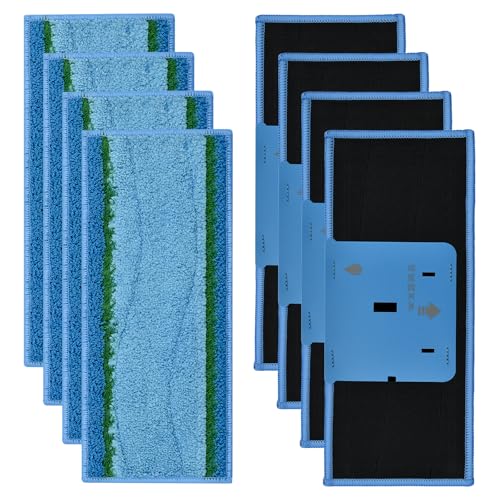 | 8 Pack Mop Pads for iRobot BraavaAlso in lineup | — | Washable & Reusable | $16.99 |
| Shark Matrix Plus 2-in-1 Robot Vacuum &Budget pick | — | Sonic Mop 100x/min | $149.99On sale |
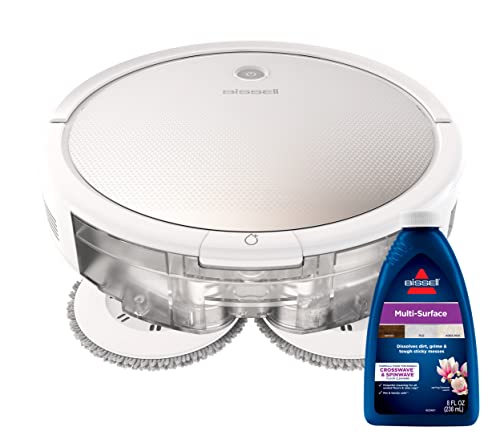 | Bissell SpinWave Pet RobotAlso in lineup | 1500 Pa | — | $279.76 |
How we picked
Pad hygiene. We treated hot-water washing plus drying in the dock as the dividing line, because spec sheets and owner feedback agree that a cold-rinsed pad smells within days. Anything without automatic pad care had to be cheap enough to justify the manual work.
Scrubbing pressure. We compared published downforce and pad-speed figures, since a wiping pad and a scrubbing one behave completely differently on dried spills. Rotating pads with stated downward pressure got priority over vibration alone.
Carpet handling. We looked for a stated mop-lift height or a removable mop, and we read owner reports for damp rug edges. A robot that can't reliably get its wet pad off your carpet doesn't belong in a mixed-floor home.
Edge coverage. Corners and baseboards collect the most grime, so we favored machines whose specs describe an extending mop arm or side brush. Reviews and owner comments consistently single this out as the feature people notice.
Long-term owner reports. We weighted feedback written months into ownership more heavily than first impressions, watching for app breakage, dock faults, and support experiences. A robot that's brilliant for a season and then unreliable isn't a recommendation.
Top pick
Hot-water pad washing and edge mopping, without flagship bulk
roborock Qrevo Pro Robot Vacuum and Mop
The Qrevo Pro washes its spinning pads in hot water, dries them, refills its own tank, and swings a mop arm out to the baseboards. It's the robot in this group with the broadest, most consistent record of owners still happily running it a year in.
$329.99fromAmazonThe dock is the reason to buy this one. It washes the spinning pads in 140°F water, then dries them with warm air before the next run. Cold-water docks lift the visible dirt and leave the smell behind. Hot water doesn't. If you've ever peeled a damp pad off a robot and recoiled, you already understand why that matters more than any suction figure on the box.
FlexiArm is the other feature that shows up in daily life. The mop arm swings out past the robot's body along walls and under cabinet toe kicks, so you don't get that half-inch stripe of grime at the baseboards that older robots leave behind. Owners who bought it specifically for kick plates and wall edges say it does what it claims. Small thing, big cumulative difference in a kitchen.
It also knows when the water is filthy. Roborock's dirt detection watches the wash water and sends the robot back for another pass over whichever room produced it. The dock refills the robot's tank on its own, too. Together that means a run on a genuinely dirty floor doesn't quietly turn into spreading dirty water around, which is the failure people notice first with cheaper machines.
It's also the most broadly liked machine in this group. Owner feedback skews strongly positive across a big pool of buyers, with plenty of people reporting a year or more of steady use and describing it as quiet enough to run while they're in the next room. That kind of track record counts in a category where a lot of robots are wonderful for three months and then start throwing errors.
Flaws but not dealbreakers
Suction is the compromise. At 7,000 Pa it's fine on hard floors and low-pile rugs, but owners with shedding pets report it struggles to pull hair out of short-pile fabric rugs. If your carpet situation is serious, think of this as a mopping robot that also vacuums, not the other way around.
The dock is tall and deep, and it needs clearance in front for the ramp — measure the spot before you commit. Some owners have had the LiDAR turret fail and needed a repair. Roborock covered it, but boxing up a 34-pound machine is a hassle you didn't sign up for.
Runner-upOn sale
The best actual mopping here, if you can live with the app
Narwal Freo X Ultra Robot Vacuum and
The Freo X Ultra scrubs harder than anything else in this lineup and keeps scrubbing until its own sensor says the water is clean. The base station washes, dries, and refills the pads with detergent, then cleans itself. The software is the price of admission.
$199.99fromAmazonList priceNarwal went after the thing that actually ruins mopping: pressure. The Rouleaux roller heads press down with 12N and spin at 180 RPM, which is closer to scrubbing than wiping. On LVP and tile, that's the difference between lifting a dried coffee ring and drawing a lighter circle around it. Owners with dogs and bare floors are the loudest fans, and it's easy to see why.
DirtSense is the feature nobody else quite matches. The robot checks how dirty the wash water is and keeps re-scrubbing until it comes back clean, rather than running a fixed number of passes and calling it done. You give up predictability, since a run can stretch out. What you get is not finding the spot it missed. EdgeSwing pushes the heads toward baseboards on the same logic.
The base station is genuinely low-maintenance. It washes and dries the pads, refills them with water and detergent, then cleans itself. Dust gets compressed into a bag inside the robot instead of being blasted into the dock, so you skip the loud self-emptying noise that makes other machines unwelcome during a nap. Narwal quotes roughly seven weeks between bag changes.
The brush is worth a mention if anyone in your house has long hair. It's a conical brush on a floating arm, and hair slides off the taper into the bin instead of wrapping around the middle. Owners who used to sit down with scissors every couple of weeks report they've stopped. It's an unglamorous fix for the most annoying part of owning one of these.
Flaws but not dealbreakers
The app is the weak point, and it isn't a minor one. Owners describe hunting through menus for basic functions and fighting the map editor, which likes to merge rooms you then can't split apart. If you want something you configure once and forget, budget an evening of irritation up front.
It's not a carpet machine. Owners report it won't climb thicker rugs and does an indifferent job vacuuming the ones it can reach. It also drinks water, and in a hard-water area people end up running distilled to keep scale out of the dock. This listing is renewed stock, so you're buying refurbished rather than new.
Upgrade pick
Extending mop and side brush, if you'll pay for the reach
DREAME X40 Ultra Robotic Vacuum with Removable
The X40 Ultra extends a side brush into corners and swings its mop under low cabinets, with the strongest suction in this lineup behind it. It's the most capable robot here and also the one with the widest spread of owner experiences over time.
$599.99fromAmazonNothing else here reaches as far. A liftable, extendable side brush swings out at wall corners and furniture legs, and the mop itself extends under low cabinets with MopExtend. Corners are where dirt actually collects, and a round robot with a fixed pad simply can't get there. If your floor plan is all edges — a galley kitchen, a hallway with a runner — this is the one that cleans them.
Suction runs to 12,000 Pa, the highest number in this group, and it shows up on carpet far more than on tile. Hard floors don't need that much. Deep pile with embedded pet hair does. Pair it with brushes that lift and a mop that either rises 10.5mm or comes off entirely, and you get a machine that crosses between rug and tile without wetting anything it shouldn't.
The dock washes both the mop and the washboard in 158°F water, with four temperature levels in the app. The washboard detail matters more than it sounds: the plate the pad scrubs against gets dirty too, and on most docks it just stays that way. Auto-empty and auto-refill round it out. Day to day there's little for you to do beyond swapping the dust bag.
Navigation uses 3D structured light plus a camera and an LED, so a dark room isn't a problem the way it is for camera-only robots. Owners who've come from iRobot and Roborock machines tend to describe the first year with this one as the best robot experience they've had. That's a real endorsement from people with something to compare it to.
Flaws but not dealbreakers
Reliability is what to weigh hardest. A meaningful share of owner feedback comes from people who loved it for six to nine months and then hit trouble — app updates that broke iPhone control, performance that fell off, support that moved slowly. It's the most capable robot here and also the least predictable over the long haul.
It's big and heavy, close to 29 pounds with a dock to match, so hauling it to another floor isn't a casual decision. And it joins 2.4 GHz Wi-Fi only, which trips people up on mesh routers that hide the band behind a single network name.
Budget pickOn sale
A self-emptying starter robot that mops well enough
Shark Matrix Plus 2-in-1 Robot Vacuum &
The Matrix Plus vacuums and sonic-mops in one pass and empties itself into a bagless base that holds about a month of debris. There's no pad washing, so you rinse it yourself — but it's the least you can spend and still get real automation.
$149.99fromAmazonList priceThis is the robot to buy if you're not sure you want a robot mop at all. It vacuums and sonic-mops in the same pass, scrubbing hard floors 100 times a minute, and it empties its own bin into a bagless base that holds roughly a month of debris. No bags to reorder, ever. For an apartment with tile and a couple of rugs, that's most of the benefit at a fraction of the commitment.
Matrix Clean is smarter than the name suggests. Instead of a single pass in straight lines, the robot works a grid over each area, hitting the same dirt from two directions. Shark also puffs air at corners to knock debris into the robot's path. Neither trick replaces proper navigation, but together they cover for it, and you end up with fewer obvious misses in a room it mapped roughly.
The base handles filtration too, sealing dust behind a HEPA filter rather than puffing it back into the room when it empties. If someone in the house has allergies, that's worth more than another few thousand pascals of suction. Home mapping is good enough for a single level, and replacement pads are easy to find on a shelf rather than only online.
Flaws but not dealbreakers
There's no mop washing. You rinse the pad by hand after every run, and that's exactly the habit that kills robot mops — people quietly stop running them within a couple of months because the cleanup became the chore. Go in knowing that about yourself.
Navigation isn't LiDAR-grade, so a multi-room layout with thresholds and furniture confuses it more than the pricier robots here. This listing is also renewed stock, which means refurbished condition rather than new.
Who this is for
Buy one of these if most of your floor is hard surface and you're tired of the in-between days — the sticky patch by the fridge, the dog prints in the entryway, the grit you feel underfoot before the weekend clean. A robot mop handles maintenance, and it handles it more evenly than you would, because it doesn't get bored halfway down the hall. If you have pets, kids, or an open-plan kitchen, the machines with hot-water docks are the ones you'll keep using.
Skip the category if your home is mostly carpet, if your floors are unsealed wood or anything that shouldn't get damp, or if your idea of clean means grout scrubbed back to white. None of these robots do that. This guide covers wet-mopping robots and vacuum-mop combos sold as complete units with their docks; it doesn't cover dry-only robot vacuums, corded steam mops, or replacement pads and accessories, even where a search turns those up alongside the machines.
How we picked
We started from spec sheets, published reviews, and owner feedback, then judged each machine on five things. Pad hygiene: does the dock wash with hot water and dry afterward, or just rinse and leave it damp? Scrubbing pressure: stated downforce and pad rotation, because wiping and scrubbing aren't the same job. Carpet handling: a real mop-lift height or a removable mop, plus owner reports about wet rug edges. Edge coverage: an extending arm or side brush that reaches baseboards and corners, where the dirt actually lives. Long-term reports: what people say six months and a year in, about apps, docks, and support — not what they say the week it arrived.
Other robot mops worth considering
If you want maximum suction and true edge-to-edge mopping: The ECOVACS Robot Vacuum Cleaner DEEBOT X5 PRO ($1,049.99) — The Ecovacs Deebot X5 Pro Omni pairs 12,800 Pa with TruEdge, a hovering mop arm Ecovacs rates to 1mm accuracy against walls, and a station that washes pads at 70°C and dries them with hot air. Its 6,400 mAh battery runs up to 350 minutes, which suits a big single-level house better than anything else here. What you give up is confidence: owner feedback is thin so far and includes reports of units arriving defective and support being slow to respond. If you're comfortable leaning on the return window, it's the most aggressive spec sheet in this guide.
If you want a long-proven platform with dual rubber brushes: The roborock S8 Pro Ultra Robot Vacuum and ($459.99) — The Roborock S8 Pro Ultra has been around long enough that its quirks are well documented, and its two rubber brushes tangle less than a single bristle roller. The dock empties, washes, dries, and refills, with about seven weeks of dust capacity. Its sonic mop vibrates rather than scrubs, so dried-on messes take more passes than the Qrevo Pro needs, and the wash water isn't heated. Owners are largely happy, though the unhappy ones point at customer support after a failure rather than at the cleaning. A sensible choice if you value a settled platform over the newest features.
The competition
This is what our research surfaced in this category, not a survey of everything on the market. Plenty of capable robots exist that aren't here, and the models below are the ones we looked at closely and decided against for most buyers.
The Bissell SpinWave Pet Robot ($279.76) — The Bissell SpinWave Pet is the simplest machine here by a wide margin. It has two tanks, rotating mop pads for sealed hard floors, up to 130 minutes of runtime, and a 3.25-inch profile that slides under furniture the tall robots can't touch. But 1,500 Pa of suction isn't really vacuuming, there's no dock to wash anything, and structured navigation gets lost in a home with doorways and thresholds. It lost to the Shark on automation and to everything else on cleaning. Still, for one room of tile in a studio — or if the Bissell Pet Foundation tie-in matters to you — it's a legitimate labor-saver.
Care and maintenance
Even a self-cleaning robot needs you a few times a month. Pull the mop pads off and check for stiffness or a lingering smell; hot-water docks stretch pad life, but fibers still pack with grime and stop absorbing after a few months. Rinse the dock tray, since that's where the sludge settles. Clear hair from the brush and wipe the drop sensors and the LiDAR window, because a dusty sensor is behind most mystery navigation failures. If you're on hard water, mineral scale builds up in the tanks and lines, and owners in those areas often switch to distilled water. Keep the dock's ramp area clear, and empty the dust bag on schedule rather than waiting for the app to complain.
Questions we get
Do robot mops clean as well as mopping by hand?
For maintenance — the wipe-down you'd do a couple of times a week — the good ones match what most people manage by hand, mainly because they apply pressure evenly and never cut a corner short. They fall behind on deep cleaning: heavy buildup, neglected grout, anything that needs you to lean into it. Think of a robot mop as the thing that keeps floors from getting bad, with an occasional real mopping session on top.
Can I use one if I have carpet?
Yes, with the right model. Combo robots that lift the mop clear of the floor — the Dreame X40 Ultra raises it 10.5mm or lets you remove it entirely — can cross between tile and rugs without soaking anything. Robots without a reliable lift shouldn't run in a mixed-floor home, since damp carpet leads to odor and eventually mold. Whatever you buy, set no-go zones around rugs you care about as a backstop.
How often do the mop pads need replacing?
With near-daily use, reusable microfiber pads generally last a few months before the fibers stop grabbing dirt. Hot-water docks extend that noticeably, because grime doesn't sit in the fabric between runs. Check them monthly for discoloration, fraying, or a smell that survives a wash cycle. Replacement pads are a real ongoing cost, so it's worth confirming availability for your model before you commit to a brand.
Is a self-cleaning dock actually necessary?
It depends on how honest you are about your own habits. Robots that need a hand-rinsed pad after every run get used less and less, and owner feedback across the category consistently describes them being abandoned within a few months. If the robot is meant to replace your mopping long-term, get the dock. For a small apartment you clean occasionally, a manual model is fine.
What should I check before ordering one?
Measure the dock space first, including clearance in front for the ramp, since premium docks are bulkier than the photos suggest. Confirm your floors are sealed and water-safe. Check that the robot supports multi-floor maps if you have stairs, and note that several of these connect only to 2.4 GHz Wi-Fi, which matters on a mesh network. Finally, look up what replacement pads and bags cost for that brand.
Why you should trust us
For this guide:
- We read manufacturer spec sheets for suction, mop-lift height, wash-water temperature, dock capacity, and battery runtime, and compared those claims against published reviews of each model.
- We read through owner feedback for every product here, weighting reports written months into ownership over first impressions, and looking specifically for patterns around app problems, dock faults, and pad wear.
- We did not use, install, or run any of these robots ourselves.
- We read owner reviews on every listing, weighted toward the critical ones, because that is where the recurring failures show up.
- We have a systematic way of automatically fetching the latest prices, so the numbers on this page stay current.
- This is a research-focused guide, so the team may not own every product listed — though we often do own the top winners, which gives us extra context for the recommendations.
- We don't accept free products, and the retailer commission never changes which product we recommend.
Sources
Best Robot Mops of 2026 — Wirecutter, Wirecutter
Best Robot Mops Tested by CNET, CNET
Robot Mop Reviews 2026 — Tom's Guide, Tom's Guide
Best Robot Vacuum Mop Combos — PCMag, PCMag
Roborock Qrevo Master Full Review — The Verge, The Verge
Amazon product listings and owner reviews for all 10 products
Manufacturer specification pages for each product
Some passages in this guide may be paraphrased with AI help. Prices are refreshed automatically.
More like this.
Continue exploring appliances reviews and recommendations.

The Best Robot Vacuum Mop Combos
A robot vacuum mop combo earns its keep in the boring middle of the week. You're not deep-cleaning. You're dealing with cereal under the high chair, dog…

The Best Robot Mops And Floor Scrubbers
A robot mop earns its keep on the floors you walk on barefoot. Kitchen tile picks up grease and crumbs. Entryway plank floors collect grit that gets…

The Best Steam Mops for Hardwood and Tile Floors
Mopping with a bucket mostly moves dirty water around. A steam mop skips that entirely: you fill the tank with plain water, wait half a minute, and push a…

The Best Robot Vacuums
A robot vacuum earns its keep on the days you'd never vacuum anyway. Tuesday morning, nobody home, crumbs under the kitchen table and a drift of dog hair…

The Best Robot Vacuums for Pet Hair
If you live with a shedding dog or a long-haired cat, you already know the problem isn't dirt. It's hair. It drifts into corners, mats into the edge of…

The Best Robot Litter Boxes
Scooping is the chore nobody in the house volunteers for. A robot litter box takes it off your plate: it senses when your cat steps out, waits a few…