The Best Mechanical Keyboards for Gaming and Typing
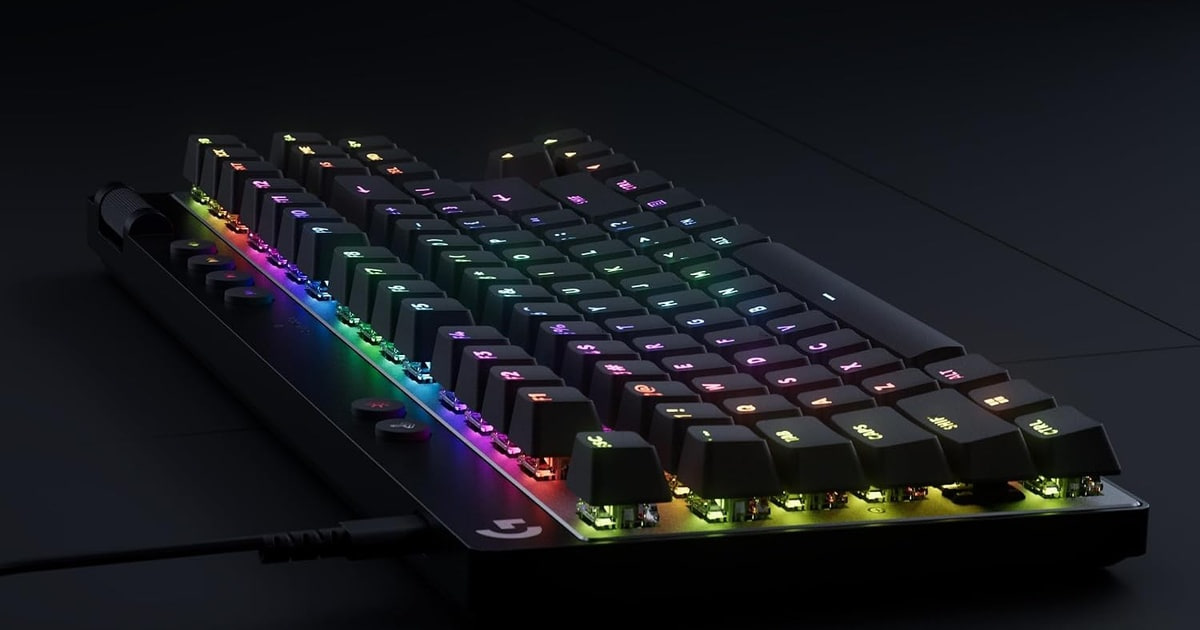
A keyboard is the thing you touch for hours a day, and a mechanical one changes that in two ways. Every key gets its own switch, so presses feel crisper and register more reliably than on the mushy board bundled with your PC. The newest gaming boards go further: they read how far you've pushed a key, not just whether you pushed it. That matters in shooters. If you mostly write or code, what matters is quieter — case stiffness, keycap plastic, and how the thing sounds late at night.
No board here does everything. The fast magnetic boards are wired and tuned purely for speed, so they sound hollow next to a gasket-mounted aluminum board. The aluminum boards type beautifully and don't do rapid trigger at all. Switch feel is personal, too, and you can't feel a switch through a product page — a clicky board one person loves will drive the person next to them up a wall. Hot-swap sockets soften that gamble, but you'll still buy a few switches before you find your favorite.
So start with where your hours actually go. If most of them are in Valorant or CS2, get a magnetic or analog board with rapid trigger and don't worry about wireless. If most of them are in a document, an inbox or an editor, get something heavier with a gasket mount and decent keycaps, and accept that you're trading away a few milliseconds. We think that the Logitech G PRO X TKL Rapid is the best mechanical keyboard for most people, and that the Razer Huntsman V3 Pro TKL is the one to buy if you want to tune actuation without opening software.
Everything we recommend

Hall-effect speed in a plain, wired TKL that just works

Onboard actuation tuning, plus a dial and macro buttons

A first mechanical board that gets the basics right

Better typing and sound, with none of the gaming tricks
Prices as of Oct 22, 7:36 AM PT · Details
At a glance
| Product | Switch type | Layout | Price | |
|---|---|---|---|---|
| Razer Huntsman V3 Pro TKL Esports GamingRunner-up | Analog optical Gen-2 | TKL | $157.47 |
 | SteelSeries Apex Pro TKL Gen 3 GamingAlso consider | — | Pro TKL | $199.99 |
| Keychron Q1 Max 75% QMK/VIA Wireless CustomAlso great | Gateron Jupiter Red | 75% | $209.99 |
| Logitech G PRO X TKL Rapid TenkeylessTop pick | — | TKL | $159.99 |
 | nuphy Air75 V2 Low Profile Wireless MechanicalAlso consider | Gateron Aloe | 75%, low profile | $149.99 |
 | Keychron V1 Max QMK Wireless Mechanical KeyboardAlso in lineup | Gateron Jupiter Red | 75% | $99.99 |
| Redragon K552P Mechanical Gaming Keyboard TKL withBudget pick | — | TKL, 87-key | $36.99 |
Prices as of Oct 22, 7:36 AM PT · Details
How we picked
Switch type and speed. We treated adjustable actuation with rapid trigger as the bar for a competitive board, and manufacturer spec sheets confirmed the actuation range each one claims. Boards without it had to earn their place on typing feel or price instead.
Typing feel and sound. We looked for case material, mounting style and sound dampening on the spec sheet — aluminum, gasket mounts, foam layers and screw-in stabilizers — because those are what separate a pleasant board from a hollow one. Owner feedback about noise decided the office-friendly calls.
Layout and size. We stuck to 75% and TKL layouts, which keep the function row and arrows while freeing mouse room. Anything that drops arrow keys asks too much of a first-time buyer.
Hot-swap and keycaps. Hot-swap sockets let you change switches without soldering, which extends a board's life by years. We also preferred double-shot PBT keycaps over ABS, since the legends and the texture last.
Software and wireless. We favored open QMK and VIA support over proprietary apps where a board offers it, and we checked claimed polling rates for wired, 2.4 GHz and Bluetooth modes. Published review methodology like RTINGS' — typing quality, latency, wired and wireless performance — shaped which of those specs we weighted.
Top pick
Hall-effect speed in a plain, wired TKL that just works
Logitech G PRO X TKL Rapid Tenkeyless
The G PRO X TKL Rapid pairs magnetic Hall-effect switches with rapid trigger, so a key resets the moment your finger lifts instead of waiting for a full release. It's wired and plain-looking, but you get per-key actuation tuning, a tournament-style layout and nothing to charge.
$159.99fromAmazonPrices as of Oct 22, 7:36 AM PT · Details
This is the board we'd hand to someone who keeps losing fights they should win. Logitech lists magnetic analog switches with adjustable actuation, rapid trigger and a 35 g actuation force. In practice that means two things you'll notice: you can set keys to fire almost at the top of the press, and you can re-press them without lifting all the way. Owners who play tactical shooters single out counter-strafing as the place it shows up.
Rapid trigger is easier to feel than to explain. On a normal board, a key has to travel back up past a reset point before it counts as released, so your strafe stops a beat after your finger does. Here the key dies as soon as it starts coming back up. The movement feels less like you're steering a boat and more like flicking a switch.
The layout is the other quiet argument for it. A TKL drops the number pad, which gives your mouse arm room on a normal desk without taking away the function row or arrows — the compromise most esports players land on. It's wired, which some people read as a downgrade. For competitive play it isn't: there's no battery to watch and no pairing to troubleshoot mid-match.
Typing on it is good, not special. The switches are smooth and light, and the short travel suits fast typists, but this is a plastic gaming board, not a gasket-mounted enthusiast build. If you write all day and game at night, you'll be happy. If the sound and feel of typing is the reason you're shopping, read the Keychron Q1 Max section below instead. You can also remap everything through Logitech's G HUB, including layered combos on any key.
Flaws but not dealbreakers
It's a plastic case with a plain look, and it sounds like one. Next to the aluminum boards here, typing lands hollow and a little plasticky, and there's no foam or gasket mount softening it. The keys are also light enough that a heavy typist will bottom out hard and bounce off the deck.
Every bit of tuning runs through Logitech's G HUB, and you'll need it installed to change actuation or build macros — there's no onboard menu like the Razer has. Owners report the usual G HUB headaches, and the switches aren't hot-swappable, so the feel you buy is the feel you keep.
Runner-up
Onboard actuation tuning, plus a dial and macro buttons
Razer Huntsman V3 Pro TKL Esports Gaming
The Huntsman V3 Pro TKL uses second-gen analog optical switches with a 0.1–4.0 mm actuation range, and an onboard LED array lets you change that range from the keyboard with no software open. Snap Tap prioritizes your newest keypress for faster direction changes.
$157.47fromAmazonPrices as of Oct 22, 7:36 AM PT · Details
Most adjustable-actuation boards make you launch an app to change anything. This one doesn't. Razer's onboard LED array walks you through setting actuation height or rapid trigger sensitivity and saves it to the board itself, which is genuinely useful if you share a PC, bounce between machines, or just hate background software. Razer rates the switches for a 100 million keystroke lifespan.
Snap Tap is the reason to choose this over our top pick. It tells the board to honor your most recent input between two chosen keys without making you release the first one, so A-to-D direction changes land closer to instantly. If you play a hero shooter or a tactical shooter where strafing wins duels, that's a real advantage. It needs the current firmware, and it's worth checking your league's rules before you lean on it.
You also get hardware the others skip: a multi-function digital dial for volume and switch settings, plus three buttons for media and macros. It sounds like a small thing until you're in a call, in a game, and lowering the volume without alt-tabbing. The TKL footprint is the same practical size as our top pick.
Owner feedback is more mixed here than for the other gaming boards, and that's the main reason it's the runner-up rather than the pick. A noticeable share of buyers report problems rather than nitpicks, and Razer's Synapse software has a long reputation for being heavier than it needs to be. Plenty of people use it for years with no trouble — but the odds look a bit worse.
Flaws but not dealbreakers
Reliability is the worry. Owner feedback includes more reports of keys failing and boards dying outright than we see for the other gaming picks, and that's enough to keep it out of the top spot. Check the return window, and register the board when you set it up.
Synapse is the other sore point. Anything beyond actuation and rapid trigger — macros, lighting profiles, per-game configs — needs Razer's software running in the background, and it has a long reputation for being heavier and buggier than it should be. The board is also wired only, and the optical switches aren't hot-swappable.
Budget pick
A first mechanical board that gets the basics right
Redragon K552P Mechanical Gaming Keyboard TKL with
The K552P is a wired 87-key TKL with a metal frame, double-shot PBT keycaps and hot-swap sockets, which is a lot of real mechanical keyboard for a first-timer. You give up wireless, rapid trigger and any serious tuning.
$36.99fromAmazonPrices as of Oct 22, 7:36 AM PT · Details
If you've never owned a mechanical keyboard, start here rather than spending big on a feel you might not like. Redragon puts a metal frame and double-shot PBT keycaps on it, so the legends won't wear off and the deck doesn't flex when you bottom out. It has hot-swap sockets too, which means you can pull a switch and try another with no soldering iron.
The 87-key TKL layout is the same shape serious players use, so you get the desk space and the arrow keys. N-key rollover means fast chords all register. There's spill resistance, 18 RGB modes you can cycle from the keyboard, and a Windows-key lock for the moments a stray tap would cost you a round.
What you don't get is any of the modern speed hardware. There's no adjustable actuation, no rapid trigger, no wireless and no QMK or VIA — macros run through Redragon's own downloadable software, which is basic. For a first board that's fine. If you already know you want per-key actuation, skip to our top pick and save yourself the upgrade.
Flaws but not dealbreakers
The listing is confusing about switches. The product name says hot-swappable red switches while a bullet describes a clicky blue switch with an audible click, so check the exact variant before you buy. If you end up with the clicky version, know that it's loud — owners describe the sound as a feature, which is fine at home and a problem in a shared office.
It's a wired board with a fixed layout and no real tuning, and the build, while solid, is plainly less refined than the pricier boards here. Keycap and case sound is hollower, and the stabilizers under the longer keys rattle more than on a gasket-mounted board.
Also great
Better typing and sound, with none of the gaming tricks
Keychron Q1 Max 75% QMK/VIA Wireless Custom
The Q1 Max is a CNC-aluminum 75% board on a double-gasket mount, with acoustic layers, screw-in stabilizers and pre-lubed Gateron Jupiter Red switches. It types and sounds better than anything else here, connects three ways, and runs QMK and VIA.
$209.99fromAmazonPrices as of Oct 22, 7:36 AM PT · Details
Pick this one up and the pitch makes itself. The case is machined aluminum, and Keychron mounts the plate on a double gasket with a flexible PC plate and several acoustic layers underneath. That combination is why it sounds like a dull thock instead of a hollow clack, and why long keys stay steady — the stabilizers screw in rather than clipping on.
For eight hours of writing or coding, this is the board we'd choose. The 75% layout keeps the function row and arrows while dropping the number pad, and a programmable knob sits in the corner for volume or scrolling. The KSA double-shot PBT keycaps are deeply sculpted, and owners consistently describe the stock switch feel as light, smooth and quiet enough for an apartment.
The wireless side is more capable than most custom boards. Keychron rates the 2.4 GHz and wired modes at 1000 Hz, Bluetooth 5.1 pairs up to three devices, and the 4000 mAh battery runs up to 180 hours with the backlight off, or about 100 hours at the lowest RGB brightness. There's a Mac and Windows toggle with extra keycaps, plus Linux support.
QMK and VIA are the real long-term feature. Instead of a vendor app you hope stays supported, you get open firmware and a layout editor that lets you remap any key, build macros and stack layers. Add hot-swap sockets for most 3-pin and 5-pin MX switches, and this is a board you can rebuild in a few years rather than replace.
Flaws but not dealbreakers
It's heavy. Owners mention it repeatedly, usually approvingly — but if you move your keyboard between a desk and a couch, or travel with it, that aluminum case is a genuine downside. The south-facing RGB is also mostly decorative: with these keycaps it doesn't light the legends well, so it's no help typing in a dark room.
There's no adjustable actuation and no rapid trigger, so it will never match our top pick for competitive shooters. A few owners also report sluggish or dropped key response, in wired and wireless mode alike. That's a minority complaint against a lot of happy reports, but it's worth knowing the return window before you commit.
Who this is for
Buy now if your current keyboard is a membrane board and you spend real hours at it, or if you play shooters on a board that can't do rapid trigger — that's the one upgrade competitive players notice immediately. This guide covers 75% and TKL boards for mixed gaming and typing, the sizes that suit a normal desk. If you want a 60% board, a split ergonomic layout, an ortholinear grid or a full-size board with a number pad for spreadsheets, you'll need a different list.
Skip the upgrade if you already own a hot-swap board you like; buying a bag of different switches will change the feel more cheaply than a new keyboard will. Skip the fast magnetic boards entirely if you don't play competitively, since you'd be paying for speed hardware and giving up the typing feel of a gasket-mounted board. And if your keyboard shares a room with other people, weigh noise first — a clicky board is a decision everyone around you has to live with.
How we picked
We built the lineup around a handful of things that actually change how a board feels in daily use. Switch type and speed: adjustable actuation with rapid trigger, confirmed on the manufacturer's spec sheet, for anything we'd recommend to competitive players. Typing feel and sound: case material, mounting style, foam layers and screw-in stabilizers, with owner feedback deciding what's quiet enough for an office. Layout: 75% or TKL only, so you keep the function row and arrows but free up mouse room. Hot-swap and keycaps: solderless sockets and double-shot PBT, because both add years to a board's life. Software and wireless: open QMK and VIA where available, plus claimed polling rates across wired, 2.4 GHz and Bluetooth.
Other mechanical keyboards for gaming and typing worth considering
If you want preset tuning and a little screen: The SteelSeries Apex Pro TKL Gen 3 Gaming — The Apex Pro TKL Gen 3 does the same adjustable-actuation trick as our top two picks, with SteelSeries' QuickSet presets that load a pro-style config when a game launches, plus Rapid Tap for faster strafing and a Protection Mode that reduces accidental presses on neighboring keys. The OLED display on the board means you can change settings without leaving the game. It's the most polished software story of the group, and owner sentiment is the warmest here. We kept it out of the picks because the listing doesn't state its switch type, and because you're paying for presets and a screen rather than anything faster.
If you want a slim board that travels: The nuphy Air75 V2 Low Profile Wireless Mechanical — The Air75 V2 is barely half an inch thick, so it's the one board here you'd actually put in a bag with a laptop. It hits a 1000 Hz polling rate in 2.4 GHz and wired mode, pairs over Bluetooth, takes hot-swap switches and runs QMK and VIA, with double-shot PBT keycaps and side light bars that show battery and caps-lock state. The trade is travel: low-profile switches feel shallower and less forgiving than the standard-height switches on our picks, and there's no rapid trigger. Owner feedback is also thin so far, which makes it harder to judge long-term reliability.
The competition
This is what our research surfaced — the boards we could confirm and compare — not everything on the market. Mechanical keyboards turn over quickly, and plenty of good ones from smaller brands never show up in mainstream coverage. Treat what follows as the nearest misses rather than a verdict on the whole category.
The Keychron V1 Max QMK Wireless Mechanical Keyboard — The V1 Max is the Q1 Max's close relative, and it keeps most of what matters: a 75% layout with a knob, gasket mount, sound-absorbing foam, hot-swap sockets, 1000 Hz wired and 2.4 GHz modes, Bluetooth 5.1 for three devices, and remapping through Keychron's browser launcher or QMK. The case is plastic rather than machined aluminum, so it's lighter and less dense-sounding, and the non-shine-through PBT keycaps block the backlight entirely. It lost to the Q1 Max purely on feel and sound. But if you want the same layout and firmware in something you can carry, or you simply don't want to spend as much, it's the sensible version of that board.
Setup and upkeep
Pull a keycap or two before you decide you hate a board. Every pick here except the Logitech takes hot-swap switches, so if the stock feel is too light, too stiff or too loud, you can change it with a puller and a few minutes rather than a return. Keep the puller that comes in the box. For cleaning, unplug, turn the board over and shake the crumbs out, then go over the gaps with a soft brush and wipe the caps with a barely damp cloth — no spray directly on the deck, even on a spill-resistant model. Update firmware once when you set up, since some gaming features only work on current versions. And if you play in organized leagues, check the rules on rapid trigger and newest-input features before a match rather than after.
Questions we get
What is rapid trigger, and does it actually help in Valorant or CS2?
On a normal switch, a key has to travel back up past a fixed reset point before it counts as released. Rapid trigger resets it as soon as the key starts moving up, so your strafe stops when your finger does. In tactical shooters, where counter-strafing accuracy decides duels, owners describe the difference as immediate. For single-player games or typing, it does nothing for you.
Hall-effect, optical and regular mechanical switches: what's the difference?
A regular mechanical switch closes a metal contact at a fixed depth, so it's either pressed or not. Hall-effect switches use a magnet and optical switches use a light beam, and both can report how far down the key is — which is what makes adjustable actuation and rapid trigger possible. Logitech's pick here uses magnetic Hall-effect switches, and Razer's uses analog optical. For typing, the honest answer is that the switch's feel matters more than its sensing method.
What should I buy if I type all day?
Look at the case and mount, not the switches. A machined aluminum case on a gasket mount with foam layers and screw-in stabilizers, like the Keychron Q1 Max, sounds and feels better than any plastic gaming board here. Double-shot PBT keycaps are worth insisting on too, since they keep their texture and legends. You'll give up adjustable actuation, which doesn't matter if you're writing.
Is 75% or TKL better for gaming?
Both are fine, and the choice is mostly about desk space. A TKL drops the number pad and keeps everything else, which is why it's the standard shape at tournaments. A 75% squeezes the same keys closer together, so it's a bit narrower and the arrow keys sit tighter against the right-hand cluster. Go smaller than that and you start losing keys to layers.
Is wireless good enough for competitive gaming?
Low-latency 2.4 GHz is close enough that most players won't notice — Keychron rates both its 2.4 GHz and wired modes at 1000 Hz. Bluetooth is a different story and belongs on a laptop, not in a ranked match. That said, our top two gaming picks are wired on purpose: no battery to watch, no pairing to troubleshoot. If you want one board for work and play, tri-mode wireless is worth the small trade.
What does hot-swappable mean, and how long do switches last?
Hot-swap sockets let you pull a switch out and push another one in without soldering, usually with a small puller from the box. It means a board can follow your taste instead of being replaced when you want a different feel. Switch lifespans are rated in the tens of millions of keystrokes — Razer rates its analog optical switches at 100 million. In practice, cables, software and stabilizers tend to fail long before switches do.
Why you should trust us
For this guide:
- We read the manufacturer spec sheets for every board here, comparing claimed actuation ranges, polling rates, mounting styles, keycap materials and wireless modes.
- We compared published review coverage alongside owner feedback themes for each model, paying particular attention to repeat complaints about cables, software and wireless response.
- We leaned on RTINGS' published keyboard methodology — typing quality, latency, and wired and wireless performance — to decide which of those specifications deserved the most weight.
- We read owner reviews on every listing, weighted toward the critical ones, because that is where the recurring failures show up.
- We have a systematic way of automatically fetching the latest prices, so the numbers on this page stay current.
- This is a research-focused guide, so the team may not own every product listed — though we often do own the top winners, which gives us extra context for the recommendations.
- We don't accept free products, and the retailer commission never changes which product we recommend.
Sources
Best Mechanical Keyboards - RTINGS.com, RTINGS.com
Best Mechanical Keyboards - Wirecutter, Wirecutter
Best Gaming Keyboards - PC Gamer, PC Gamer
Wooting 80HE product page, Wooting (manufacturer)
Razer Huntsman V3 Pro TKL, Razer (manufacturer)
SteelSeries Apex Pro TKL Gen 3, SteelSeries (manufacturer)
Keychron Q1 Max, Keychron (manufacturer)
Best Gaming Keyboards - Tom's Hardware, Tom's Hardware
Amazon product listings and owner reviews for all 7 products
Manufacturer specification pages for each product
Some passages in this guide may be paraphrased with AI help.
Product prices and availability are accurate as of the date/time indicated and are subject to change. Any price and availability information displayed on Amazon.com at the time of purchase will apply to the purchase of this product.
More like this.
Continue exploring electronics reviews and recommendations.

The Best Budget Mechanical Keyboards
A mechanical keyboard is one of the few upgrades you feel every single minute you're at a desk. The keys have a defined bottom, a consistent weight, and a…

The Best Gaming Headsets
A gaming headset does two jobs at once, and most people only think about the first. It has to put you inside the game - footsteps behind you, a reload two…

The Best Logitech Mice, Keyboards, and Accessories
You touch your mouse and keyboard more than anything else on your desk - thousands of clicks and keystrokes between the first coffee and quitting time. So…

The Best Razer Gaming Gear
Gaming gear is the part of your setup you actually touch. A mouse that fits your hand wrong will nag at you for years, and a headset that pinches will end…

The 7 Best Portable Bluetooth Keyboards for Travel in 2026: Lightweight, Multi-Device Picks
Expert-tested portable Bluetooth keyboards for travel in 2026. Compare weight, battery life, and multi-device pairing across 7 top picks from Logitech, Keychron, nuphy, and more.

The Best Gaming Chairs
A gaming chair is the one piece of your setup you touch for every second you use it. Mice and keyboards get swapped on a whim, but the chair is what…