The Best Mechanical Keyboards for Gaming and Typing
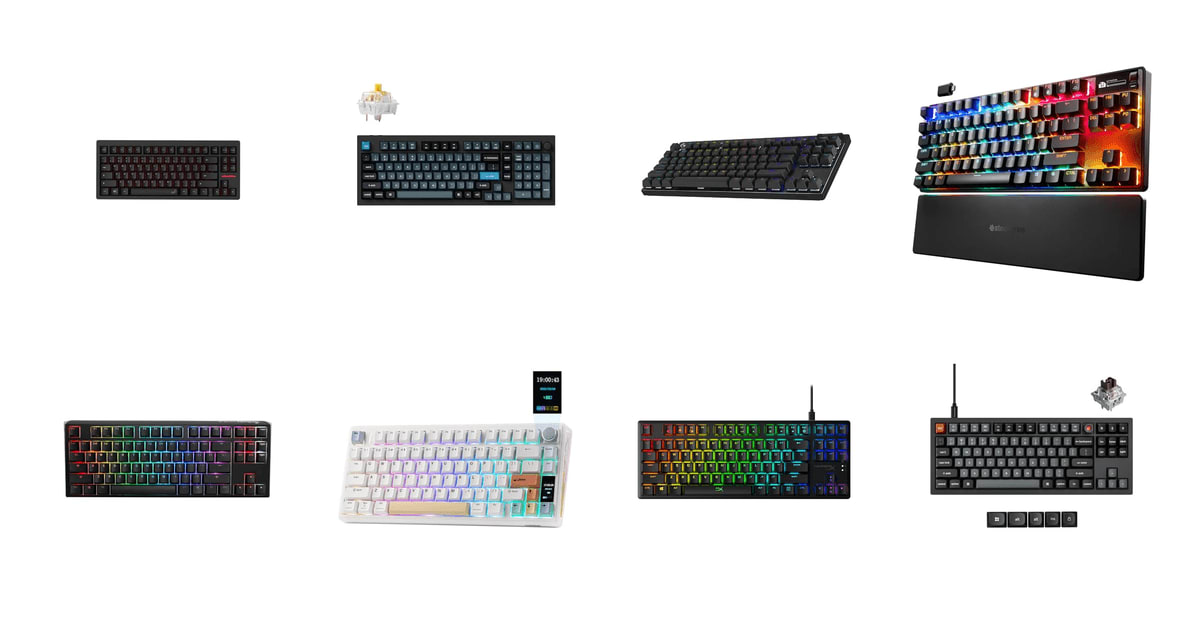
A keyboard is the thing your hands touch for eight hours a day, and most of us settle for whatever came in the box with the computer. A good mechanical board changes that. Keys bottom out with a consistent, satisfying thud instead of a mushy squish. Switches are rated for tens of millions of presses, so the board outlives two or three laptops. And if you game, the difference in how quickly a keypress registers is real — small, but real. The trick is that "good" means something different for a CS2 player than it does for someone writing email all day.
No single keyboard nails both jobs perfectly. The boards built for competitive shooters use magnetic Hall Effect switches with adjustable actuation, and they're fantastic for gaming — but they're usually locked to proprietary software and you can't swap the switches. The enthusiast boards with aluminum cases and gasket mounting sound wonderful and let you remap every key, but they poll slower over wireless and skip Rapid Trigger entirely. You're picking which compromise you can live with. Anyone who says otherwise is selling something.
We looked at what the specs actually claim, what published reviews say holds up, and where owners keep running into the same complaints. Switch feel, form factor, firmware openness and build quality mattered most; RGB effects and marketing superlatives mattered least. We think that the TenZ Takeover 75% Keyboard by Wooting is the best mechanical keyboard for most people who game seriously, and that the Keychron Q5 Pro is the one to buy if you spend more hours typing than fragging.
Everything we recommend

The fastest board here, with a typing feel that doesn't punish you

Heavier, quieter, and far more customizable — but slower over wireless

Genuinely wireless gaming, with tournament-proven latency

QMK, hot-swap and 8000Hz polling without the aluminum tax

Per-key actuation tuning and an OLED, if you like fiddling
At a glance
| Product | Switch Type | Layout | Price | |
|---|---|---|---|---|
| TenZ Takeover 75% Keyboard by WootingTop pick | Magnetic Hall Effect | 75% | $199.99 |
| Keychron Q5 Pro 96% Wireless Mechanical KeyboardRunner-up | — | 96% | $219.99 |
| Logitech G PRO X TKL Lightspeed WirelessAlso great | GX Red Linear | TKL | $169.99On sale |
| SteelSeries Apex Pro TKL Wireless Gen 3Upgrade pick | Hall Effect Switch | TKL | $158.99On sale |
 | Ducky One 3 TKL 80% Mechanical GamingAlso in lineup | Cherry MX Brown | TKL | $119 |
 | EPOMAKER TH80 V2 PRO Wireless Gaming KeyboardAlso consider | Sea Salt Silent | 75% | $79.99 |
 | HyperX Alloy Origins Core - Tenkeyless MechanicalAlso in lineup | HyperX Red Switch | 80% | $79.99 |
| Keychron V3 8K TKL Wired Mechanical KeyboardBudget pick | Tactile Brown Switch | TKL | $74.99 |
How we picked
Switch technology. We compared published actuation specs across Hall Effect and traditional contact switches, weighing whether a board offers Rapid Trigger and adjustable actuation. For competitive picks, analog switches with sub-millimeter resolution set the bar.
Build and mounting. We favored gasket-mounted boards with damping foam over rigid tray mounts, since reviewers consistently rate them quieter and less fatiguing for long sessions. Case material and weight factored in as a proxy for resonance and stability.
Firmware openness. Boards with QMK/VIA support scored higher than those locked to proprietary apps, because open firmware keeps working after a vendor loses interest. We noted which boards require an always-running background service.
Keycaps and longevity. We required double-shot PBT keycaps wherever possible, since published durability comparisons put PBT at two to three times the shine and fade resistance of ABS. Switch keystroke ratings and owner reports of chatter also counted.
Layout and desk fit. We looked at published dimensions and weighed how much mouse room each layout leaves. TKL and 75% boards got preference for mixed gaming-and-work desks, with a full-featured 96% option for people who need the number pad.
Top pick
The fastest board here, with a typing feel that doesn't punish you
TenZ Takeover 75% Keyboard by Wooting
Wooting's Lekker magnetic switches read key position continuously instead of flipping a contact, so you can set actuation anywhere from a hair-trigger 0.1mm to a deliberate 4.0mm. The gasket mount and 75% layout make it comfortable enough to work on all day, which most competitive boards aren't.
$199.99fromAmazonRapid Trigger is the real reason to buy this board. On a normal mechanical switch, a key has to travel back up past a fixed reset point before it'll register again. Wooting's switches have no fixed reset — lift a hair and the key is off, press again and it's on. For counter-strafing in a shooter, that's the whole game. The listed 0.1mm resolution is roughly 18 to 20 times finer than the 2.0mm actuation point on a Cherry MX Red.
The competitive stuff doesn't end there. Rappy Snappy watches opposing keys and activates whichever one you pressed most recently, so mashing A and D at the same time gives you a clean direction instead of a stuck input. You can also set different actuation depths per key. Shallow on WASD, normal everywhere else, so you don't fire off a stray Q every time your pinky drifts.
Here's what surprised us in the research: this thing is pleasant to type on. Gasket mounting means the plate sits on flexible pads rather than screwed rigidly to the case, so each press has a little give instead of a flat smack into aluminum. Reviewers consistently rate gasket boards quieter and easier on the hands over long sessions. The 75% layout keeps the function row and arrow keys, so you're not learning three new key combos to hit Home.
Magnetic switches should outlast the board itself. There are no metal contacts to pit or bounce, which is why Hall Effect switches are rated past 100 million keystrokes against 50 million for a Cherry MX Red. Chattering keys — where one press registers as two — is a common failure on aging contact switches. That failure mode basically doesn't exist here.
Flaws but not dealbreakers
You can't hot-swap the switches. Lekker switches are magnetic and the board reads them analog, so the huge world of MX-style switches is off the table. If half the fun of a mechanical keyboard is dropping in a new set of linears every few months, this isn't your board.
It's wired. For a competitive board that's arguably correct, but if your desk setup depends on a clean surface or you move between a laptop and a desktop, that cable is a daily annoyance. Owners also mention that shipping can be slow and unglamorous compared to the premium price.
Runner-up
Heavier, quieter, and far more customizable — but slower over wireless
Keychron Q5 Pro 96% Wireless Mechanical Keyboard
The Q5 Pro is a full aluminum 96% board with double-gasket mounting, hot-swap sockets and complete QMK/VIA support. It types better than anything else here and connects to three devices over Bluetooth, but its wireless polling rate rules it out for serious competitive play.
$219.99fromAmazonIf you spend most of your day writing and only some of it gaming, this is the better buy. The case is CNC-machined aluminum, and the whole thing weighs enough that it simply doesn't move when you type hard. Add the flexible PC plate, screw-in stabilizers and double-gasket mount with silicone damping, and you get the deep, muted sound that enthusiasts spend a lot of effort chasing on cheaper boards.
QMK and VIA are the sleeper feature here. Open-source firmware means you remap keys, build macros and tune lighting in a browser or desktop app that isn't tied to a vendor account or a background service. Nothing phones home. Nothing breaks when the manufacturer stops updating it. Owner feedback across the enthusiast community treats this as a long-term ownership advantage, not a spec-sheet checkbox.
The 96% layout is a smart shape. You keep the full number pad — genuinely useful if you work in spreadsheets — but the keys are packed tight so the board takes barely more desk than a full-size TKL plus mouse space. There's a knob too, and unlike a lot of knobs, it's remappable through VIA.
Hot-swap sockets take almost any 3-pin or 5-pin MX switch, so you can start with tactiles for work and drop in silent linears if your household complains. The KSA-profile PBT keycaps are double-shot, which means the legends are molded in rather than printed on. They won't fade or go shiny the way ABS caps do.
Flaws but not dealbreakers
Wireless polling drops to 90Hz. That's fine for typing and browsing and noticeably behind for gaming, where the wired 1000Hz mode is what you want. Treat the Bluetooth as a convenience feature for a second machine, not a gaming mode.
You can only remap keys while it's plugged in. The keymap sticks once you've done it, but it's a fussy limitation for a board sold on customization.
A handful of owners report units arriving with keys that don't register — dropped keystrokes right out of the box. It seems to be a minority, and returns are straightforward, but check every key on day one.
It's tall. Most people will want a wrist rest, and that's an extra purchase and more desk depth.
Also greatOn sale
Genuinely wireless gaming, with tournament-proven latency
Logitech G PRO X TKL Lightspeed Wireless
The G Pro X TKL runs Logitech's LIGHTSPEED 2.4GHz protocol, which matches wired report rates rather than approximating them. It's the board to get if you want your desk cable-free without giving up competitive response, and the GX Red linears are a safe, familiar choice.
$169.99fromAmazonList priceWireless gaming keyboards stopped being a compromise, and this is the proof. LIGHTSPEED runs at a 1ms report rate over its own 2.4GHz dongle, which is the same figure a wired board hits at 1000Hz polling. Bluetooth is there as a fallback for a tablet or a laptop, and USB is there when the battery dies. Battery life is rated up to 36 hours at default RGB settings, so you're charging roughly once a week.
Logitech built this around what tournament players ask for: standard key spacing and layout so third-party keycap sets fit, a game mode that kills the Windows key, media controls and a volume roller. The GX Red linears are light and smooth with no tactile bump, which is what most competitive players use. Dual-shot PBT keycaps mean the legends survive the shine that eats ABS caps.
It travels well. The board ships in a hard zippered case, and owners who take a keyboard to LANs or between home and office consistently call that out as the reason they'd buy it again. TKL means no number pad, so it fits in a backpack alongside a laptop without a fight.
You give up analog actuation. There's no Rapid Trigger, no adjustable actuation point, no per-key depth tuning. For most players that's a non-issue — plenty of pros still use standard mechanical switches. But if you're chasing every millisecond of counter-strafe advantage, the Wooting does something this board fundamentally can't.
Flaws but not dealbreakers
The switches aren't hot-swappable, so the GX Red linears you buy are the ones you keep. If you decide six months in that you want tactiles, you're buying a different keyboard.
Owner reports include a meaningful cluster of dead-on-arrival and early-failure units, and at least one buyer went through two defective boards in a row. Logitech's warranty covers it, but that's a frustrating way to spend a week.
Budget pick
QMK, hot-swap and 8000Hz polling without the aluminum tax
Keychron V3 8K TKL Wired Mechanical Keyboard
The Keychron V3 8K is a plastic-cased TKL with the same open-source firmware, hot-swap sockets and PBT keycaps as boards that cost several times more. Its 8000Hz wired polling rate is a spec you'd normally only find on much pricier gaming keyboards.
$74.99fromAmazonThis is the most keyboard you can get without spending real money. Hot-swap sockets, full QMK programmability through the browser-based Keychron Launcher, oil-resistant PBT keycaps, a programmable knob and an 8000Hz polling option. Five years ago that list described a boutique board. The case is plastic rather than aluminum, and that's the honest trade — it's the main thing separating this from Keychron's Q line.
The 8000Hz polling rate cuts theoretical peak input latency to 0.125ms versus 1ms at standard 1000Hz. Be realistic about what that buys you. It's a genuine reduction, but it matters at elite competitive levels and is essentially invisible in casual play. One owner put it bluntly: on a mechanical contact switch, 8K polling probably isn't doing much for you.
TKL is the right shape for a desk that does double duty. You keep the function row, the arrow keys and the navigation cluster, and you lose the number pad you probably weren't using — which buys you several inches of mouse room. Keycaps for macOS, Windows and Linux come in the box, plus a system toggle, so it isn't a Windows board with a grudging Mac mode bolted on.
Because the sockets take any 3-pin or 5-pin MX switch, this is the sensible board to learn on. Buy it with the tactile browns, decide what you actually like, and swap in something else for the price of a takeout dinner. No soldering, no new keyboard.
Flaws but not dealbreakers
The stock tactile switches are a bit heavier than what Keychron has shipped before, and some owners find them more fatiguing over a long day. If you're sensitive to that, plan on a switch swap.
Small annoyances add up: the volume knob feels cheap for the price of the board, and the caps-lock indicator is dim enough that you'll sometimes not notice it's on. Neither is a dealbreaker. Both are the kind of thing you notice every day.
Upgrade pickOn sale
Per-key actuation tuning and an OLED, if you like fiddling
SteelSeries Apex Pro TKL Wireless Gen 3
SteelSeries' Apex Pro TKL Wireless Gen 3 uses OmniPoint 3.0 magnetic switches with 40 levels of adjustable actuation, plus Rapid Trigger, Rapid Tap and a Protection Mode that dampens neighboring keys. The OLED display handles settings without alt-tabbing out of a match.
$158.99fromAmazonList priceNobody else gives you this much control over individual keys. Forty discrete actuation levels, set per key, means you can put a hair-trigger on W and A and leave your ability keys at normal depth so you don't misfire them mid-fight. Rapid Trigger and Rapid Tap are both here for counter-strafing. Protection Mode is the unusual one — it reduces sensitivity on keys surrounding the one you're pressing, so a fat-fingered press doesn't register two inputs.
The OLED display sounds like a gimmick and mostly isn't. You adjust actuation, check wireless status and switch profiles without leaving the game, which matters when you're tuning settings across a few sessions to find what feels right. GG QuickSet ships game-specific presets, so you can start from something reasonable instead of a blank slider.
Dual wireless covers both bases: a low-latency 2.4GHz connection for gaming and Bluetooth for a laptop or tablet. Owners who came from ordinary office keyboards describe the jump as dramatic even before touching a game, which tracks — magnetic switches feel smooth and consistent regardless of what you're doing with them.
It's a TKL, and unlike the Wooting it's wireless, so this is the board for a clean desk that still needs analog switches. Worth noting that the widely available version of this is a renewed unit, which is why it lands as an upgrade pick rather than the outright competitive winner.
Flaws but not dealbreakers
The renewed listing means packaging is a coin flip. Multiple owners report boards arriving without the original box or manual, and one received a unit that was poorly packed. The keyboard itself is usually fine, but manage your expectations about the unboxing.
Everything runs through SteelSeries GG. It's capable software, but it's proprietary and always-on — the opposite of the QMK approach on the Keychron boards. If you want your keyboard's configuration to live in the keyboard rather than a vendor's app, this will grate.
Like every Hall Effect board, the switches aren't swappable. What you buy is what you keep.
Who this is for
This guide is for anyone replacing a membrane keyboard or upgrading an older mechanical one, whether you play competitively, type for a living, or do both on the same desk. If you play shooters seriously, the Hall Effect boards here will do something your current keyboard can't — and if you mostly write, the aluminum gasket-mounted options will make eight hours at a desk noticeably less tiring. First-time buyers are well served too; hot-swap sockets mean you can change your mind about switch feel without buying another board.
It's not for everyone. If you need a low-profile board, an ergonomic split layout, or something you can spill coffee into without consequence, look elsewhere — we didn't consider those categories. We also skipped 60% and 65% boards, since most people who game and work want at least the arrow keys. And if your current keyboard works fine and you've never thought about it, honestly, that's a legitimate position. The gains here are real but incremental.
How we picked
We built the shortlist around a handful of things that matter after the novelty wears off. Switch technology: whether the board uses analog Hall Effect switches with Rapid Trigger and adjustable actuation, or standard contact switches, and how deep the published actuation specs actually go. Build and mounting: gasket mounts with foam damping over rigid tray mounts, plus enough case weight to stay put when you type hard. Firmware openness: QMK and VIA support beats a proprietary app you have to keep running. Keycaps and longevity: double-shot PBT rather than ABS, because PBT resists shine and legend fade two to three times longer under heavy use. Layout and desk fit: TKL and 75% shapes that leave room for wide mouse swings, with one 96% option for spreadsheet work.
Other mechanical keyboards for gaming and typing worth considering
If you want a quiet wireless board without spending much: The EPOMAKER TH80 V2 PRO Wireless Gaming Keyboard ($79.99) — The Epomaker TH80 V2 Pro is a 75% board with tri-mode connectivity, gasket mounting, a hot-swap knob and a stack of noise-damping layers in PORON, IXPE, EPDM and silicone. Owners who wanted something they could type on in a shared room keep landing here — the Sea Salt Silent switch option is genuinely muted, not just marketed that way. The 10000mAh battery is enormous, and there's a small glass screen that shows time and battery percentage. What you give up is firmware freedom: it's not VIA-compatible, so lighting and remapping run through Epomaker's own web-based software, which several owners describe as clunky. The clear keycaps also make legends hard to read in some lighting.
The competition
These are the boards our research surfaced alongside the picks, not a survey of everything on the market. Mechanical keyboards are a deep category with dozens of small manufacturers, and plenty of good boards aren't listed here. Each of the following is a reasonable keyboard that lost to a pick for a specific reason.
The Ducky One 3 TKL 80% Mechanical Gaming ($119) — The Ducky One 3 TKL has a long-standing reputation among enthusiasts, and it earns most of it: thick double-shot PBT keycaps, a dual-layer PCB with hot-swap sockets, silicone and EVA foam damping, and per-key RGB you configure entirely on the board with no software at all. That last part is a real selling point if you hate installing vendor apps. It lost to the Keychron V3 on firmware, since QMK gives you macros and remapping that Ducky's on-board shortcuts can't match. There's also a scattered but concerning owner report of Cherry MX Brown switches double-striking within months. Worth a look if you specifically want Cherry switches and zero software.
The HyperX Alloy Origins Core - Tenkeyless Mechanical ($79.99) — The HyperX Alloy Origins Core is the most broadly proven board here — it's been on desks for years, and long-term owners describe it as a daily driver that just keeps going. The full aircraft-grade aluminum body is genuinely rigid, the HyperX Red linears are rated for 80 million keystrokes, and the detachable cable makes it easy to pack. But it's not hot-swappable, the keycaps are ABS rather than PBT so they'll go shiny, and customization requires HyperX's Ngenuity software, which owners have complained about for years. If you want a durable metal TKL that works the moment you plug it in and you don't care about modding, it's still a fine choice.
Care and switch swapping
Pull the keycaps every few months with the included puller and blow the crumbs out with compressed air — that's most of the maintenance a mechanical board needs. If keys start feeling gritty, a drop of switch lubricant helps on smooth linears, though it's easier to just swap the switch on a hot-swap board. When you do swap, pull straight up with a switch puller and check that both pins are straight before pressing the new one in; a bent pin is the usual reason a key won't register afterward. PBT keycaps handle a mild soap-and-water soak well, so long as you let them dry completely. And if a key starts registering twice per press on a contact-switch board, that's switch chatter, not dirt — replace the switch rather than cleaning it.
Questions we get
What is Rapid Trigger, and do I actually need it?
On a standard mechanical switch, a key has to travel back up past a fixed reset point before it registers again. Rapid Trigger removes that fixed point — the key turns off the instant you start lifting and back on the instant you press. For counter-strafing in shooters like CS2 or Valorant, it's a meaningful advantage. For anything else, including typing and most single-player games, you won't notice it.
Are Hall Effect keyboards worth it for casual gamers?
Probably not for the Rapid Trigger alone. But magnetic switches have a second advantage that applies to everyone: no physical contacts means they're rated past 100 million keystrokes versus roughly 50 million for a Cherry MX Red, and they don't develop chatter as they age. If you like the idea of adjustable actuation depth and a board that should outlast several computers, it's a defensible buy at any skill level.
Is wireless reliable enough for competitive gaming?
Over a dedicated 2.4GHz protocol, yes. Logitech's LIGHTSPEED delivers a 1ms report rate, which matches what a wired board does at 1000Hz polling. Bluetooth is a different story — it's fine for typing and browsing but adds latency and can drop out. Check which mode a wireless board is actually using before you rely on it in a match.
Which switch type is best for typing all day?
Tactile switches suit most people. You get a small bump that confirms the keypress without the sharp click that annoys everyone in the room, which tends to mean fewer typos and less bottoming out. Linears are smoother and quieter but give you no feedback, so you'll press harder than you need to. Clicky switches are fun and completely inappropriate for a shared office.
Do I need an 8000Hz polling rate?
Almost certainly not. Going from 1000Hz to 8000Hz cuts theoretical peak input latency from 1ms to 0.125ms — real, but marginal. It matters at elite competitive levels where everything else is already optimized. For everyone else it's a spec that looks good on a box, and it draws more from your CPU and battery to deliver it.
Are PBT keycaps really better than ABS?
For durability, clearly. PBT resists surface shine and legend fade roughly two to three times longer than ABS under heavy daily use, and most gaming keyboards still ship with ABS by default. Double-shot PBT is best, since the legends are molded from a second piece of plastic rather than printed on top, so they can't wear off. ABS caps do tend to sound slightly higher-pitched, which some people prefer.
Why you should trust us
For this guide:
- We read manufacturer specifications for every board here, including published actuation depths, keystroke ratings, polling rates and battery figures.
- We compared those claims against published reviews and against recurring themes in owner feedback, paying particular attention to complaints that showed up repeatedly rather than one-off problems.
- We did not use, install or measure any of these keyboards ourselves.
- We read owner reviews on every listing, weighted toward the critical ones, because that is where the recurring failures show up.
- We have a systematic way of automatically fetching the latest prices, so the numbers on this page stay current.
- This is a research-focused guide, so the team may not own every product listed — though we often do own the top winners, which gives us extra context for the recommendations.
- We don't accept free products, and the retailer commission never changes which product we recommend.
Sources
Best Mechanical Keyboards 2026 — Wirecutter, Wirecutter
Best Gaming Keyboards 2026 — Tom's Hardware, Tom's Hardware
Keyboard Reviews — RTINGS.com, RTINGS.com
Best Gaming Keyboards 2026 — PC Magazine, PC Magazine
Best Mechanical Keyboards 2026 — Digital Trends, Digital Trends
Wooting 80HE Official Specifications, Wooting
Keychron Q3 Pro Product Page, Keychron
Logitech G Pro X 2 TKL Lightspeed Specifications, Logitech
SteelSeries Apex Pro TKL Wireless Specifications, SteelSeries
Cherry MX Red Switch Specifications, Cherry
r/MechanicalKeyboards Community Wiki, Reddit r/MechanicalKeyboards
Switch and Click — Mechanical Keyboard Buyer's Guide, Switch and Click
Amazon product listings and owner reviews for all 8 products
Manufacturer specification pages for each product
Some passages in this guide may be paraphrased with AI help. Prices are refreshed automatically.
More like this.
Continue exploring electronics reviews and recommendations.

The Best Budget Mechanical Keyboards
A mechanical keyboard is one of the few upgrades you feel every single minute you're at a desk. The keys have a defined bottom, a consistent weight, and a…

The Best Logitech Mice, Keyboards, and Accessories
You touch your mouse and keyboard more than anything else on your desk - thousands of clicks and keystrokes between the first coffee and quitting time. So…

The 7 Best Portable Bluetooth Keyboards for Travel in 2026: Lightweight, Multi-Device Picks
Expert-tested portable Bluetooth keyboards for travel in 2026. Compare weight, battery life, and multi-device pairing across 7 top picks from Logitech, Keychron, nuphy, and more.

The Best Bluetooth Multi-Device Keyboards
A multi-device keyboard earns its keep in the small moments. You're typing an email on your work laptop, a Slack message pops up on your personal desktop,…

The Best HyperX Gaming Gear
Gaming gear lives on your desk, your head, and under your hands for hours at a time. That's why the boring stuff matters more than the spec sheet does. A…

The Best Gaming Headsets
A gaming headset does two jobs at once, and most people only think about the first. It has to put you inside the game - footsteps behind you, a reload two…