The Best Monitor Arms and Desk Mounts
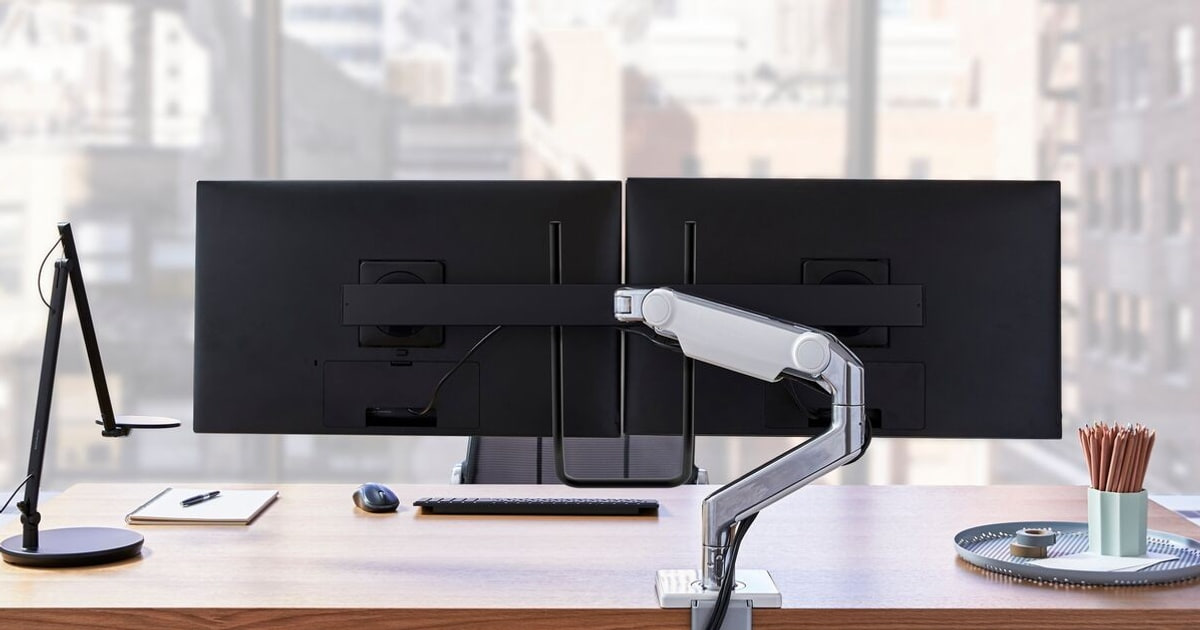
Your monitor's factory stand puts the screen at one height, one angle, and one spot on the desk. That's fine until you actually work there all day. A monitor arm lets you push the screen back when you're spreading out papers, pull it close for detail work, or spin it into portrait for a long document. It also frees up the slab of desk that pedestal was squatting on. And getting the top of the screen to eye level is one of the simplest fixes there is for a sore neck.
No arm solves everything, though. Each one is a spring holding a weight, and springs are picky. Mount a screen that's too heavy and it sags. Mount one that's too light and it drifts upward on its own. Cheaper arms use a coil spring that fatigues, so you'll be chasing a hex key a couple of times a year. Clamps don't get along with glass desks. And nearly every arm assumes your monitor has VESA holes on the back, which a few thin models don't.
So the honest advice is to weigh your monitor first — the "without stand" number on its spec sheet — and then buy an arm that clears it with room to spare. Most people are shopping for a single screen under 34 inches, and that field is crowded but not confusing once you sort gas spring from coil spring. We think that the Ergotron LX is the best monitor arm for most people, and that the Ergotron HX is the one to buy if your screen weighs more than 25 pounds or stretches past 34 inches.
Everything we recommend

Set it once and forget it, if your screen is under 25 pounds

The one that holds a big, heavy ultrawide without sagging

Real gas spring hardware, with lighter-gauge metal to match

Adjusts itself to any screen, at an office-furniture price

Two screens stacked on one pole, without eating the desk
At a glance
| Product | Weight Capacity | Max Monitor Size | Price | |
|---|---|---|---|---|
| ErgotronTop pick | 7-25 lbs | 34 in | $209.69 |
| ErgotronRunner-up | 20-42 lbs | 49 in | $329 |
| Humanscale M8.1 Adjustable Monitor Arm with TwoUpgrade pick | 6-28 lbs | — | $454 |
 | Amazon Basics Gas Spring Single Computer MonitorAlso consider | 4.4-15.4 lbs | 27 in | $27.29On sale |
 | Fully Jax Monitor Arm - fits upAlso in lineup | — | 35 in | $59.99 |
| NB North Bayou Monitor Desk Mount UltraBudget pick | 6.6-26.4 lbs | 35 in | $29.90 |
 | VIVO Single 13 to 38 inch UltrawideAlso consider | 22 lbs | 38 in | $34.99 |
 | ErgotronAlso consider | 7-20 lbs | 34 in | $245 |
 | FlexiSpot Single Monitor Stand - Adjustable SpringAlso in lineup | 3.3-11 lbs | 30 in | $19.99 |
 | Humanscale M2.1 Adjustable Monitor Arm with Two-PieceAlso in lineup | Up to 15 lbs | — | $325 |
 | Mount-It! Monitor ArmAlso consider | 17.6 lbs | 32 in | $43.99 |
| ErgotronAlso great | 7-22 lbs each | 40 in | $459.96On sale |
How we picked
Spring type. We separated gas spring arms from coil-tension arms first, because that single distinction decides whether you'll be re-tightening a bolt twice a year. Gas spring got priority for anything you'd adjust daily.
Weight and size range. We compared each arm's published weight range against what real monitors actually weigh without their stands. Arms with narrow or unstated ranges got treated with suspicion.
Height and reach. We looked for at least 13 inches of lift for seated use, and closer to 17 for anyone moving between sitting and standing. Reach mattered too, for deeper desks.
Desk compatibility. We checked clamp thickness ranges and grommet hole sizes against common desk types, and noted which arms include grommet hardware rather than selling it separately.
Owner-reported failures. We read owner feedback for the complaints that repeat — sagging under load, VESA plates that won't sit in a recessed pocket, clamps that don't fit — and weighted those over one-off gripes.
Top pick
Set it once and forget it, if your screen is under 25 pounds
Ergotron
This is the arm most people should buy. A gas spring holds any position indefinitely, you get 13 inches of lift, and both the desk clamp and the grommet mount are in the box. It fits screens up to 34 inches and 25 pounds, which covers nearly every monitor on a home desk.
$209.69fromAmazonThe gas spring is the entire reason to buy this one. You set the tension once to match your monitor's weight, and then you're done. Nudge the screen up and it stays up. Come back a year later and it's still exactly where you left it. Coil-spring arms sag as the spring fatigues, and you end up hunting for a hex key every few months. Nothing about the LX asks for that kind of upkeep.
It goes high enough for almost any desk-and-chair combination. You get 13 inches of lift, which puts the screen up to 17.3 inches above your desk surface. If you're tall, if your desk sits low, or if you move between sitting and standing, that range matters more than you'd guess. There's a full 360 degrees of rotation too, so flipping to portrait for a long document or a wall of code takes about a second.
It fits whatever desk you already own. The two-piece clamp grabs edges from 0.4 to 2.4 inches thick, which covers most home desks, office desks and standing desks. The grommet mount is included, so if your desk already has a cable hole you can mount through it without buying an accessory. VESA 75x75mm and 100x100mm are both supported, and that's the pattern on the overwhelming majority of monitors sold.
Reviewers keep landing on this arm, and they've been doing it for years. The LX has been the reference point in this category for close to two decades. Published lab work backs up why: one review site's accelerometer measurements put screen movement during typing at roughly a third of a millimeter, the steadiest result in its group. Owner feedback runs the same direction — it holds still, and it keeps holding still.
Flaws but not dealbreakers
It costs several times what a basic arm does. There's no getting around that. If you're mounting a small second screen you barely touch, the extra money buys you very little. The case for spending it is daily use over many years — an arm you reposition every morning, or one you'd rather never think about again. If that's not you, the budget pick below does the core job.
The 25-pound ceiling rules out a lot of big monitors. Plenty of 32-inch panels and most heavy curved ultrawides land above it. You can physically bolt a heavier screen on, but you'll fight the spring, and published reviews have reported drift when the arm is pushed to its limit. Check your monitor's weight without its stand before ordering, and leave yourself headroom.
Cable routing is tidy, not invisible. Cables clip along the outside of the arm rather than disappearing into a sealed internal channel. It looks fine in practice. But it isn't the fully concealed run that a few competing arms manage, so if a spotless desk photo is the goal, plan on adding your own sleeve.
The LX carries a 10-year warranty from Ergotron.
Runner-up
The one that holds a big, heavy ultrawide without sagging
Ergotron
If your monitor is over 25 pounds or wider than 34 inches, this is the arm to get. It's rated for 20 to 42 pounds and screens up to 49 inches diagonal, and it adds the wider VESA patterns that big panels sometimes use.
$329fromAmazonThis is the only arm here built for genuinely heavy screens. The rated range runs from 20 to 42 pounds, and it covers displays up to 49 inches diagonal. That takes in essentially every ultrawide currently sold, plus the large-format 4K panels that make lighter arms droop. Published reviews report it holding a 37-pound ultrawide steady, a load the standard LX couldn't manage for long at its own stated limit.
The VESA support goes wider than usual. Along with the standard 75x75mm and 100x100mm patterns, it handles 200x100mm and 200x200mm, which is what some larger displays use. Ergotron also sells a bracket adaptor kit for patterns beyond those. If you've been squinting at the back of a big monitor wondering whether anything fits it, this is the arm most likely to.
You still get the same feel underneath. It's a gas spring, so there's nothing to re-tighten as the months pass. There's 11.5 inches of lift, the screen rises up to 17.8 inches above the desktop, and you get 360 degrees of rotation and 75 degrees of tilt. The clamp works on edges from 0.4 to 2.6 inches thick, and the grommet mount comes in the box.
It can grow into a bigger setup. Ergotron sells dual and triple monitor kits that attach to the same arm, so a single heavy screen today can become a multi-screen workstation later without starting over. The low-profile clamp also tucks into tight spaces, which helps if your desk backs onto a wall or a cubicle panel.
Flaws but not dealbreakers
It's overkill, and overpriced, for a normal monitor. If your screen is under 25 pounds, you're paying a substantial premium for capacity you'll never touch. Worse, the spring has a 20-pound floor, so a light monitor won't sit properly on it at all. Buy this only when the numbers on your monitor's spec sheet actually require it.
Samsung's 49-inch Odyssey G9 needs an extra part. Because of that screen's extreme curve, you need Ergotron's separate heavy-duty tilt pivot accessory, or the bundled version that ships with the pivot included. If that's your monitor, budget for the accessory or buy the bundle from the start — otherwise you'll be waiting on a second delivery.
It's a big piece of hardware. The arm itself weighs around 17 pounds, and it takes up noticeably more room behind your desk than the standard LX. On a shallow desk, or one pushed flush against a wall, that bulk is something you'll notice.
The HX carries a 10-year warranty from Ergotron.
Budget pick
Real gas spring hardware, with lighter-gauge metal to match
NB North Bayou Monitor Desk Mount Ultra
This is the budget arm we'd actually recommend, because it uses a genuine gas spring instead of a coil that fades. It handles screens from 22 to 35 inches and up to 26.4 pounds, which is a wider range than some arms costing three times as much.
$29.90fromAmazonYou get the gas spring benefit without the premium outlay. Most inexpensive arms use coil tension, which means periodic re-tightening forever. This one doesn't. The rated range runs from 6.6 to 26.4 pounds across screens from 22 to 35 inches, so it comfortably covers a 27-inch 4K panel or a lighter 34-inch ultrawide — sizes that push several pricier arms to their limit.
The mounting hardware is unusually accommodating. The C-clamp works on desks up to 3.54 inches thick, which is wider than most competitors manage, and grommet mounting handles holes from 0.39 to 1.97 inches. Cable management runs inside the arm rather than clipping to the outside. There's also a USB hub built into the base, which is a genuinely handy place for a phone cable.
The motion range covers everything you'd actually use. You get 13.5 inches of upright lift, tilt from +85 to -30 degrees, 90 degrees of swivel in each direction, and full 360-degree rotation for portrait mode. The arm is longer than average, which helps if you have a deep desk and want the screen pushed further back than a standard arm allows.
Flaws but not dealbreakers
The VESA plate is oversized, and that trips people up. The whole plate measures 118x118mm. If your monitor's mounting holes sit inside a recessed pocket on the back panel, the plate won't seat flush, and you'll need longer screws or spacers to make it work. Owners run into this often enough that it's worth checking the back of your monitor before you order.
It doesn't feel like an Ergotron, and it doesn't pretend to. The metal is lighter gauge and the motion is a little coarser — more of a shove than a glide. It'll hold your screen where you put it, which is the part that matters. But if you adjust your monitor constantly, the refinement gap is something you'll feel every day.
Upgrade pick
Adjusts itself to any screen, at an office-furniture price
Humanscale M8.1 Adjustable Monitor Arm with Two
Humanscale's arm compensates for your monitor's weight automatically, so there's no tension knob to fiddle with and nothing to recalibrate when the screen changes. It's built for offices that buy these by the dozen, and it's priced accordingly.
$454fromAmazonThe spring tunes itself, which is genuinely different. Every other arm here asks you to set tension for your monitor's weight. This one adapts on its own as the arm extends, using Humanscale's weight-compensating spring design. Swap in a heavier screen and you don't touch anything. For a shared desk where different people bring different monitors, that removes a recurring support headache.
Positioning it takes almost no effort. The arm moves with a damped, even feel rather than the slight snap you get from a gas spring at the ends of its travel. Smart Stop keeps the arm from banging down into the desk surface, which matters more than it sounds like it should if your desk has a finish you care about.
It's designed around real office life. The rated range covers single monitors from 6 to 28 pounds, and it works on conventional desks and sit-stand workstations alike. The quick-release joints snap together during setup, so installation is fast and doesn't require a drawer of tools. That combination is why corporate ergonomics programs keep specifying it.
Flaws but not dealbreakers
The price is aimed at procurement departments, not home offices. It costs a large multiple of what the top pick does, and the practical gap between them is narrower than the price gap. Unless you're outfitting shared desks or you have a specific ergonomics requirement to meet, the money is hard to justify.
You'll wait for it. Lead times run roughly two weeks, so this isn't the arm to order the night before you rearrange your desk. Plan around it.
Set-and-forget users won't notice what they paid for. Automatic weight compensation earns its keep when the arm moves often or the monitor changes. If you mount one screen, get it level, and never touch it again, you've bought an elegant solution to a problem you don't have.
Also greatOn sale
Two screens stacked on one pole, without eating the desk
Ergotron
For a two-monitor setup on a desk that isn't especially wide, stacking beats sitting screens side by side. This puts two full LX arms on a shared 23-inch pole, each with its own 13 inches of lift, for screens up to 40 inches and 22 pounds apiece.
$459.96fromAmazonList priceStacking wins when desk width is the constraint. Side-by-side dual arms spread across your whole desk and force you to swivel your head all day. Going vertical keeps both screens in front of you and leaves the flanks of the desk free. Developers and traders tend to land here: a wide landscape panel up top, a portrait terminal below, or the reverse.
These are two proper LX arms, not a compromised pair. Each gets 13 inches of independent lift, and the top screen can rise as high as 31.7 inches above the desktop. Each arm handles up to 40 inches and 22 pounds, with 360-degree rotation and 75 degrees of tilt. You can also position the screens side by side if you change your mind later.
Everything you need ships in the box. That includes both arms and extensions, the 23-inch pole, a heavy-duty clamp for edges from 0.63 to 2.6 inches, the grommet plate and hardware, and two pole collars. If you later want a third or fourth display, Ergotron sells an arm-and-collar kit that adds to the same pole.
Flaws but not dealbreakers
It's the most expensive item in this guide. That's a lot to spend on desk hardware, though it's still less than buying two separate top-pick arms — and it gives you a cleaner desk with one mounting point instead of two.
The 22-pound per-screen limit is lower than the single LX's. Heavier 32-inch gaming panels won't qualify. Check both monitors, not just the bigger one, and remember the pole has to carry the pair.
Getting the stack to look right takes patience. Two screens directly above each other make any misalignment obvious in a way that side-by-side placement forgives. Expect to spend real time squaring things up during setup.
The LX Vertical Stacking arm carries a 10-year warranty from Ergotron.
Who this is for
Buy an arm if your screen sits too low, if your desk feels cramped, or if you want to rotate to portrait without buying a different monitor. It's the single most useful desk upgrade for anyone who works at a screen for hours. Skip it if your monitor has no VESA holes on the back, if you work on a tempered glass desk and don't want to drill a grommet hole, or if your screen already sits at the right height and never needs to move. In those cases you're paying for adjustability you won't use.
This guide covers single-screen and dual-screen desk mounts that clamp to a desk edge or bolt through a grommet hole. It doesn't cover wall mounts, freestanding weighted bases, laptop trays, triple-and-up arrays, or the accessory pivots and adaptor kits that some large monitors require. Before you order anything, find your monitor's weight without its stand and its VESA pattern — those two numbers decide which arms are even candidates.
How we picked
We started from spec sheets and published reviews rather than a shopping cart. Spring type: gas spring arms hold position indefinitely, while coil-tension arms fatigue and need a hex key every six to twelve months, so gas spring won by default. Weight range: we matched each arm's rated range against what monitors actually weigh without their stands, and looked for at least 20 percent of headroom. Reach and lift: 13 inches of travel is the floor for seated use, and closer to 17 for standing desks. Desk fit: clamp thickness ranges and grommet hole sizes decide whether an arm works on your desk at all, and we favored arms that include grommet hardware. Owner feedback: we let recurring complaints — sagging, VESA plates that won't seat, clamps that miss — shape the flaws we call out.
Other monitor arms and desk mounts worth considering
If you want a gas spring arm for a small second screen: The Amazon Basics Gas Spring Single Computer Monitor ($27.29) — The Amazon Basics arm is a real gas spring, not a coil, which is unusual at this end of the market. It's rated for monitors from 4.4 to 15.4 pounds across 15 to 27 inches, extends up to 20.5 inches, and clamps onto desks from 0.39 to 4 inches thick — a very wide range. The catch is that weight cap. A modern 27-inch 4K panel can weigh 12 to 15 pounds, which puts it right at the ceiling, so this makes most sense for a 24-inch display or a secondary screen. Setting the tension means counting a specified number of clockwise turns on the knob, which takes patience. Build quality is lighter than the Ergotron tier, and it feels it.
If you want a gas spring for a mid-size monitor without stretching: The Mount-It! Monitor Arm ($43.99) — The Mount-It! sits between the budget arms and the Ergotrons. Mount-It! says its automotive-grade gas springs are tested past 20,000 motion cycles, which is a real engineering commitment at this level. You get full articulation — 90 degrees of upward tilt, 45 down, 90 degrees of swivel each way, 180 degrees of rotation — plus both clamp and grommet hardware in the box, and installation instructions owners describe as unusually clear. What you give up is capacity: 17.6 pounds and 32 inches, which is less headroom than the budget pick offers at a similar level. It's also a newer name without the decade-long track record Ergotron and VIVO have.
If you want ultrawide reach for very little money: The VIVO Single 13 to 38 inch Ultrawide ($34.99) — The VIVO STAND-V001 supports ultrawide screens up to 38 inches and 22 pounds, which is remarkable coverage for what it costs. The clamp handles desks up to 3.25 inches thick, you get 16 inches of height adjustment along the center pole, and both C-clamp and grommet hardware are included. The trade-off is the mechanism: this is coil tension, not a gas spring. Expect the joints to loosen over six to twelve months and to need a hex key to bring them back. If you're mounting a screen once and rarely moving it, that's a manageable chore. If you adjust daily, the maintenance gets old.
If you want polished aluminum instead of matte black: The Ergotron ($245) — The Ergotron MXV is the top pick's design-forward sibling. The V-shaped polished aluminum body looks considerably more expensive than the LX, it lifts the screen up to 18.5 inches above the desk — the tallest single-arm reach in Ergotron's lineup — and it offers 180 degrees of tilt against the LX's 75. But you pay more and get less on paper: 20 pounds instead of 25, a clamp that only fits edges from 0.47 to 1.25 inches, and no grommet mount in the box, since Ergotron sells that separately. Choose it if the finish matters to you and your desk and monitor fall inside those tighter limits.
The competition
This is what our research surfaced, not a survey of every monitor arm on the market. The arms below all have a reasonable case for existing, and one or two of them may be exactly right for a specific desk. They just lost to the picks above on capacity, mechanism, or how much we could verify about them.
The Fully Jax Monitor Arm - fits up ($59.99) — The Fully Jax is aimed at people who already own a Fully Jarvis or a similar standing desk and want the aesthetics to line up. It fits displays up to 35 inches, which covers the common 34-inch ultrawide format, and its height range is set up for full sit-to-stand transitions. What kept it out of the picks is how little the listing tells you: there's no published weight capacity, which is the single most important number when you're buying an arm. There's also a thinner body of long-term owner feedback than Ergotron, VIVO or NB North Bayou have accumulated. If you want it, confirm the weight rating with the manufacturer before you order.
The FlexiSpot Single Monitor Stand - Adjustable Spring ($19.99) — The FlexiSpot arm makes sense mainly for people who already own a FlexiSpot desk and want everything to match. Its clamp range is genuinely excellent — desks from 0.8 to 3.94 inches thick, the widest here — and both C-clamp and grommet bases are included. But the weight ceiling is 11 pounds, and that's the problem. Most 24-inch and nearly all 27-inch monitors weigh more than that, so a lot of buyers will find their screen doesn't qualify. It's a spring mechanism rather than a gas spring, too, so expect periodic re-tightening. Measure your monitor's weight without its stand before considering this one, and choose the budget pick instead if you're not committed to the matching look.
The Humanscale M2.1 Adjustable Monitor Arm with Two-Piece ($325) — The Humanscale M2.1 brings the same automatic weight-compensating spring and Smart Stop as the M8.1, at a lower price and with the same quick-release joints and sit-stand compatibility. If you want Humanscale engineering and your monitor is light, this is the sensible one to buy. The limit is 15 pounds, which in practice means a 24-inch display or a slim 27. Lead times run around a week and a half, so it takes planning. It stayed out of the picks because at that weight ceiling it competes against arms costing a fraction as much, and the self-adjusting spring earns its keep on shared desks more than on a home one.
Installation notes
Do two measurements before you order anything. First, find your monitor's weight without its stand on the spec sheet — that's the number that matters, not the shipping weight — and pick an arm rated at least 20 percent above it. Second, measure your desk edge and check it against the arm's clamp range. Once the hardware arrives, attach the VESA plate to the monitor first, then mount the arm, then hang the screen. Set the spring tension with the monitor already attached, not before. Don't overtighten the friction joints; snug is enough, and cranking them down damages the mechanism. If your desk is tempered glass, skip the C-clamp entirely — clamp pressure can crack it — and use a grommet hole or a freestanding base instead.
Questions we get
What's the difference between a gas spring and a spring-tension arm?
A gas spring uses compressed nitrogen, like the cylinder in a good office chair, and it holds position indefinitely with no adjustment. A spring-tension arm uses a mechanical coil that fatigues over months, so the monitor gradually droops and you re-tighten it with a hex key. For daily use, gas spring is clearly better. Among the arms here, the Ergotrons, the NB North Bayou, the Amazon Basics and the Mount-It! use gas springs, while the VIVO and FlexiSpot use tension springs.
How do I know whether my monitor is VESA compatible?
Look at the back of the monitor for four threaded holes arranged in a square near the center. Measure between hole centers: 75mm means VESA 75x75, and 100mm means VESA 100x100, which is what most displays use. Your monitor's spec sheet lists it under "VESA mount" or "mounting interface." A handful of very thin models, mostly from Dell and LG, have no VESA holes at all and need a manufacturer adapter, so check before you buy an arm.
How much weight capacity do I actually need?
Aim for at least 20 percent more than your monitor's weight without its stand. A 15-pound screen wants an arm rated for 18 pounds or more. That headroom keeps the spring working below its mechanical limit, which extends its life, and it leaves you room if you upgrade the monitor later. Also check the arm's minimum — a heavy-duty arm with a 20-pound floor won't hold a light screen down properly.
Can I use a monitor arm on a glass desk?
Not with a C-clamp. The clamp concentrates pressure on a small area of the edge, and tempered glass can crack or shatter under it. Your options are a grommet mount, which needs a pre-drilled hole, or a freestanding weighted base adapter, which most manufacturers sell separately and which sits on any flat surface. For thin or unusually thick wood desks, just check the clamp range: the top pick handles 0.4 to 2.4 inches, and the FlexiSpot goes to 3.94.
Do monitor arms work with standing desks?
Yes, and they're arguably more useful there. A fixed stand set for seated height leaves the screen too low when you stand, which is exactly the neck strain you were trying to avoid. Look for at least 13 inches of height travel, and closer to 17 if you switch positions often. The top pick's 13 inches of lift, raising the screen up to 17.3 inches above the surface, covers most sit-to-stand ranges.
Why is my arm drooping, and can I fix it?
On a gas spring arm, drooping usually means the tension needs increasing — find the adjustment bolt near the spring joint and tighten it with the included hex key. On a coil-tension arm, gradual droop is normal behavior, and re-tightening every six to twelve months is part of ownership. If a gas spring arm sags again right after a correct adjustment, the spring itself may be worn, which is a warranty conversation rather than a fix.
Why you should trust us
For this guide:
- We read the manufacturer spec sheet for every arm here, focusing on weight range, VESA patterns, lift height, and clamp thickness.
- We compared those specs against published reviews and lab measurements from outlets that put monitor arms through repeatable stability checks.
- We read through owner feedback looking for complaints that repeat — sagging under load, VESA plates that won't sit in a recessed panel, clamps that miss the desk — and let those themes shape what we flag as flaws.
- We read owner reviews on every listing, weighted toward the critical ones, because that is where the recurring failures show up.
- We have a systematic way of automatically fetching the latest prices, so the numbers on this page stay current.
- This is a research-focused guide, so the team may not own every product listed — though we often do own the top winners, which gives us extra context for the recommendations.
- We don't accept free products, and the retailer commission never changes which product we recommend.
Sources
VESA Display Mount Interface Standards — Overview of VESA 75x75mm, 100x100mm, 200x100mm, and 200x200mm mounting patterns and compatibility guidance for consumer displays, Video Electronics Standards Association (VESA)
OSHA Computer Workstations eTool — Monitor placement ergonomics: optimal height, distance, tilt angle, and their effects on neck, shoulder, and eye strain in office environments, U.S. Occupational Safety and Health Administration (OSHA)
Amazon product listings and owner reviews for all 12 products
Manufacturer specification pages for each product
Some passages in this guide may be paraphrased with AI help. Prices are refreshed automatically.
More like this.
Continue exploring electronics reviews and recommendations.

The Best Motorcycle Phone Mounts
Your phone is your GPS, your music player, and the thing that tells you where the next gas station is. On a motorcycle, it also sits a few inches from an…

The Best Magnetic Car Phone Mounts
A phone mount is one of those small purchases you either forget about or curse daily. You reach for it a dozen times a drive - snapping the phone up for…

The Best Wireless Charging Car Phone Mounts
Plugging in a cable every time you get in the car is a small annoyance that compounds. A magnetic mount fixes it. You snap the phone on, it sits at eye…

The Best Under-Desk Cable Management Trays
The mess under your desk is the part of your setup nobody photographs. A power strip on the carpet, three adapter bricks piled on top of it, and a knot of…

The Best Portable USB-C Monitors
A second screen changes how a laptop feels. Spreadsheets stop hiding behind browser tabs, and a video call stops covering your notes. What makes a…

The Best Tire Pressure Monitoring Systems
Your tires are losing air right now. Nothing dramatic - just the ordinary seep of one to two pounds a month, according to the Tire Industry Association,…