The Best iPhone 17 and 17 Pro Accessories
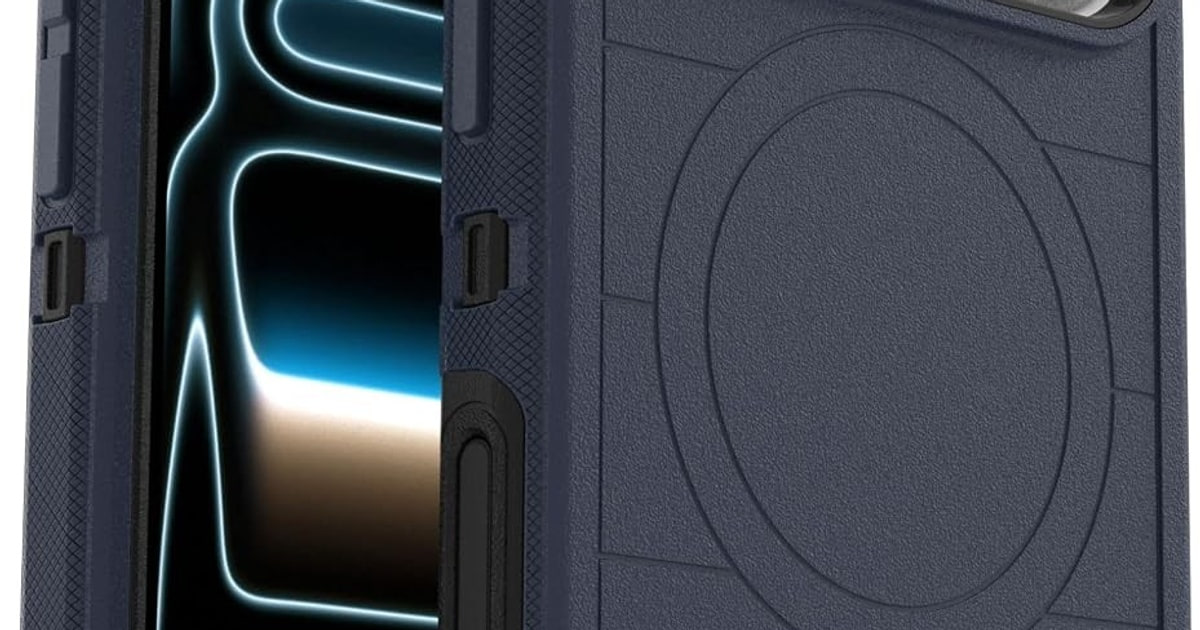
A new iPhone is naked for about ten minutes before something has to go on it. A case, a screen protector, a charger that lives on the nightstand. Those three choices shape how the phone feels for the next few years — how it grips in your hand, how fast it wakes up in the morning, whether you flinch when it slides off the couch. The good news is that you don't need many accessories. You need a few that fit properly.
Fit is the catch. The iPhone 17 line changed enough that hand-me-down gear from an iPhone 16 often doesn't work, and the Air's ultra-thin body needs cases built specifically for it. Charging is muddier still. Apple says the 17 Pro and Pro Max can pull up to 25W over MagSafe, but only chargers with current-generation certification hit that number — everything else gets throttled to 7.5W, according to bench testing published by The Verge. Most listings won't tell you which camp they're in.
So we focused on gear that's cut for these phones specifically, that clears the Camera Control button, and that doesn't lock you into an ecosystem you'll regret. We looked at cases first, since that's what most people buy on day one, then charging, video and cards. We think that the Peak Design Mobile Everyday Case is the best iPhone 17 accessory for most people, and that the OtterBox Defender Pro Series is the one to buy if you work outdoors or hand your phone to a kid.
Everything we recommend
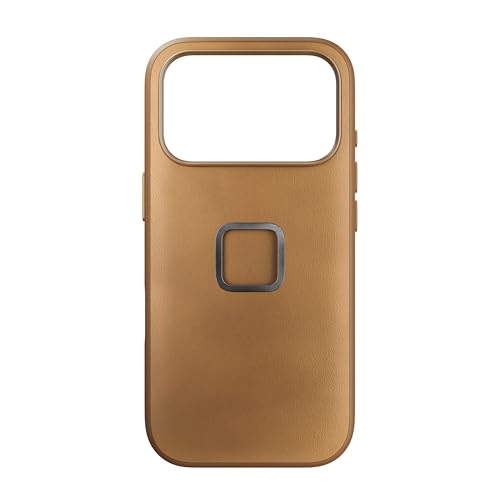
Slim protection plus a mount system you'll actually use
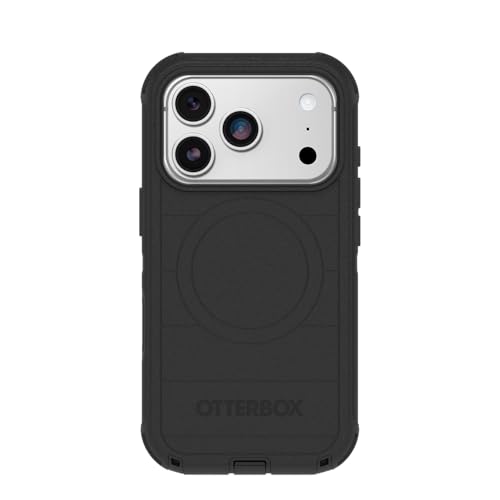
Bulk you'll notice, traded for protection you'll be glad of

Steady, cinematic video — if you'll carry a second gadget

One cable for phone, watch and buds — at 15W, not 25W
Prices as of Nov 4, 9:24 AM PT · Details
At a glance
| Product | Compatibility | Key Feature | Price | |
|---|---|---|---|---|
| Peak Design Mobile Everyday Phone Case forTop pick | iPhone 17 Pro | 6ft Drop Protection | $49.95 |
| OtterBox iPhone 17 Pro Defender Pro SeriesRunner-up | iPhone 17 Pro | 7X Mil-Std Drops | Check price |
| Anker MagSafe Charger CompatibleAlso great | MagSafe/Qi2 | 15W Fast Charging | $69.99 |
 | Apple iPhone FineWoven Wallet with MagSafeAlso consider | — | Supports Find My | $59 |
 | Moment 1.55x Anamorphic Mobile LensAlso in lineup | iPhone 14+/Pixel 8+ | 2.76:1 Aspect Ratio | $199 |
| DJI Osmo Mobile 7 Gimbal Stabilizer forUpgrade pick | iPhone & Android | 3-Axis Stabilization | $75 |
Prices as of Nov 4, 9:24 AM PT · Details
How we picked
Model-specific fit. We only considered accessories cut for the iPhone 17 family, since the 17 Air's ultra-thin chassis and the line's revised camera and sensor layout make older cases and protectors unreliable. Anything listed for a previous generation or a different phone entirely was set aside.
Camera Control clearance. Cases had to leave the capacitive Camera Control button usable, either through a precision cutout or an integrated pass-through button. We read spec sheets and owner feedback for reports of dead or unresponsive swipes.
Real drop evidence. We favored cases with a published drop rating and independent corroboration, rather than a vague claim of military-grade protection. Certification across more drop scenarios and higher heights counted for more.
Honest charging specs. We checked wattage claims against Apple's stated 25W MagSafe ceiling for the 17 Pro and Pro Max, and noted where a charger is capped at 15W or lower so the number on the box matches what you'll get.
Ecosystem lock-in. Mount and lens systems from Peak Design, Moment and others don't talk to each other. We weighed how much future buying each choice commits you to before you've spent anything else.
Top pick
Slim protection plus a mount system you'll actually use
Peak Design Mobile Everyday Phone Case for
A 2.4mm-thin case in weatherproof fabric that's rated for 6-foot drops and snaps onto bike, car and tripod mounts through Peak Design's SlimLink plate. It's the case to buy if you ever put your phone on something other than a table.
$49.95fromAmazonPrices as of Nov 4, 9:24 AM PT · Details
This is the rare slim case that doesn't feel like a compromise. The shell is 2.4mm thick with a shock-absorbing bumper running the whole way around, and Peak Design rates it for 6-foot drops. Published drop testing has pushed it further than that — one report describes a 10-foot fall onto concrete with the screen intact. You get thin-case pocketability without the usual thin-case anxiety.
The back is where it earns its keep. SlimLink adds a mechanical latch on top of the magnets, so the phone locks onto a mount instead of just sticking to it. Owners describe riding with it on bike and motorcycle mounts and trusting it completely. Plain MagSafe magnets are fine on a nightstand. They're not what you want over a pothole at 25 mph.
The outer shell is Clarino, a recycled vegan leather that's Bluesign-approved. In practice that means a fabric back rather than a glossy plastic one, and owners keep bringing up the same small pleasure: it doesn't collect greasy fingerprints the way clear cases do. It also doesn't yellow, because there's nothing clear to yellow.
Buy this one if you already own, or might buy, other Peak Design mounts. The car mount, the bike mount, the tripod adapter and the wallet all key into the same plate. That's the whole argument. If you'll never mount your phone to anything, you're paying for a system you won't use, and a simpler case will do.
Flaws but not dealbreakers
The SlimLink plate is a visible square on the back of the case. Some people never notice it; others find it fussy-looking on an otherwise clean design. It's also a commitment — the mounts that make this case worth the money are all sold separately, and they add up.
Fabric backs pick up grime along the edges over time, especially in lighter colors like the tan. And this is a model-specific case, so it won't carry over to your next phone the way a mount will.
Runner-up
Bulk you'll notice, traded for protection you'll be glad of
OtterBox iPhone 17 Pro Defender Pro Series
A tri-layer case with a shock-absorbing interior, a grippy textured shell and a Camera Control button built into the frame. OtterBox rates it for 7x military-standard drops, and a holster is included. It's noticeably thicker than the Peak Design case.
Check priceatAmazonPrices as of Nov 4, 9:24 AM PT · Details
This is the case for people whose phones have a hard life. Roofers, nurses, parents of toddlers, anyone whose phone rides in a truck door pocket. The tri-layer build wraps a soft inner shell in hard polycarbonate, and OtterBox rates the whole thing to 7x military-standard drops. In published rugged-case drop series, Defender-family cases have taken repeated 6-foot concrete falls without cracking a screen.
The Camera Control button is the detail worth checking, and OtterBox got it right. The button is integrated into the case frame rather than left as an open hole, so the capacitive swipes and half-presses still register. Plenty of rugged cases from smaller brands still ship with a plain cutout or, worse, cover it entirely. Check that before you buy any thick case for a 17 Pro.
MagSafe is built in, which wasn't always true of Defender cases. That matters more than it sounds. On a case this thick, weak magnets mean your phone slides off the charger overnight, and you wake up to 12%. Owners report it holding fine on standard MagSafe pucks and stands.
The holster comes in the box. If you wear one, that's real money saved and a genuinely better carry than a pocket at this thickness. If you don't, it's a plastic clip you'll put in a drawer.
Flaws but not dealbreakers
It's bulky, and no amount of texturing changes that. Your phone gets meaningfully wider and heavier, slim wallets stop fitting over it, and the pocket test is a real consideration.
Assembly is fiddly. Owners consistently mention that getting the shell together the first time takes patience and that the included instructions don't help much. A few also report the rubber outer layer loosening at the corners after months of use, so it's not a case you'll pass down to your next phone.
Upgrade pick
Steady, cinematic video — if you'll carry a second gadget
DJI Osmo Mobile 7 Gimbal Stabilizer for
A 300-gram folding gimbal with 3-axis stabilization, a built-in tripod and ActiveTrack 7.0 subject tracking. It smooths out walking footage in a way no amount of in-phone stabilization matches, and it runs up to 10 hours per charge.
$75fromAmazonPrices as of Nov 4, 9:24 AM PT · Details
Software stabilization on the 17 Pro is good. A gimbal is better, and the difference shows up the moment you walk while filming. The Osmo Mobile 7 uses three motors to cancel the bob of your steps, so a handheld walk-and-talk looks like it came off a dolly. If you make videos for anything — a business, a channel, your kids' recitals — this is the single biggest jump in quality you can buy for a phone.
Tracking is the feature that makes it usable alone. ActiveTrack 7.0 keeps you framed while you move, and Tom's Guide reported roughly 94% subject lock during a ten-minute walking-speed tracking run. You set the phone down, step back and keep talking. Owners filming solo — wedding creators, family vloggers — describe exactly that workflow.
It folds down to something that fits in a jacket pocket, weighs about 300 grams and has a tripod in the handle. DJI rates it for up to 10 hours, and it'll top up your phone over USB-C while you shoot. For travel, that combination matters more than any single spec.
One caution on the Camera Control button: gimbal support for it varies by model and firmware, and the listing doesn't promise it. Tracking and shutter control here run through DJI's Mimo app. If triggering the native camera from the gimbal grip is your must-have, confirm it before you buy.
Flaws but not dealbreakers
You have to carry it, and you have to balance the phone on it. That's a minute of setup every time, which is exactly why most people's gimbals live in a closet. Be honest about whether you'll actually pull it out.
Owners report occasional erratic behavior — the arm swinging on its own, or the unit powering on inside a bag and grinding against the motors. It's usually a balance or button issue rather than a defect, but it's a real annoyance.
Also great
One cable for phone, watch and buds — at 15W, not 25W
Anker MagSafe Charger Compatible
A folding three-device stand that charges your iPhone, an Apple Watch and AirPods from a single outlet, with an adjustable 45-degree hinge for StandBy mode. It ships with the 40W adapter and cable you need, which not every charger does.
$69.99fromAmazonPrices as of Nov 4, 9:24 AM PT · Details
Three cables on a nightstand become one, and that's the whole point. The phone sits on a magnetic pad you can tilt up to 45 degrees, which puts StandBy mode at a readable angle in landscape. The watch puck is officially certified for fast charging — Anker cites a Series 10 going 0 to 100% in about an hour and 13 minutes. AirPods drop onto the base pad.
The adapter and cable come in the box. That sounds minor until you buy a wireless charger that needs a 30W-plus brick you don't own, and it arrives useless. Anker includes a 40W adapter and a 5-foot USB-C cable, so it works the day it shows up.
It folds flat, which makes it one of the few multi-device chargers worth packing. Owners describe using the same unit at a desk and in a hotel, and the footprint is small enough for a crowded bedside table. Efficiency has also measured well in published watt-meter comparisons against competing three-in-one stands.
Be clear-eyed about the speed. This is a 15W Qi2 charger, which is full-rate MagSafe by the old standard but well short of the 25W ceiling on the 17 Pro and Pro Max. Overnight, that's irrelevant. For a 20-minute top-up before you leave, plug into the wall with a cable instead.
Flaws but not dealbreakers
15W is the headline limitation. If you bought a 17 Pro specifically for faster wireless charging, this isn't the accessory that delivers it — you'll want a charger that advertises the current 25W certification.
The layout is tight. Owners mention having to tuck a chunky Apple Watch band above the AirPods pad to get everything seated, and a thick rugged case can weaken the magnetic hold on the phone.
Anker includes a 24-month warranty.
Who this is for
This guide is for anyone who just bought an iPhone 17, 17 Pro, 17 Pro Max or 17 Air and wants to kit it out without buying nine things they'll never use. If you're coming from an iPhone 13 or 14, assume none of your old cases fit and check your cables too. If you're upgrading from a 16, your MagSafe charger will still work — it just won't be fast on a Pro. The Air is the strictest case: its chassis is thin enough that even iPhone 16 Plus cases won't go on.
We've stuck to cases, charging, video gear and wallets — the things most people buy in the first week. We aren't covering car mounts, battery packs, AirTags or headphones here, and we haven't included accessories for older iPhones even when a listing name makes them look current. If you don't shoot much video and never mount your phone to anything, you can stop after a case and a screen protector and be perfectly well equipped.
How we picked
Fit: the accessory has to be built for an iPhone 17-family phone, not adapted from a previous generation, because the new chassis dimensions and camera layout don't forgive close-enough. Camera Control: cases need a clean cutout or a working pass-through button, and we read owner reports for signs the button goes dead behind plastic. Drop protection: we looked for a published rating with independent corroboration, and gave more weight to cases certified across more scenarios and greater heights. Charging honesty: we checked advertised wattage against Apple's 25W MagSafe ceiling on the Pro models and flagged anything capped lower. Lock-in: mount and lens systems are proprietary, so we weighed what each choice commits you to buying next.
Other iphone 17 and 17 pro accessories worth considering
If you want to carry cards on the back of your phone: The Apple iPhone FineWoven Wallet with MagSafe — Apple's FineWoven Wallet with MagSafe is the only one with Find My built in, and that's a genuine advantage — 9to5Mac reported a separation alert firing within about four seconds, with the wallet locatable on the Find My network from a couple hundred feet away. The magnets are strong, and it stacks over a MagSafe case. The material is the problem. FineWoven is a micro-twill made from recycled content, and it scuffs. Owners who've carried one for six months to a year describe it looking visibly worn even with careful handling, and the scratches show most on darker colors. Capacity is about three cards. If you'd rather have leather that ages well than a wallet you can find, buy a third-party one and clip an AirTag to your keys instead.
The competition
Here's what else turned up in the research. It isn't the whole market — new iPhone 17 accessories are landing constantly — but these are the products that came up often enough to weigh against the picks.
The Moment 1.55x Anamorphic Mobile Lens — Moment's 1.55x Anamorphic Lens in Blue Flare is the real thing: a glass anamorphic that shoots a 2.76:1 widescreen frame with the horizontal flares you know from cinema, no digital cropping involved. DxOMark's optics evaluation scored it 94/100 for sharpness with under 0.5% chromatic aberration, ahead of the other mobile anamorphics in that comparison. It takes 67mm filters through a separate mount. The catch is a big one. The lens drops into a Moment T-Series case, sold separately, so buying it means buying into Moment's case system — and that's the opposite direction from our top pick, which is built around Peak Design's mounts. Pick your ecosystem before you pick your glass. If you're shooting narrative work on a 17 Pro and you want a genuine anamorphic look, this is worth reorganizing your setup around. For everyone else it's a lot of commitment for a lens you'll use on a few clips.
Fit and setup notes
Two things trip people up. First, check the exact model on every listing before you click buy — an iPhone 17 Pro case won't fit a 17 Pro Max, and nothing made for an iPhone 16 fits the Air. Screen protectors are fussier still, because the front camera moved and the cutouts changed with it. Second, look at your cables. Charging works over any USB-C cable, but data doesn't: a USB 3.2 Gen 2 cable moves a 1GB ProRes clip to a Mac in roughly eight seconds, while a plain USB 2.0 cable takes over 80 for the same file, per AppleInsider's benchmark. If you shoot ProRes, buy one good cable and label it. Everything else in the drawer is for charging.
Questions we get
Do iPhone 16 cases fit the iPhone 17, 17 Pro or 17 Air?
No, and the Air is the hard no. Apple lists it at 5.5mm thick, roughly 1.5mm slimmer than the iPhone 16, so an iPhone 16 Plus case has nothing to grip. The 17 and 17 Pro also changed enough around the camera module and button placement that an older case will block something. Buy model-specific.
Does the iPhone 17 Pro really charge at 25W over MagSafe?
It can, but only with a charger carrying current-generation MagSafe certification. Apple rates the 17 Pro and Pro Max at up to 25W, a jump from 15W on the 16 Pro, which cuts a 0-to-50% top-up to under half an hour. The Verge's bench testing found non-certified chargers throttled to 7.5W on the same phone. Your old iPhone 16 MagSafe puck will still work — it just won't be fast.
Which case should I get if I want the Camera Control button to work properly?
Look for a case that either leaves a precision cutout or builds in a pass-through button, and check that the listing says so explicitly. Camera Control is capacitive, so a swipe has to register through whatever's covering it. OtterBox's Defender Pro integrates a working button into the frame, which is the safer approach on a thick case. On slim cases a clean cutout is usually enough.
Do I need a new USB-C cable for the iPhone 17 Pro?
Only if you move large video files. Any USB-C cable charges the phone fine. But for data, AppleInsider clocked a 1GB ProRes 4K clip moving to a Mac in about eight seconds over USB 3.2 Gen 2, versus 80-plus seconds over standard USB 2.0. If you shoot ProRes, one 10 Gbps cable is the simplest speed upgrade you can make.
Is Apple's MagSafe Wallet worth it over a third-party one?
It depends on how much Find My integration is worth to you, because that's the only thing it does that others can't. 9to5Mac reported the separation alert firing within about four seconds and the wallet showing up on the Find My network from over 200 feet away. Against that, owner feedback on the FineWoven material is mixed — it scuffs and looks worn faster than leather did. If you lose things, buy it. If you don't, don't.
Should I invest in Moment or Peak Design?
They're separate, incompatible systems, so decide before you spend. Peak Design is a mounting ecosystem — bike, car, tripod — built around the SlimLink plate on its cases. Moment is an optics ecosystem, where a T-Series case is the mount for drop-in lenses like the 1.55x anamorphic. Mobile filmmakers usually want Moment; everyone else gets more daily use out of Peak Design.
Why you should trust us
For this guide:
- We read manufacturer spec sheets and published lab reports for every case here, including drop-certification details and the exact iPhone 17 models each accessory is cut for.
- We compared published charging and stabilization measurements from The Verge, Tom's Guide, AppleInsider, 9to5Mac and DxOMark against what the listings claim.
- We read through owner feedback for recurring themes — button responsiveness, magnet strength, and how these materials look after six months — and weighed those against the marketing copy.
- We read owner reviews on every listing, weighted toward the critical ones, because that is where the recurring failures show up.
- We have a systematic way of automatically fetching the latest prices, so the numbers on this page stay current.
- This is a research-focused guide, so the team may not own every product listed — though we often do own the top winners, which gives us extra context for the recommendations.
- We don't accept free products, and the retailer commission never changes which product we recommend.
Sources
Best iPhone 17 Cases 2026 — Wirecutter, Wirecutter
iPhone 17 Pro MagSafe 25W Charging Deep Dive — The Verge, The Verge
Best MagSafe Accessories 2026 — Tom's Guide, Tom's Guide
DJI Osmo Mobile 7 Full Review — Tom's Guide, Tom's Guide
Moment Anamorphic 1.55x Lens Optics Evaluation — DxOMark, DxOMark
Best iPhone Screen Protectors 2026 — CNET, CNET
iPhone 17 Accessory Compatibility Masterguide — iMore, iMore
OtterBox Defender Series Pro iPhone 17 Drop Test — PhoneBuff, PhoneBuff
Best USB-C Cables for iPhone 17 Pro Thunderbolt Speeds — AppleInsider, AppleInsider
Apple MagSafe Wallet (2025) Find My Integration Reviewed — 9to5Mac, 9to5Mac
Amazon product listings and owner reviews for all 6 products
Manufacturer specification pages for each product
Some passages in this guide may be paraphrased with AI help.
Product prices and availability are accurate as of the date/time indicated and are subject to change. Any price and availability information displayed on Amazon.com at the time of purchase will apply to the purchase of this product.
More like this.
Continue exploring electronics reviews and recommendations.

The Best iPhone 17 Accessories
A new iPhone shows up naked. No case, no charger brick, nothing between that glass back and your kitchen counter. And the iPhone 17 is built around…

The Best iPhone 17 Cases and Screen Protectors
A case is the accessory you touch more than any other. It decides how your phone feels in your hand, whether it slides off the arm of the couch, and…

The Best Ear Tips and Accessories for AirPods Pro 3
Your AirPods Pro don't sound like much without a good seal. The tips do that work. Get the size right and bass shows up, voices sit forward, and noise…

The Best MagSafe Accessories for iPhone
Magnets changed how you use your phone, and most people don't notice until the magnets are bad. A good MagSafe accessory snaps into place on the first…

The Best AirPods Pro 3 Cases
The AirPods Pro 3 charging case is slick, rounded, and small enough to squirt out of your hand. That's great in a pocket and terrible on a tile floor. You…

The Best Camera Lens Attachments for iPhone
Your iPhone already has three cameras, so the question isn't whether you need more glass - it's whether an add-on lens gets you something the phone…