The Best MagSafe Accessories for iPhone
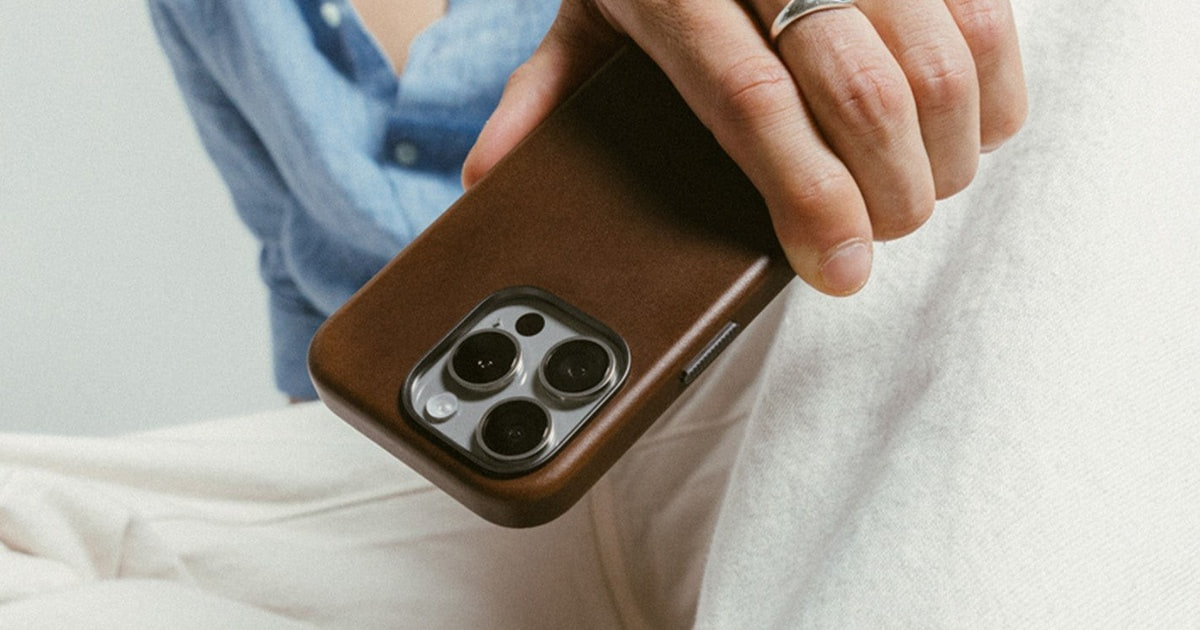
Magnets changed how you use your phone, and most people don't notice until the magnets are bad. A good MagSafe accessory snaps into place on the first try, holds when you shake the phone, and comes off when you want it off. A bad one slides half an inch low, charges slowly, or drops your phone onto the driveway. The category now covers chargers, wallets, grips, car mounts and battery packs, and the difference between the good and the mediocre is mostly magnet strength and build quality.
There's a catch nobody advertises. Magnetic charging is slower and hotter than plugging in a cable, and every accessory in this category adds thickness to a phone you probably bought because it was thin. Wallets block wireless charging while attached. Battery packs warm up. Grips make your phone hard to slide into a pocket. And magnet strength varies a lot depending on whether your case has real MagSafe magnets or just claims compatibility — a thick or non-magnetic case will make almost anything here feel weak.
So think about which single problem you're solving rather than buying the whole set. We think that the Apple MagSafe Charger (2 m) is the best MagSafe accessory for most people, and that the NOMAD Stand One is the one to buy if you want a proper nightstand or desk station that charges your AirPods at the same time.
Everything we recommend
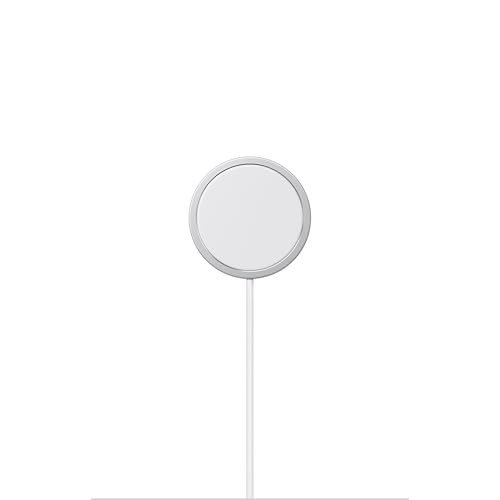
The magnet that always lines up, with a cable long enough

A heavy desk station that charges phone and AirPods at once

Folds to the size of a baseball and charges three things
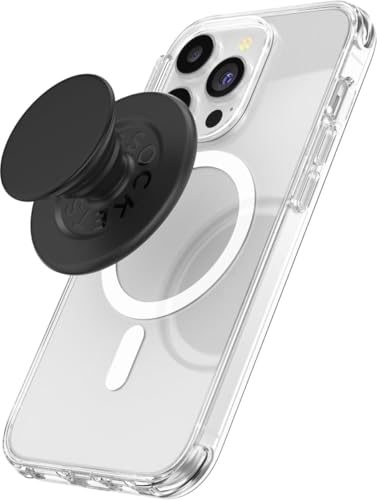
A grip and kickstand that snaps off for charging
Prices as of Nov 4, 9:24 AM PT · Details
At a glance
| Product | Charging Watts | Compatibility | Price | |
|---|---|---|---|---|
| Apple MagSafe ChargerTop pick | 25W | iPhone 8 or later | $39.99 |
| Anker MagGo UFO 3-in-1 MagSafe Compatible Qi2Also great | 15W | — | $69.99 |
 | Mophie Snap+ Juice Pack Mini - MagneticAlso consider | — | MagSafe-enabled iPhone | $34.99 |
 | Peak Design Mobile Stand WalletAlso in lineup | — | — | $59.95 |
 | Belkin Magnetic Vent Mount ProAlso consider | — | iPhone 12-17 Series | $32.99 |
 | ESR HaloLock Magnetic Wallet with Adjustable StandAlso consider | — | iPhone 16 Series | Check price |
| PopSockets Phone Grip for MagSafeBudget pick | — | MagSafe iPhones | $29.07 |
| NOMAD Stand One SilverUpgrade pick | 25W | — | $129 |
Prices as of Nov 4, 9:24 AM PT · Details
How we picked
Magnet strength. We compared manufacturer holding-force claims against what owners report about accessories sliding, drifting or falling off. Anything with a pattern of detachment complaints lost ground, even when the spec sheet looked good.
Charging speed and heat. We read spec sheets for wattage and Qi2 certification, then checked owner feedback for the two things specs don't tell you: whether the phone gets uncomfortably hot, and whether the accessory actually reaches a full charge.
Case compatibility. Published reviews and owner feedback both show that magnet performance swings hugely with case choice. We favored accessories that work with standard MagSafe cases rather than only with the brand's own.
Build and longevity. We looked for materials and construction details in the listings, then weighed them against owner reports of stitching, hinges and cables failing after a year or two of daily use.
What's in the box. Stations that include a power adapter and cable are meaningfully more useful out of the box. We noted where you'll need to supply your own brick to hit the advertised speed.
Top pick
The magnet that always lines up, with a cable long enough
Apple MagSafe Charger
Apple's own puck charges compatible iPhones at up to 25W with a 30W adapter, and the two-meter cable means you can actually use the phone while it charges. It's the accessory that makes every other magnetic accessory make sense.
$39.99fromAmazonPrices as of Nov 4, 9:24 AM PT · Details
If you buy one MagSafe thing, buy this. The magnet alignment is the whole point, and Apple's is the reference every other brand copies. You set the phone down near the puck and it pulls itself into position. No hunting for the sweet spot, no waking up to a phone at 40% because the coil drifted. Owners who bought it after a broken Lightning or USB-C port describe it as the thing keeping their phone alive.
The two-meter cable sounds like a small detail. It isn't. A one-meter cord tethers you to the wall, which means you're sitting on the floor next to an outlet or you're not using the phone at all. With two meters you can charge on the couch, in bed, or at the far end of a desk and still scroll. If you've ever resented a charging cable, this is the fix.
Speed depends on what you plug it into. The spec is up to 25W, but only with a 30W power adapter — with a weaker brick you'll get less. It's certified for Qi2.2 and Qi, so it also works with iPhone 8 and later and with AirPods cases that charge wirelessly. Worth knowing before you assume the puck alone is the upgrade.
It's also the most versatile piece here because it doesn't commit you to a form factor. People mount it in 3D-printed holders, tape it under a desk, or just leave it on a nightstand. A stand locks you into one angle and one location. A bare puck goes wherever you decide it should go.
Flaws but not dealbreakers
It costs noticeably more than third-party pucks that do roughly the same job, and you don't get a power adapter in the box. If you don't already own a 30W brick, budget for one or you won't see the full speed.
The cable is permanently attached, so damage means replacing the whole thing. Owners have lost units to pet chewing and general wear, and a cord protector is a sensible cheap precaution. There's no stand, no second charging surface, and nothing holding your phone up — it's a puck and a wire, and that's it.
Upgrade pick
A heavy desk station that charges phone and AirPods at once
NOMAD Stand One Silver
The NOMAD Stand One holds your iPhone at a fixed 21-degree angle for StandBy mode and charges AirPods on the base pad simultaneously. Metal and glass, over a pound of it, so it stays put when you grab the phone one-handed.
$129fromAmazonPrices as of Nov 4, 9:24 AM PT · Details
Most charging stands are light plastic, and light plastic is the problem. You reach for your phone, the stand comes with it, and you end up steadying the base with your other hand every single time. Stand One weighs about 575 grams with a metal chassis, glass panel and rubber base. You pull the phone off and the stand doesn't move.
The 25W Qi2 puck matters if you charge in short bursts. A quick top-up before you leave the house is where fast wireless charging actually pays off. The base Qi pad handles AirPods or most wireless-charging headphones at the same time, so one outlet covers both. The puck sits raised, which clears the camera bump on current iPhones.
The fixed 21-degree angle is a real design choice with a real trade-off. It's tuned for StandBy mode — the always-on clock and widget display that kicks in when an iPhone charges on its side — and for glancing at the screen from a seated desk position. You can put the phone in portrait or landscape. You can't tilt it further back for a video you're watching from bed.
This is the pick for a specific setup, not for everyone. If your phone lives on a nightstand or a desk and you also carry AirPods, it replaces two chargers and looks deliberate doing it. If you mostly charge in a bag or a car, you're paying for weight you'll never want.
Flaws but not dealbreakers
It's new enough that there's very little owner feedback to draw on, and what exists is thin and split. That's a genuine unknown — with a puck this expensive, we'd want more people to have lived with it before calling it safe. Buy from somewhere with an easy return window.
At over a pound it's a desk object, not a travel one. There's no folding, no packing it flat, and the glass panel wants a little care. The included cable is USB-C to USB-C, so you'll need your own adapter.
Also great
Folds to the size of a baseball and charges three things
Anker MagGo UFO 3-in-1 MagSafe Compatible Qi2
The Anker MagGo UFO collapses into a rounded lump you can drop in a bag, then unfolds into a 15W stand for iPhone, Apple Watch and AirPods. It ships with a 40W adapter and cable, which is more than most stations include.
$69.99fromAmazonPrices as of Nov 4, 9:24 AM PT · Details
Travel is where this one earns its keep. Charging three Apple devices in a hotel room usually means three bricks and three cables tangled in a packing cube. The UFO folds down to roughly baseball size and handles all three from one outlet. Owners who travel regularly describe it as the accessory that finally cut their cable pile down.
It's genuinely well specified for the money. You get the station, a 40W adapter and a five-foot USB-C cable in the box, plus a 24-month warranty. Most competing stations sell you the station and leave the power supply as a separate purchase, which quietly closes the price gap.
Unfolded, the phone sits in landscape for StandBy mode, so it works as a bedside clock as well as a charger. Anker quotes 15W for iPhone and a fast top-up for a recent Apple Watch. That's slower than the 25W ceiling on the newest Qi2.2 hardware, but it's plenty overnight.
The reason it isn't the upgrade pick is that folding hardware makes compromises a solid metal stand doesn't. The hinges have to move, so the whole thing is lighter and less planted on a desk. For a nightstand you use every night, weight is a feature. For a suitcase, it's dead cargo.
Flaws but not dealbreakers
Owner feedback on this one is more mixed than the enthusiasm suggests, with a visible minority reporting problems rather than a uniformly happy crowd. Folding hinges and multiple coils give a product more ways to fail than a plain puck does.
It's a fingerprint magnet in the way most matte black gadgets are, and unfolding it every night gets old if it lives on a nightstand permanently. This is a travel charger that can do desk duty, not the other way around.
Anker includes a 24-month warranty.
Budget pick
A grip and kickstand that snaps off for charging
PopSockets Phone Grip for MagSafe
The magnetic PopSockets grip gives you a one-handed hold and a rough kickstand, then pops off in a second so you can charge wirelessly. It's the simplest way to make a large phone feel manageable.
$29.07fromAmazonPrices as of Nov 4, 9:24 AM PT · Details
Big phones are hard to hold, and that's the entire problem this solves. If you've caught your phone mid-slip taking a photo or replying to a text one-handed, a grip fixes it for very little money. This version uses magnets instead of adhesive, so it comes off cleanly when you want to charge on a puck or slide the phone into a pocket.
The magnetic version is a real improvement over the sticky ones. Adhesive grips left residue, wouldn't move between phones, and blocked wireless charging permanently. This one snaps on and off, survives phone upgrades, and works with MagSafe iPhones and cases. Owners who used taped-on grips for years consistently prefer it.
It doubles as a stand, which is genuinely useful for watching something at a kitchen counter. It's not a precise stand — you get roughly one angle in landscape and it's a bit tippy — but it beats propping the phone against a mug. The PopTop swaps out if you want a different look later.
One thing to check before ordering: it won't stick to silicone or heavily textured cases, and if you use no case at all, the magnet is weaker than it is on a proper MagSafe case. That's a case-compatibility issue more than a product defect, but it's the difference between loving this and returning it.
Flaws but not dealbreakers
It falls off when you drop the phone. That's true of every magnetic grip, and it's the trade-off for being removable, but it means the grip can skitter across a parking lot separately from your phone.
The transparent versions aren't fully clear — there's a white ring at the base that shows against a patterned case. And any grip adds a lump to the back of the phone, so flat-on-a-table typing and tight jeans pockets both get slightly worse.
Who this is for
This guide is for anyone with an iPhone 12 or later — including the iPhone 17 — who wants the magnets on the back of the phone to do something useful. That covers charging, holding, mounting and carrying a couple of cards. If your phone doesn't have MagSafe magnets, or you use a thick case without magnets in it, most of this hardware will disappoint you, and a magnetic adapter ring is the cheaper first step.
We stuck to accessories that attach magnetically and serve a clear everyday purpose. We're not covering cases, screen protectors, MagSafe-adjacent gear that needs adhesive, or the very large desk stations meant for a whole family of devices. And be honest about how many of these you'll actually use — a grip, a wallet and a battery pack all want the same patch of real estate on the back of your phone, and they can't share.
How we picked
Magnet strength: we compared claimed holding force against owner reports of drifting, sliding and outright drops, since a weak magnet ruins every other virtue. Charging speed and heat: spec sheets gave us wattage and Qi2 certification, and owner feedback filled in whether the phone runs hot or stalls before full. Case compatibility: we favored accessories that work with ordinary MagSafe cases, not just the maker's own, because that's the single biggest variable in how strong anything here feels. Build and longevity: materials and construction details from the listings, weighed against reports of hinges, stitching and cables giving out after a year or two. What's in the box: a station that includes the adapter and cable is more useful than one that quietly assumes you own a 30W brick.
Other magsafe accessories for iphone worth considering
If you want your phone visible while you drive: The Belkin Magnetic Vent Mount Pro — The Belkin Magnetic Vent Mount Pro clips into an air vent and holds a MagSafe iPhone in portrait or landscape, with a small channel to keep your charging cable from dangling. Owners with sedans generally love it, and it's the accessory that stops a passenger from having to read directions aloud. The catch is vents: the clip fits some vent designs well and some barely at all, and a few owners with SUVs found it wouldn't grip. It also won't work if you've got a PopSocket on the back. Check your vent slats before you commit.
If you want a battery that snaps on instead of dangling: The Mophie Snap+ Juice Pack Mini - Magnetic — The Mophie Snap+ Juice Pack Mini adds roughly a full charge from a 5,000mAh cell and clips on magnetically in portrait or landscape, so you can keep using the phone while it refills. The USB-C port works both ways, so it recharges itself or powers something else by cable. Owners split on it, though: some get a comfortable charge and a half, while others report the phone and pack running hot and stalling out well short of full on larger Pro Max models. It also has no charge-level indicator worth speaking of, so you're guessing at how much is left.
If you want a wallet with a strong magnet and a stand: The ESR HaloLock Magnetic Wallet with Adjustable Stand — The ESR HaloLock wallet holds three cards behind an RFID-blocking shell, opens into an adjustable stand between roughly 15 and 175 degrees, and claims a much stronger magnetic lock than Apple's own wallet when paired with an ESR case. That stand range is the real advantage — you can set it flat for typing or upright for a video. But the listing is built for the iPhone 16 series, so check fit against your phone, and owner reports point at the metal grommet and the stitching as the parts that give out first. Some versions include Find My tracking, which adds a battery you'll eventually have to think about.
The competition
This is what our research turned up in a crowded category, not a complete map of everything you can buy. MagSafe accessories launch constantly, and plenty of good ones never surface in a search. The products below are real options that lost out to a pick for specific reasons.
The Peak Design Mobile Stand Wallet — The Peak Design Mobile Stand Wallet is the nicest-feeling wallet here — 6mm thin, recycled Bluesign-approved nylon, room for seven cards, and a friction hinge that turns it into a stand at any angle you like. The magnetic pull tab for card access is genuinely clever. The problem is magnet strength on anything other than Peak Design's own case. Owners paired with a PD case call the hold excellent; owners using a standard MagSafe case report the wallet detaching from the phone when they try to use the stand, because the magnet holding the flap shut is stronger than the one holding it to the phone. Buy it if you're already in the Peak Design case ecosystem. Skip it if you're not.
Getting the most out of your magnets
Case choice does more for magnetic accessories than anything you buy. A case with real MagSafe magnets holds several times better than a case that just says it's compatible, and a silicone or heavily textured back will defeat a grip entirely. Keep the magnet ring clean — lint and grit from a pocket build up on the contact face and quietly weaken the hold. For chargers, use a proper 30W adapter if you want the advertised speed, and pull the case off if the phone starts running hot, since heat is what wears a battery down over years. Take wallets and grips off before setting the phone on a charging puck. And check magnetic accessories occasionally for cracked hinges or loose stitching, which are the usual first signs that something's about to fail.
Questions we get
Will these work with an iPhone 17?
Yes, for the most part. Every iPhone since the 12 has the same magnet ring, so chargers, grips, mounts and battery packs carry over between generations. The one thing to check is wallets and cases sized to a specific model, since a wallet built around iPhone 16 dimensions may sit slightly off on a different body.
Does MagSafe charging damage the battery?
Not in any way you need to worry about. Wireless charging does produce more heat than a cable, and heat is what ages a lithium battery over time. Take a thick case off if the phone feels hot while charging, and don't sandwich it under a pillow overnight.
Why does my accessory feel weaker than the reviews say?
It's almost always the case. Accessories are rated against a phone with a proper MagSafe case or no case at all, and a thick, non-magnetic or textured case cuts the holding force sharply. Some brands also tune their accessories to their own cases specifically, which is why the same wallet can feel rock solid for one person and useless for another.
Can I charge through a MagSafe wallet?
No. A wallet sits between the charger and the phone's coil, and the cards inside block the field. Pull the wallet off before you set the phone down on a puck or a stand. Some cards can also be affected by heat, which is another reason not to leave them sandwiched in there.
Do I need a 25W charger, or is 15W enough?
For overnight charging, 15W is plenty — the phone is on the pad for hours either way. The 25W ceiling matters if you charge in short bursts, like a fifteen-minute top-up before you head out. Remember that reaching the higher speed also requires a 30W or better power adapter, which usually isn't in the box.
Will a magnetic grip fall off if I drop my phone?
Usually, yes. That's the trade-off for a grip you can remove for charging, and it means the grip and the phone can end up in different places after a fall. Adhesive grips stay attached better but block wireless charging permanently and won't transfer to your next phone.
Why you should trust us
For this guide:
- We read the manufacturer specifications and listing details for every accessory here, including wattage claims, magnet holding force and materials.
- We compared those claims against published reviews and against recurring themes in owner feedback, paying particular attention to complaints about magnets weakening, accessories detaching and phones running hot.
- We did not use, install or measure any of these products ourselves.
- We read owner reviews on every listing, weighted toward the critical ones, because that is where the recurring failures show up.
- We have a systematic way of automatically fetching the latest prices, so the numbers on this page stay current.
- This is a research-focused guide, so the team may not own every product listed — though we often do own the top winners, which gives us extra context for the recommendations.
- We don't accept free products, and the retailer commission never changes which product we recommend.
Sources
Best MagSafe Accessories — Wirecutter (NYT), Wirecutter
Best MagSafe Chargers Tested and Ranked — Tom's Guide, Tom's Guide
Best MagSafe Accessories for iPhone — CNET, CNET
Qi2 Standard Overview and Certified Product List — Wireless Power Consortium, Wireless Power Consortium
iPhone 17 Pro Technical Specifications — Apple, Apple
Best MagSafe Chargers and Accessories — MacRumors Buyer's Guide, MacRumors
Best MagSafe Car Mounts 2026 — iMore, iMore
Peak Design Mobile Wallet Review — The Verge, The Verge
Best Wireless Chargers — RTINGS.com, RTINGS.com
Best MagSafe Battery Packs Tested — ZDNet, ZDNet
Best MagSafe Wallets — 9to5Mac, 9to5Mac
Amazon product listings and owner reviews for all 8 products
Manufacturer specification pages for each product
Some passages in this guide may be paraphrased with AI help.
Product prices and availability are accurate as of the date/time indicated and are subject to change. Any price and availability information displayed on Amazon.com at the time of purchase will apply to the purchase of this product.
More like this.
Continue exploring electronics reviews and recommendations.

The Best iPhone 17 Accessories
A new iPhone shows up naked. No case, no charger brick, nothing between that glass back and your kitchen counter. And the iPhone 17 is built around…

The Best iPhone 17 and 17 Pro Accessories
A new iPhone is naked for about ten minutes before something has to go on it. A case, a screen protector, a charger that lives on the nightstand. Those…

The Best iPhone 17 Cases and Screen Protectors
A case is the accessory you touch more than any other. It decides how your phone feels in your hand, whether it slides off the arm of the couch, and…

The Best Camera Lens Attachments for iPhone
Your iPhone already has three cameras, so the question isn't whether you need more glass - it's whether an add-on lens gets you something the phone…

The Best Logitech Mice, Keyboards, and Accessories
You touch your mouse and keyboard more than anything else on your desk - thousands of clicks and keystrokes between the first coffee and quitting time. So…

The Best Car Travel Accessories
A long drive exposes every gap in how your car is set up. Your phone slides off the seat mid-turn. The kids' snacks migrate under the seat. Somebody's…