The Best iPhone 17 Accessories
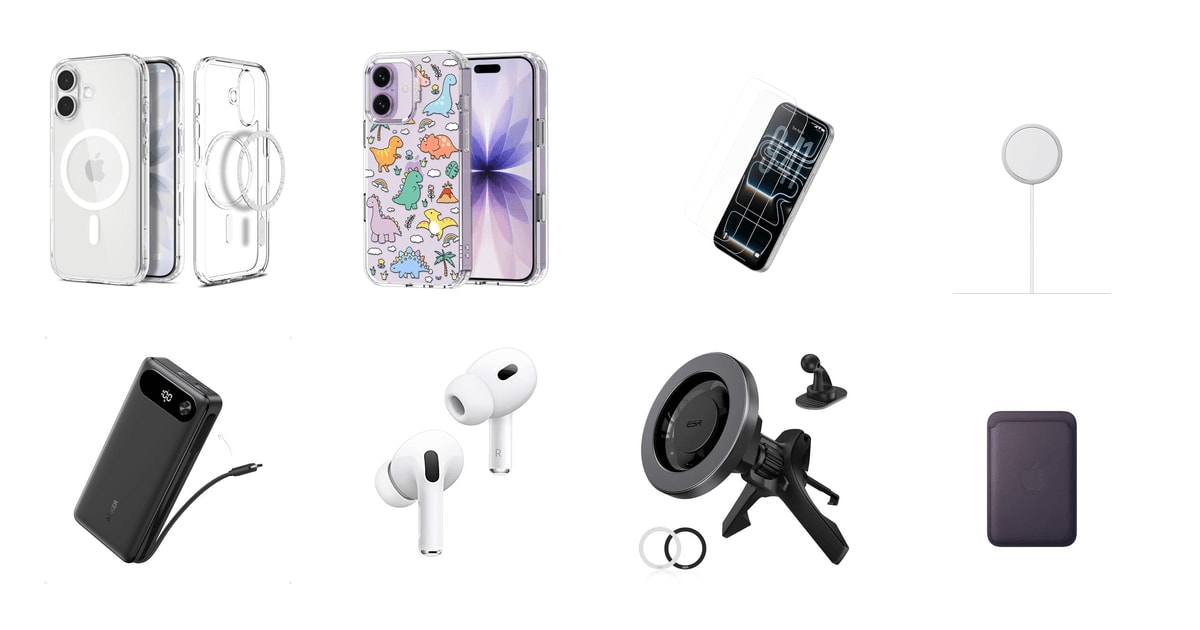
A new iPhone shows up naked. No case, no charger brick, nothing between that glass back and your kitchen counter. And the iPhone 17 is built around magnets, which changes what you should buy first. The right case doesn't just protect the phone — it lets a charger, a car mount, and a wallet snap on and stay put. Get that foundation wrong and you'll spend a year fighting weak magnets and slow charging. Get it right once and everything else clicks into place.
Here's the honest part. Nothing in this category is exciting, and a few of its promises don't survive contact with real life. Clear cases go amber eventually, even the ones treated to resist it. Screen protectors are fiddly, and owners of nearly every brand report bubbles or lifted edges on a first attempt. Vent mounts loosen after a couple of hot summers. You're buying a few good years of protection here, not a permanent fix.
So we focused on the things you'll touch every day: a case that keeps the magnets strong, a charger that reaches the bed, a battery for travel days, and earbuds that pair without a menu. We leaned on spec sheets, published reviews and the patterns in owner feedback rather than on brand reputation. We think that the Spigen Ultra Hybrid MagFit is the best first accessory for most iPhone 17 owners, and that the Apple MagSafe Charger (2 m) is the one to buy if you'd rather set the phone down than plug it in.
Everything we recommend

Clear, slim, and strongly magnetic — the case to start with
Faster wireless charging, with a cord that actually reaches

Enough power for a long travel day, cable already attached
The tightest Apple integration, in a refurbished package
Prices as of Nov 5, 9:31 AM PT · Details
At a glance
| Product | Price | |
|---|---|---|
| Spigen for iPhone 17 CaseTop pick | $14.99 |
 | MOSNOVO for iPhone 17 CaseAlso in lineup | $22.99 |
 | Belkin ScreenForce TemperedGlass Screen Protector for iPhoneAlso consider | $19.99 |
| Apple MagSafe ChargerAlso great | $39.99 |
| Anker Power BankAlso great | $59.99 |
| Apple AirPods ProAlso great | $125On sale |
 | ESR for MagSafe Car MountAlso consider | $15.99 |
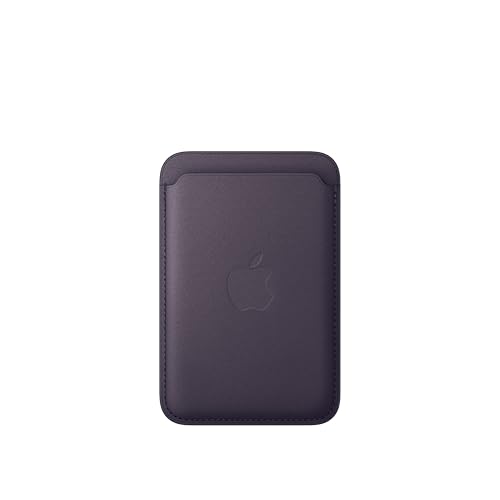 | Apple iPhone FineWoven Wallet with MagSafeAlso consider | $59.99 |
Prices as of Nov 5, 9:31 AM PT · Details
How we picked
Real magnet compatibility. We favored accessories with a genuine MagSafe or Qi2 magnet array over ones that only claim wireless charging, because Apple's own documentation puts plain Qi charging on an iPhone at 7.5 watts. Anything that couldn't hold a mount or align a puck got marked down.
Protection, honestly rated. We read drop claims off spec sheets, then weighed them against what owners describe a year in. Raised lips, corner cushioning and how tightly a case grips the phone tell you more than a headline drop height.
Everyday ergonomics. Cable length, weight and thickness decide whether you keep using something. We looked for the details owners mention unprompted, like a cord that reaches a bed or a case that comes off without a struggle.
Apple ecosystem features. Find My integration, automatic device switching and one-tap pairing only exist inside Apple's ecosystem, so we gave real weight to accessories that use them. Those features are the main reason to pay more for a first-party part.
How it ages. We looked for repeated durability themes in owner feedback rather than one-off complaints: yellowing plastic, adhesive that stops sticking, mount arms that crack in summer heat, woven fabric that scuffs.
Top pick
Clear, slim, and strongly magnetic — the case to start with
Spigen for iPhone 17 Case
The Ultra Hybrid MagFit is a clear hard-backed case with a soft bumper and a magnet ring that lines up with MagSafe chargers and mounts. It's thin enough that your phone still feels like a phone, and it covers the Camera Control button with a layer thin enough to keep the gestures working.
$14.99fromAmazonPrices as of Nov 5, 9:31 AM PT · Details
The magnet ring is the reason to buy this over a generic clear case. Plenty of cases charge wirelessly. Far fewer put a properly aligned magnet array in the back, and that ring is what lets a charging puck snap on square, a vent mount hold through a pothole, and a wallet stay attached in your pocket. Owners who drive rough roads report the phone staying docked, which is the practical version of that spec.
Pick it up and it still feels like an iPhone. The hard back keeps the case from stretching out over time, the soft bumper takes the hit, and the corners use air pockets to spread impact. It isn't the thickest armor you can buy. But it adds about a millimeter per side, and owners coming from bulkier brands keep saying the same thing: this one goes on and off without a fight.
Clear cases go amber. All of them, eventually — it's UV light and skin oil working on the plastic. Spigen tints the back with a blue-shifted resin to push that off, and the anti-yellowing treatment runs across the line rather than being a claim invented for this model. Expect it to slow the process, not stop it. If you want something that still looks new in three years, buy a colored case.
The Camera Control button gets a thin TPU cover rather than an open hole. That matters more than it sounds. The button is touch-sensitive, so an exposed cutout collects pocket grit and a thick cover kills the slide-to-zoom gesture. Owners report the swipe still registering through this layer, and you get one fewer opening to clean out. Small detail, but it's the one people notice within a week.
Flaws but not dealbreakers
Clear plastic shows everything. Fingerprints along the sides, lint in the corners, and any scuff on the back panel reads as a smudge on the phone itself. You'll wipe this case more often than you'd wipe a matte one, and you'll see every speck that works its way underneath.
It's built for the everyday drop, not the dramatic one. There's a raised lip around the screen and camera, but no shock frame and no rubber armor at the corners. If you work on a jobsite, or you hand the phone to a four-year-old regularly, buy something thicker and accept the bulk.
Also great
Faster wireless charging, with a cord that actually reaches
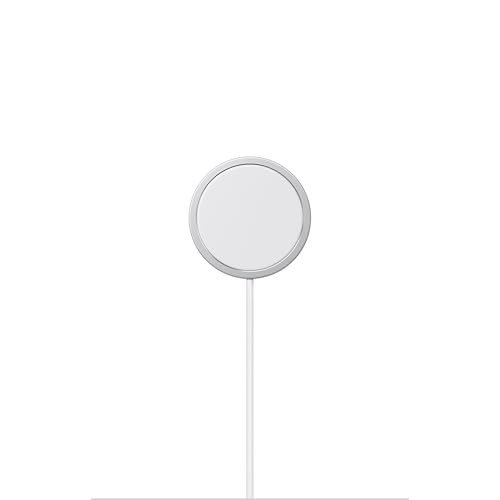
Apple MagSafe Charger
Apple's own puck snaps to the back of the iPhone 17 and charges at up to 25 watts when you pair it with a 30-watt adapter. The two-meter cable is the quiet upgrade — you can sit on the couch or lie in bed and still use the phone while it fills.
$39.99fromAmazonPrices as of Nov 5, 9:31 AM PT · Details
Speed is the reason to skip a generic Qi pad. Apple's documentation puts standard Qi charging on an iPhone at 7.5 watts, while this puck is certified for Qi2.2 and rated up to 25 watts with a 30-watt adapter. That's not a spec-sheet distinction. A top-up that takes an hour here can take closer to two on a plain pad, and if you charge in twenty-minute bursts before heading out, the gap is the whole point.
Two meters sounds like a boring spec until you try charging on a nightstand with the outlet behind the bed. Owners who buy the longer version keep citing the same thing: they can keep using the phone while it charges instead of leaning over a dresser. The magnet is strong enough that the phone hangs on if you lift it one-handed, so you're not constantly re-seating it.
There's no wall adapter in the box, which is worth knowing before you order. The puck ends in USB-C, so it'll run off a laptop charger, a car adapter, or a brick you already own. To reach the top speed you need a 30-watt adapter; below that it still charges, just slower. If you're coming from an older iPhone, dig out whatever brick you have and check the wattage printed on it.
It works on more than the phone. The same puck charges any AirPods case with wireless charging and iPhones going back to the 8, so it's the one thing here that stays useful after you upgrade. Most chargers get orphaned by the next phone or the next port standard. This one probably won't, and that changes the math on buying Apple's version instead of a throwaway.
Flaws but not dealbreakers
It costs more than certified Qi2 pucks that hit the same peak output, and you're mostly paying for build quality and the reassurance of a first-party part. If magnet strength and cable length are all you care about, third-party options genuinely compete.
The cable is permanently attached. If it frays at the strain point, or a pet decides it looks like a chew toy, you replace the whole charger rather than a cord. It also lays the phone flat rather than propping it up, so it's a nightstand charger, not a desk stand.
Also great
Enough power for a long travel day, cable already attached
Anker Power Bank
This is a 20,000-mAh battery with a USB-C cable built into the body, so there's nothing extra to forget in a hotel drawer. It pushes up to 87 watts across three ports, which is enough to top up your iPhone 17 and a laptop on the same flight.
$59.99fromAmazonPrices as of Nov 5, 9:31 AM PT · Details
Airport, middle seat, phone at 11 percent, and your charging cable is somewhere in the bag you checked. That's the problem this solves. The cable tucks into the side of the pack and doubles as a carry strap, and Anker rates it for more than 10,000 bends — so it isn't the flimsy afterthought that built-in cables usually turn out to be.
Twenty thousand milliamp-hours is the sweet spot for travel. That's roughly four phone charges, and it sits just under the capacity ceiling airlines allow in a carry-on. Go bigger and you start running into rules and real weight. Go smaller and you're rationing by dinnertime. At around a pound it's heavier than a slim magnetic pack, so treat it as a bag item rather than a pocket item.
The wattage matters more than the headline capacity. A single port delivers up to 65 watts, which is laptop territory — Anker's figures put a 14-inch MacBook Pro at half full in under 40 minutes. Split across three devices you get 87 watts total. For your iPhone 17, that means the phone's own charging limit is the bottleneck, not the battery, which is exactly what you want.
Refilling the pack is fast if you feed it properly. Anker rates a full recharge at about an hour and a half from a 65-watt charger. Off a slow adapter, it's an overnight job, and owners regularly get caught out by that on the very first charge — they plug it into a phone brick, come back an hour later, and find it barely moved.
Flaws but not dealbreakers
It isn't magnetic. There's no MagSafe ring, so it won't stick to the back of your iPhone 17 and ride along while you walk around. It lives in a bag with a cable running out of it. If what you want is a battery that clings to the phone during a day at a theme park, this is the wrong shape of product.
It's long and it's heavy — closer to a TV remote than a deck of cards. Owner feedback also flags the low-power trickle mode for small gear like earbuds as fussy to trigger, so if your main use is topping up wireless buds, expect a bit of trial and error.
The Anker power bank comes with an 18-month warranty.
Also greatOn sale
The tightest Apple integration, in a refurbished package
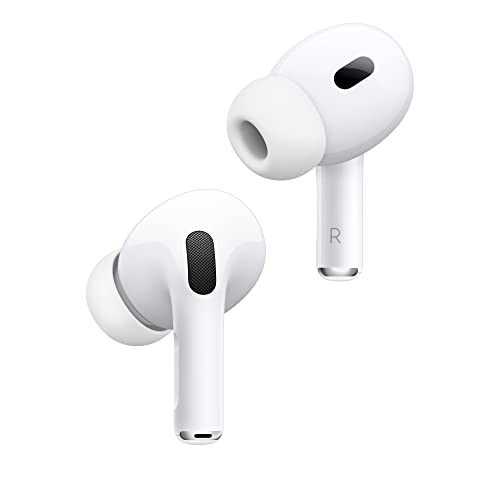
Apple AirPods Pro
These are second-generation AirPods Pro with the USB-C charging case, sold pre-owned after inspection and cleaning by Amazon-qualified suppliers. For an iPhone 17 owner they're the only earbuds that pair in one tap, switch between your devices on their own, and hand audio off without a settings menu.
$125fromAmazonTypical pricePrices as of Nov 5, 9:31 AM PT · Details
No third-party earbuds disappear into an iPhone the way these do. Open the case near the phone and a card slides up. Take a call and the audio follows. Sit down at a Mac and they switch, usually before you've thought about it. Cheaper buds pair fine over Bluetooth, but you end up managing them — holding a button, digging through a menu, forgetting a device. That difference shows up a dozen times a day.
The noise cancellation is measurably good, not just marketed as good. RTINGS measured this generation cutting low-frequency hum around 100 Hz by more than 35 decibels, the strongest result among the true wireless earbuds they put through the same measurements. Low-frequency droning is exactly what you want gone on a plane, a bus, or an open-plan floor, and it's the part cheap buds handle worst.
Buying renewed is the real trade here. These units are professionally inspected, tested and cleaned before resale, but they aren't Apple-certified refurbished, and the packaging and included ear tips vary from unit to unit. Owner feedback runs mostly positive on how they work — sound and cancellation arriving as expected — with complaints clustering around cosmetics and missing tip sizes rather than performance.
Battery is the unknown in any used pair of earbuds. Cells this small degrade with charge cycles, and a renewed pair has already spent part of its life somewhere else. Some owners describe the battery as effectively like new after months of use; others call charging merely adequate for used hardware. If you listen for six hours at a stretch and can't tolerate a shorter run time, buy new instead.
Flaws but not dealbreakers
Renewed means variable. You might get a set that looks untouched, or one that turns up without the full run of ear tip sizes. Tips are what create the seal, and the seal is what makes the noise cancellation work at all, so plan on buying a replacement tip set if your ears aren't a medium.
Because these aren't Apple-certified refurbished, you're relying on the seller's guarantee rather than Apple's own refurbishment program. Battery health also isn't disclosed at purchase, so there's no way to know how much life the cells have left before the case arrives.
Who this is for
This guide is for someone who just unboxed an iPhone 17 and wants to stop researching. It's especially useful if you're switching from Android, or coming from an iPhone 12-era phone, because the magnetic ecosystem changes what you should buy and in what order. Start with a case and glass, add a charger, then decide whether travel or driving justifies the battery and the mount. If you already own a MagSafe puck and a case you like, most of this is optional.
We're covering the first wave of accessories — case, screen protection, charging, audio, car and wallet. We're not covering AppleCare+, camera rigs, cases for the Pro and Pro Max specifically, or the wall adapters that most of these plug into. One warning that applies throughout: the iPhone 17 and iPhone 17 Pro have different sizes and camera layouts, so check which model a listing is cut for before you order anything that has to fit precisely.
How we picked
Magnets: we prioritized real MagSafe or Qi2 alignment over vague wireless-charging compatibility, since a certified puck charges far faster than a plain Qi pad. Protection: we read drop ratings on spec sheets and then checked them against what owners report after months of use, not weeks. Ergonomics: cable length, weight and thickness decide whether an accessory stays in your routine or ends up in a drawer. Ecosystem: Find My, automatic switching and one-tap pairing are the features third-party gear can't replicate, so they earned extra credit. Longevity: we watched for repeat durability themes — yellowing, failed adhesive, cracked mount arms, scuffed fabric — rather than isolated complaints.
Other iphone 17 accessories worth considering
If you want tempered glass with a foolproof alignment tray: The Belkin ScreenForce TemperedGlass Screen Protector for iPhone — Belkin's ScreenForce glass comes two to a box with a plastic tray that drops the sheet onto the screen in the right place, which removes the hardest part of the job. It's 0.33 mm thick, rated 9H against scratches from keys and coins, and treated to resist fingerprints. The catch is real, though: this listing is cut for the iPhone 17 Pro, and a meaningful group of owners report the adhesive refusing to grab a fresh screen, with bubbles that never fully settle. Check the model version carefully, and clean the screen twice before you start.
If you want the phone at eye level while you navigate: The ESR for MagSafe Car Mount — ESR's vent mount uses high-grade N52H magnets rated to hold 2,300 grams, which is far more than an iPhone 17 in a case, and it hooks onto horizontal, vertical, circular or cross-hatch vents. A dashboard anchor is included if your vents are awkward, and the head rotates between portrait for calls and landscape for maps. What you give up is charging — this version doesn't charge wirelessly at all, so you'll still be running a cable for a long drive. It also blocks one vent, and owners in hot climates report the plastic arms eventually giving out.
If you want to carry a couple of cards on the back of the phone: The Apple iPhone FineWoven Wallet with MagSafe — Apple's FineWoven Wallet holds about three cards, snaps onto the iPhone 17 or stacks on top of a MagSafe case, and supports Find My — so if it slides off in a car seat, your phone shows you where the two parted ways. No third-party magnetic wallet does that. The material is where opinion splits. It's made from recycled micro-twill and feels closer to suede than leather, and a substantial share of owners report it looking tired and scuffed inside a year. It can also work loose going in and out of tight pockets.
The competition
This is what our research surfaced for the iPhone 17, not a census of everything on the market. The accessory aisle turns over constantly, and plenty of decent gear never crosses our path. Here's the product we looked at closely and didn't recommend as a pick, plus who might reasonably buy it anyway.
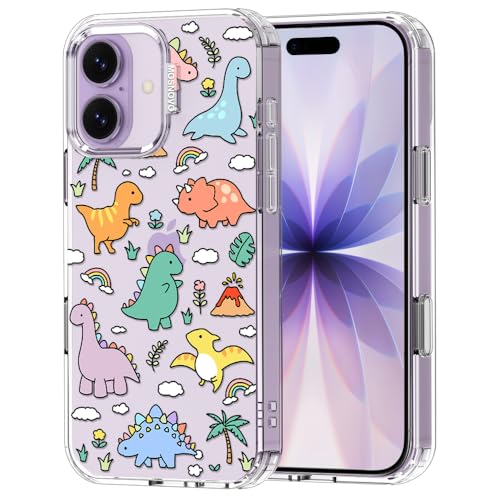
The MOSNOVO for iPhone 17 Case — MOSNOVO's case is the most protective option here on paper. The company says its Buffertech material survived a thousand drops from 6.6 feet in a lab and absorbs 95 percent of impact energy, which exceeds what military-grade drop standards ask for, and the printed designs are genuinely charming rather than tacky. It lost on one line in the specs: it works with plain wireless charging but not with MagSafe. On a phone built around a magnet ring, that costs you the puck alignment, the car mount and the wallet all at once. If you charge by cable and want a case with real personality and lanyard holes, it's still a good buy.
Setup and upkeep
Put the screen protector on first, before the case, and do it in a bathroom right after a hot shower — the steam pulls dust out of the air, and dust is what causes bubbles. Wipe the screen, then wipe it again. Check which model every listing is cut for: the iPhone 17 and 17 Pro differ in size and camera layout, and a protector or case meant for the Pro won't sit right on the standard phone. If a mount or puck starts slipping, it's usually grit on the magnet ring, and a dry cloth across the back of the case fixes most of it. Run the power bank down and back up every couple of months rather than leaving it sitting at full charge all year.
Questions we get
Will my MagSafe accessories from an older iPhone still work?
Mostly, yes. Magnetic pucks, wallets and mounts going back to the iPhone 12 use the same ring layout, so they'll snap on and hold. Cases are the exception, since camera cutouts change with nearly every generation. Older charging pucks are rated for lower peak output than the current one, so expect slower charging even though it works.
Do I actually need a screen protector?
For most people, yes. A SquareTrade drop study found unprotected iPhones cracked their screens in 80 percent of falls from four feet onto concrete, which is roughly desk height or the height of a phone slipping out of a jeans pocket. An out-of-warranty screen repair costs many times what a two-pack of tempered glass does. The trade-off is a fiddly install and the chance you'll need the second sheet.
Can I use a Qi2 charger instead of Apple's?
Yes. Qi2 is an open standard from the Wireless Power Consortium, and certified chargers use the same magnet alignment and match MagSafe's peak output. What varies between brands is build quality, cable length, and how strong the magnets still feel after a year. If a charger only says "Qi" without the 2, it'll fall back to the slower 7.5-watt rate on an iPhone.
What's the fastest way to charge an iPhone 17?
A cable straight into a fast USB-C adapter is still quickest. Magnetic wireless charging is close behind — Apple rates its puck at up to 25 watts with a 30-watt adapter, versus 7.5 watts on a standard Qi pad. Heat slows all of it down, so if charging feels sluggish, move the phone off a sunny windowsill or out of a thick case.
Are renewed AirPods Pro 2 a safe buy?
Generally, yes, with one caveat. These are inspected, tested and cleaned by Amazon-qualified suppliers, and owner feedback on how they sound and cancel noise is largely positive. The complaints cluster around cosmetics, packaging and missing ear tip sizes rather than function. Battery health isn't disclosed, so if you need a full day of continuous listening, buy new.
Which iPhone 17 accessories can you skip?
Skip anything that duplicates what you already carry: a second wall brick, a stand that only props up a phone you could prop against a mug, and any case advertising "wireless charging compatible" when you actually want magnets. Start with a case, glass and a charger. Add a battery pack and a car mount only when your routine genuinely asks for them.
Why you should trust us
For this guide:
- We read the manufacturer spec sheets and listing claims for every product here and checked them against published measurements, including RTINGS' noise-cancellation figures and the Wireless Power Consortium's documentation on Qi2.
- We looked for repeated themes across owner feedback — screen protector adhesion, mount arms failing in summer heat, woven fabric scuffing, clear plastic yellowing — rather than treating single complaints as signal.
- We compared each accessory against the magnetic and charging specifications Apple publishes, rather than relying on marketing language about compatibility.
- We read owner reviews on every listing, weighted toward the critical ones, because that is where the recurring failures show up.
- We have a systematic way of automatically fetching the latest prices, so the numbers on this page stay current.
- This is a research-focused guide, so the team may not own every product listed — though we often do own the top winners, which gives us extra context for the recommendations.
- We don't accept free products, and the retailer commission never changes which product we recommend.
Sources
Best iPhone Cases 2026 — Wirecutter (NYT), Wirecutter
Best MagSafe Chargers and Accessories Tested — Tom's Guide, Tom's Guide
Apple AirPods Pro 2 Review — RTINGS.com, RTINGS.com
Best Portable Chargers and Power Banks — PCMag, PCMag
Best Screen Protectors for iPhone — 9to5Mac, 9to5Mac
Qi2 vs MagSafe Explained — The Verge, The Verge
Best USB-C Cables, Tested — Wirecutter (NYT), Wirecutter
iPhone Out-of-Warranty Repair Pricing — Apple Support, Apple Support
MagSafe Charger and Qi Charging Speeds for iPhone — Apple Support, Apple Support
AirPods Pro 2 Hearing Health Feature Announcement — Apple Newsroom, Apple Newsroom
Qi2 Standard Certification Overview — Wireless Power Consortium, Wireless Power Consortium
Best iPhone Accessories — Macworld, Macworld
Amazon product listings and owner reviews for all 8 products
Manufacturer specification pages for each product
Some passages in this guide may be paraphrased with AI help.
Product prices and availability are accurate as of the date/time indicated and are subject to change. Any price and availability information displayed on Amazon.com at the time of purchase will apply to the purchase of this product.
More like this.
Continue exploring electronics reviews and recommendations.

The Best iPhone 17 and 17 Pro Accessories
A new iPhone is naked for about ten minutes before something has to go on it. A case, a screen protector, a charger that lives on the nightstand. Those…

The Best iPhone 17 Cases and Screen Protectors
A case is the accessory you touch more than any other. It decides how your phone feels in your hand, whether it slides off the arm of the couch, and…

The Best MagSafe Accessories for iPhone
Magnets changed how you use your phone, and most people don't notice until the magnets are bad. A good MagSafe accessory snaps into place on the first…

The Best Camera Lens Attachments for iPhone
Your iPhone already has three cameras, so the question isn't whether you need more glass - it's whether an add-on lens gets you something the phone…

The Best Commuter E-Bike Accessories of 2026
A commuter e-bike gets you to work. The gear bolted to it decides whether the ride is pleasant or grim. You're out in traffic at speeds a regular bike…

The Best Car Travel Accessories
A long drive exposes every gap in how your car is set up. Your phone slides off the seat mid-turn. The kids' snacks migrate under the seat. Somebody's…