The Best Bike Computers
A bike computer earns its spot on your stem by answering the questions your phone handles badly. How far to the next turn? How hard are you actually working? How much climbing is left before the road tips down again? A good one shows you that in direct sun, through rain, with cold hands, hours after a phone would've given up. It sits out front where a glance doesn't become a swerve. And it hands the ride to Strava when you get home, without you thinking about it.
No unit here nails everything. Battery life and screen quality pull against each other, so the bright touchscreens that make maps readable are the ones you'll charge most often. Touch controls get twitchy in rain and clumsy with winter gloves, while button units make you click through menus for simple things. Route planning is still easier on a laptop than on a screen the size of a credit card. And every brand's app has its own quirks, so plan on an evening of setup before your first ride feels smooth.
So buy for the rides you actually do. If you're home before lunch most weekends, huge battery numbers don't matter much and a sharp map does. If you're three days out with a frame bag and no outlet, the math flips completely. We read what reviewers and owners say about screens, navigation, sensor support and everyday menu fiddling, then matched each unit to a kind of rider. We think that the Garmin Edge 1050 is the best bike computer for most people, and that the Garmin Edge 540 is the one to buy if you'd rather have buttons and a longer-lasting battery.
Everything we recommend

The best screen and maps here, if you can live with charging it

Most of the flagship's brains, with buttons and better battery

Long battery and a readable screen, without the smart extras

The easiest one to follow when you don't know the roads
Prices as of Oct 25, 6:48 AM PT · Details
At a glance
| Product | Battery life | GNSS | Price | |
|---|---|---|---|---|
| Garmin Edge® 1050Top pick | Up to 20 hours | GPS | $699.99 |
| Garmin Edge 540Runner-up | Up to 26 hours | Multi-band GNSS | $338.85 |
| Wahoo ELEMNT ROAM V3 GPS Cycling/Bike ComputerAlso great | — | Dual-band GPS | $399.99 |
 | Hammerhead Karoo Bike Computer Wireless GPS ANT+/BLE/GPS/GNSSAlso in lineup | — | Multi-band GNSS | $437.95 |
| LEZYNE Mega XL GPS Bike ComputerBudget pick | 48 hours max | GPS | Check price |
Prices as of Oct 25, 6:48 AM PT · Details
How we picked
Battery life. We compared manufacturer-stated runtimes in both normal and power-saving modes, since the spread across this category runs from about 20 hours to 48. Anything that couldn't cover a long day out without a top-up had to earn its place some other way.
Screen and readability. We read published reviews on brightness, redraw speed and sun readability, and compared how each maker describes its own display. A map you have to squint at in midday light isn't doing its job.
Navigation quality. We favored units that store maps and generate turn-by-turn prompts on the device, and noted which ones borrow your phone instead. Reviewer consensus on how easy a route is to follow at a glance counted for more than a long feature list.
Sensor compatibility. We checked each spec sheet for ANT+ and Bluetooth support across power meters, heart rate straps, radar and electronic shifting. Broad support means the gear you buy next year still works with the computer you buy now.
Controls and setup. We weighed touchscreens against buttons using published reviews of wet and gloved use, plus recurring themes in owner feedback about the first week. Menus that take an evening to learn count against a unit.
Top pick
The best screen and maps here, if you can live with charging it
Garmin Edge® 1050
Garmin's biggest, brightest Edge puts a fast color touchscreen and the deepest sensor and app ecosystem in cycling on your stem. You give up battery life against cheaper units, but you get maps you can read at a glance and a device that talks to nearly everything you own.
$699.99fromAmazonPrices as of Oct 25, 6:48 AM PT · Details
The screen is the reason to buy this one. Garmin leads the 1050's own feature list with its color touchscreen, and DC Rainmaker's reviewers describe it as the largest panel in the current Edge lineup, driven by a much faster processor than the model it replaces. That matters in a boring, practical way. Maps redraw when you pan and zoom instead of stuttering. If you navigate roads you don't know, you'll notice it on every ride.
Picture a group ride where someone flats and the pack splinters on a climb. Paired with your phone and the Garmin Connect app, the 1050 shows live locations for riders on the same ride and lets you send in-ride messages, so regrouping doesn't turn into ten minutes of guessing. Garmin also lists incident detection alerts. None of that replaces looking over your shoulder, but it takes friction out of riding with other people.
Nothing else here talks to as many sensors. Writers at TrainerRoad's blog note that Garmin keeps the broadest ANT+ and Bluetooth compatibility list of any bike computer brand, covering third-party power meters, radar units like Garmin's own Varia, and electronic shifting. If you already own gear, or you plan to add a power meter next season, that's one fewer compatibility question to chase down before you buy.
Two smaller things keep coming up in reviews. Garmin's ClimbPro previews a climb's gradient and remaining distance while you're grinding up it, and Cyclingnews calls that a genuine differentiator against Wahoo and Hammerhead. The 1050 also has a built-in speaker, so turn prompts are audible over wind and traffic, and there's a loud on-device bell for crowded bike paths. It's a small feature you'll reach for more than you'd expect.
Flaws but not dealbreakers
Battery life is what you trade for that screen. Garmin rates the 1050 at up to 20 hours in demanding use, or up to 60 in battery saver mode, and battery saver dims the display and strips back what it shows you. That's fine for a weekend century. It's thin for bikepacking or a long unsupported day, and it's well under what the button-driven Edge 540 promises.
It's also the most expensive unit here, and several of the extras that justify it need your phone along: group messaging, hazard reports, in-ride leaderboards. Ride with your phone at home and the 1050 becomes a very nice map and training computer, which is roughly what the 540 already is. Owners mention a learning curve, too. Garmin's menus reward patience more than intuition.
Runner-up
Most of the flagship's brains, with buttons and better battery
Garmin Edge 540
The 540 keeps Garmin's training features, multi-band GNSS and ClimbPro, then swaps the touchscreen for buttons and adds hours of battery life. It costs about half what the 1050 does, and for plenty of riders that's the smarter buy.
$338.85fromAmazonPrices as of Oct 25, 6:48 AM PT · Details
Start with what you give up. There's no touchscreen and no large map, and the screen is small enough that dense city maps get busy fast. Now the gains. Garmin rates the 540 at up to 26 hours in demanding use and up to 42 in battery saver, and every control works with thick winter gloves on. Cycling Weekly's reviewers make the same point about heavy rain, where wet capacitive screens register taps nobody made.
The training features are the real story here. The 540 shows daily suggested workouts that adapt to your training load and recovery, and paired with a power meter and heart rate strap it classifies your strengths as a rider and compares them against the demands of a course you're about to ride. That used to be flagship-only territory. If you're training for something specific, the 540 gets you there without stepping up to the 1050.
Garmin put multi-band GNSS in this one, meaning it listens on two satellite frequencies at once. DC Rainmaker's reviewers report that dual-frequency units hold a cleaner track through downtown blocks and heavy tree cover than the single-band chips they replaced. If your commute threads between tall buildings, or your favorite loop sits under a canopy, your ride files come back looking like roads instead of abstract art.
Owners moving up from an older computer or a phone app describe the 540 the same way over and over: it does everything they need and nothing they don't. It weighs under three ounces and basically disappears on the stem. A few report units that arrived stuck on the power-on screen, so it's worth setting yours up the day it lands, while a return is still easy.
Flaws but not dealbreakers
Small screen, small type. Maps on a compact button-driven display are legible but cramped, and panning around with buttons feels slow after you've dragged a finger across a touchscreen. If a big readable map is the main reason you want a bike computer, the 1050 or the Wahoo suits you better.
Garmin's menu tree runs deep, and the 540 makes you click through it. Setting up data fields the first time takes a while, and owner feedback splits between people who love the depth and people who wish it were simpler. Wahoo's app-first setup is friendlier if fiddling with menus sounds like a chore rather than a hobby.
Budget pick
Long battery and a readable screen, without the smart extras
LEZYNE Mega XL GPS Bike Computer
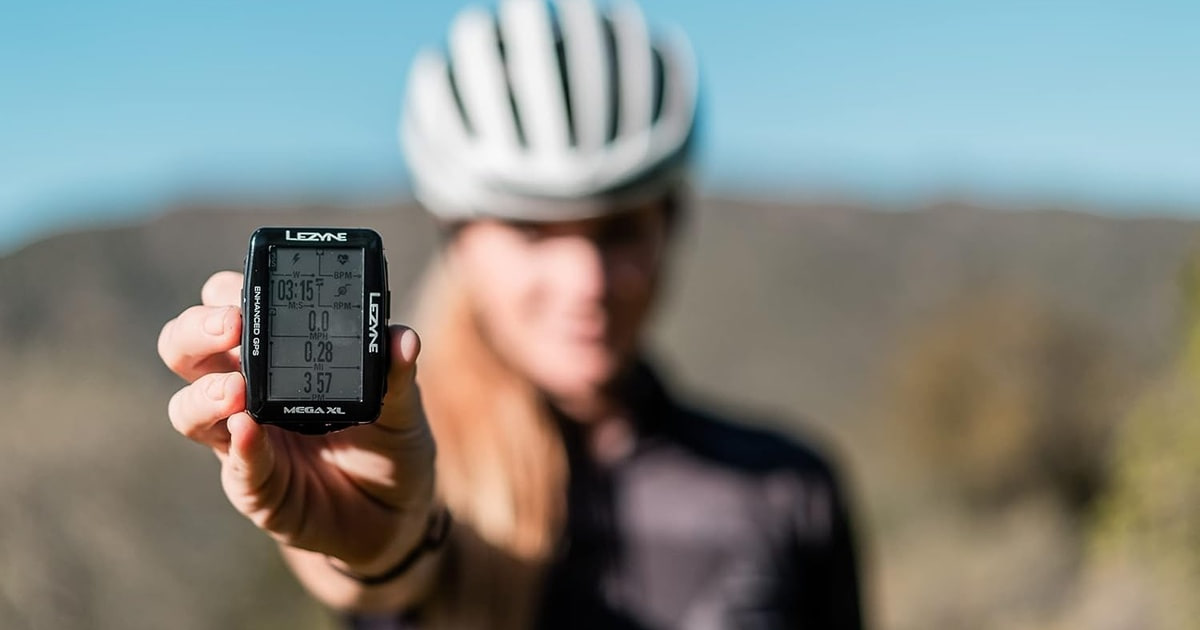
The Mega XL runs up to 48 hours on a charge, stays readable in bright sun, and pairs with power meters and heart rate straps over both ANT+ and Bluetooth. It leans on your phone for turn-by-turn directions, which is the trade you make for spending far less.
Check priceatAmazonPrices as of Oct 25, 6:48 AM PT · Details
Lezyne rates the Mega XL at 48 hours of runtime, more than double what the Edge 1050 promises and nearly double the 540. BikeRadar credits the display for a lot of that. It's transflective, so it uses daylight instead of fighting it, and stays readable in July sun without burning power on a backlight. The screen also flips, so you can run it vertically on a stem or horizontally on a bar mount.
It connects to far more than you'd expect from a budget unit. The Mega XL pairs simultaneously with Bluetooth and ANT+ power meters, heart rate monitors and speed and cadence sensors, and it works with compatible electronic drivetrains. Rides auto-sync to Strava, TrainingPeaks and Today's Plan without you exporting anything. For the least expensive computer in this lineup, that's a serious list.
Navigation is where the compromise lives. Turn-by-turn directions and phone notifications arrive through the free Lezyne Ally V2 app, so the Mega XL is mostly displaying directions your phone works out. On a commute, that's fine. It's a lot less fine deep in the hills with no signal and a phone at four percent, which is exactly where the Garmins and the Wahoo keep navigating on their own stored maps.
Flaws but not dealbreakers
This is an older design and it looks the part. The screen is monochrome, the interface feels dated next to Wahoo's, and setup through Lezyne's app takes more patience than it should. Owner feedback is the most mixed of any working computer here, and the complaints cluster around app pairing and firmware updates rather than the hardware itself.
You also don't get the training layer. No adaptive workouts, no climb previews, no live segments, no coaching that reacts to how tired you are. If you want something closer to a coach on your stem than a data logger with excellent battery, this isn't it.
Also great
The easiest one to follow when you don't know the roads
Wahoo ELEMNT ROAM V3 GPS Cycling/Bike Computer
Wahoo's ROAM shows turns as a simple line and arrow you can read in half a second, and it builds routes from files, apps or the map on screen. If Garmin's menus wear you out, this is the one to try first.
$399.99fromAmazonPrices as of Oct 25, 6:48 AM PT · Details
Wahoo's navigation is the easiest in the category to follow at speed. Reviewers at Global Cycling Network single out the simplified turn display, a colored line and an arrow, as the clearest on-bike navigation to read at a glance. That's the whole pitch. You get a line, an arrow and a distance to the turn. You don't get a busy street map to decode while a car idles behind you.
Route handling is unusually flexible. The ROAM generates turn-by-turn prompts for GPX and TCX files and for routes imported from Strava, Ride With GPS, Komoot and other planners, so whatever your club posts on Sunday night will load without a fight. You can also build a route right on the device by panning the map and picking a spot, which is genuinely handy when a road is closed and you need a different way home.
Wahoo lists dual-band GPS here, using two frequencies to hold position where thick forest and urban density chew up the signal. That puts it level with the Edge 540 on accuracy, which used to be a real gap between the brands. Setup happens mostly in the companion app rather than on the device itself, and it's the gentlest first hour of any unit in this guide.
Flaws but not dealbreakers
Wahoo's simplicity cuts both ways. There's less training analysis than Garmin offers, nothing that matches ClimbPro's live gradient preview, and the data pages are more constrained. If you're the sort of rider who wants to tune every field on every screen, you'll feel boxed in within a week.
Owner feedback on the ROAM skews more mixed than on the Garmins, and the gripes are mostly about software rather than hardware: routes that won't sync, an app that needs a restart. Wahoo patches steadily, so this tends to be a rough first week rather than a permanent problem. Still, budget the evening.
Who this is for
Buy one of these if your phone has become the weak link. You're mounting it to the bars anyway, it dies four hours in, it overheats in summer, and you can't read it with the sun behind you. A dedicated computer fixes all of that and adds sensor support your phone can't match. If you ride a few casual miles a week and never look at the numbers afterward, though, skip it. Your phone in a jersey pocket and a free app are genuinely enough, and you'll save yourself a setup evening.
This guide covers GPS head units that mount on your handlebars or stem, record rides and navigate. It doesn't cover heart rate straps, power meters, mounts, cases or replacement parts, all of which are things you attach to a bike computer rather than alternatives to one. It also leaves out GPS sport watches, which are a different purchase with a different set of trade-offs.
How we picked
Battery: we compared stated runtimes in normal and power-saving modes, because the spread here runs from roughly 20 hours to 48. Screen: we leaned on published reviews of brightness, redraw speed and sun readability, since a display you squint at is no help on a fast descent. Navigation: we preferred units that hold their own maps and build turn-by-turn prompts on the device, and noted which ones borrow your phone's brain instead. Sensors: we read each spec sheet for ANT+ and Bluetooth support across power meters, straps, radar and electronic shifting. Setup: we tracked what owners complain about in the first week, because pairing headaches and deep menu trees are a real cost even when the hardware is good.
The competition
This is what our research surfaced, not a survey of the whole market. Several capable computers didn't make it into this lineup, including the long-battery units built specifically for bikepacking, so treat the list below as the alternatives we could actually check listing facts for.
The Hammerhead Karoo Bike Computer Wireless GPS ANT+/BLE/GPS/GNSS — The Hammerhead Karoo, now sold under SRAM, is the enthusiast's choice, and reviewers at DC Rainmaker praise its Android-based operating system, its very bright screen and touchscreen response among the quickest in the category. It also supports sideloading third-party cycling apps, which Garmin and Wahoo don't allow, and it connects directly to SRAM AXS drivetrains, e-bike systems and ANT+ lights. It lost to our picks on plainer grounds: the listing doesn't state a battery figure, the device is the heaviest and bulkiest here, and the app and training ecosystem around it is smaller than Garmin's. Choose it anyway if you ride SRAM AXS, or if the idea of rearranging every data field and installing your own apps sounds like fun rather than work.
Setup and mounting
Give yourself an evening before your first ride with a new computer. Charge it fully, pair your sensors indoors where nothing is spinning, and download the map region you ride most over wifi instead of discovering the gap at a trailhead. The mount matters more than people expect. An out-front mount puts the screen in your natural sightline and frees up your stem, while a stem mount is fine for the smaller units. Check the quarter-turn tab and any rubber bands every few months, because that's what breaks, not the computer. Keep the charging port cover fully seated after every top-up, since that seal is what earns the water resistance rating. And run firmware updates at home, never the night before an event.
Questions we get
Are bike computers worth it, or is a phone app good enough?
A phone app is fine if you ride a couple of hours a week and don't navigate. Past that, the differences pile up quickly: a screen you can read in direct sun, a battery that outlasts a long day, buttons or a screen that works in the rain, and direct pairing with power meters and heart rate straps. You also stop draining the phone you might need to call someone.
Do I need a touchscreen, or are buttons better?
Buttons win in bad conditions. Cycling Weekly's reviewers report that button units stay fully operable in heavy rain and with winter gloves, while wet capacitive screens can register taps you never made. Touchscreens win for maps, because panning and zooming with a finger beats clicking through it. If you mostly follow known roads in mixed weather, get buttons. If you navigate somewhere new every weekend, get the touchscreen.
What's the difference between the Garmin Edge 540 and the Edge 1050?
The 1050 has the much larger color touchscreen, a faster processor, a built-in speaker and bell, and the group-riding features that need your phone. The 540 uses buttons, has a smaller screen, and is rated for up to 26 hours against the 1050's 20. Most of the training features, including ClimbPro and multi-band GNSS, appear on both. The 540 costs about half as much.
Garmin or Wahoo?
Garmin goes deeper and Wahoo is easier. Reviewers consistently credit Garmin with the broadest sensor compatibility and the most training analysis, including adaptive workouts and live climb previews. Wahoo's simplified turn navigation was rated by Global Cycling Network as the clearest to follow at a glance, and setup happens mostly in the phone app. Pick Garmin if you want data, Wahoo if you want to stop thinking about the device.
Which one should I get for bikepacking?
Battery life is the whole question, so start with the Lezyne Mega XL and its 48-hour rating. That's roughly double what the touchscreen flagships promise. Just remember it uses your phone for turn-by-turn directions, so bring a battery pack or load routes as breadcrumb files. If you want on-device maps for multi-day trips, the Edge 540 in battery saver mode is the better compromise.
Do bike computers work without a phone connection?
The core functions do. All of these record rides, pair with sensors and show your data with your phone switched off. On-device navigation works offline on the Garmins, the Wahoo and the Hammerhead, because those units store maps themselves. The Lezyne is the exception, since its turn-by-turn directions come from the Ally V2 app on your phone. Live features like messaging and hazard alerts always need the connection.
Why you should trust us
For this guide:
- We read published reviews from DC Rainmaker, BikeRadar, Cycling Weekly, Cyclingnews and Global Cycling Network alongside each manufacturer's own specifications.
- We compared stated battery life, satellite band support, sensor compatibility and navigation features across every unit in this lineup.
- We read through owner feedback looking for recurring themes, especially around first-week setup, app syncing and long-term reliability.
- We read owner reviews on every listing, weighted toward the critical ones, because that is where the recurring failures show up.
- We have a systematic way of automatically fetching the latest prices, so the numbers on this page stay current.
- This is a research-focused guide, so the team may not own every product listed — though we often do own the top winners, which gives us extra context for the recommendations.
- We don't accept free products, and the retailer commission never changes which product we recommend.
Sources
Garmin Edge 1050 In-Depth Review, DC Rainmaker
Hammerhead Karoo 3 Review, DC Rainmaker
Best Bike Computers Tested, BikeRadar
Best GPS Cycling Computers Reviewed, Cycling Weekly
Bike Computer Buyer's Guide, Road.cc
COROS DURA First Ride Review, DC Rainmaker
Wahoo ELEMNT Roam V2 vs Garmin Edge 540 Comparison, Global Cycling Network (GCN)
Garmin Edge 540 Review, Cyclingnews
GPS Bike Computer Battery Life Compared, DC Rainmaker
Lezyne Mega XL GPS Review, BikeRadar
Garmin Connect vs Wahoo App vs Hammerhead Dashboard, TrainerRoad Blog
Multi-Band GNSS: Does It Actually Improve GPS Accuracy for Cyclists?, DC Rainmaker
Amazon product listings and owner reviews for all 5 products
Manufacturer specification pages for each product
Some passages in this guide may be paraphrased with AI help.
Product prices and availability are accurate as of the date/time indicated and are subject to change. Any price and availability information displayed on Amazon.com at the time of purchase will apply to the purchase of this product.
More like this.
Continue exploring electronics reviews and recommendations.

The Best Hitch-Mounted Bike Racks
A hitch rack is the difference between a bike trip you look forward to and one you dread. Roof racks mean lifting a 30-pound bike over your head in a…

The Best Commuter E-Bike Accessories of 2026
A commuter e-bike gets you to work. The gear bolted to it decides whether the ride is pleasant or grim. You're out in traffic at speeds a regular bike…

The Best Bike Lights
A bike light does two jobs, and they pull in opposite directions. One is seeing: throwing enough light down the road to catch a pothole at speed. The…

The Best E-Bike Accessories and Upgrades
An e-bike changes what you ask of your gear. The bike is heavier, faster, and worth more than the commuter you probably owned before, and that shifts what…

The Best Electric Bike Conversion Kits
Most bikes sitting in American garages are perfectly good bikes. They just don't get ridden, because the hill between you and the office feels steeper on…

The Best Bike Locks
A bike lock is the rare purchase where you hope you never learn how well it works. What matters day to day is simpler: whether you'll actually carry it. A…