The Best DIY Smart Home Security Systems
A home security system earns its keep on the days nothing happens. You leave for a long weekend, glance at your phone in an airport line, and see every door and window sensor reading closed. That's the real product. The DIY versions have gotten good enough that you can peel adhesive off a contact sensor, stick it on a door frame, and be armed in an afternoon — no drilling, no technician, no three-year contract. Consumer Reports found 78% of DIY owners are very satisfied with self-installation, up from 61% a few years earlier.
Here's the honest part. No system in this category stops a break-in; it just makes your home a worse target and gets help moving faster. A UNC Charlotte study of 422 convicted burglars found 83% said visible security signage factored into skipping a house — the yard sign does real work. But every one of these systems leans on your Wi-Fi, your phone battery, and your willingness to answer a verification call. Self-monitoring saves money and shifts all the risk onto you. Miss the alert and nobody's coming.
We looked at monitoring terms, cellular backup, sensor range, app quality and how much of the system survives a move. Cellular failover matters more than most buyers realize — cut the broadband and a Wi-Fi-only system goes dark. We think that the Ring Alarm Pro is the best DIY smart home security system for most people, and that the eufy Alarm System 8-Piece Kit with HomeBase 3 is the one to buy if you refuse to pay a monthly fee.
Everything we recommend

A full alarm kit and a mesh router in one box

Local storage and no subscription, if you'll watch it yourself

Fast monitoring, no contract, and a camera in the box

The lowest cost of entry to real 24/7 monitoring
At a glance
| Product | Kit Size | Monitoring Fee | Price | |
|---|---|---|---|---|
 | SimpliSafe Smart Lock Series 2Also in lineup | — | — | $119.99 |
| Ring Alarm ProTop pick | 14-Piece Kit | — | $379.99 |
| eufy Alarm System 8-Piece Kit with HomebaseRunner-up | 8-Piece Kit | No Monthly Fees | $373.92On sale |
 | eufy Security HomeBase 3Also consider | — | No Monthly Fees | $129.99 |
| Wyze Home Security System Core Kit withBudget pick | 5-Piece Kit | $4.99/Month | $39.95 |
 | Security Cameras Wireless Outdoor - Arlo EssentialAlso consider | 2 Cameras | $7.99/Mo | $65.55On sale |
| Cove 6-Piece DIY Home Security SystemAlso great | 6-Piece Kit | 3-Mo Included | $79.99 |
How we picked
Monitoring terms. We compared published monitoring plans and contract language across every brand here, favoring systems with no long-term commitment. Security.org's national survey found 47% of DIY buyers rank contract freedom above price, so we weighted it that way.
Cellular backup. We checked spec sheets for LTE failover, since a Wi-Fi-only alarm dies the moment someone cuts the line. Published measurements — Tom's Guide clocked Ring Alarm Pro's failover at under three seconds — helped separate real backup from a marketing bullet.
Install without tools. We read manufacturer setup guides and owner feedback for how many steps stand between an unboxed kit and an armed house. Anything needing a drill, a wiring diagram or a scheduled technician lost ground.
Storage and privacy. We looked at whether footage lives on your hub or someone else's servers, and what stops working when a subscription lapses. The Verge confirmed eufy's HomeBase 3 supports up to 16 TB locally, the highest ceiling among consumer DIY hubs.
Sensor coverage. We counted what each kit includes and what it accepts later — glass break, flood, freeze, smoke and CO — because a system you can't expand is one you'll replace. Kits that cover a three-bedroom house out of the box scored higher.
Top pick
A full alarm kit and a mesh router in one box
Ring Alarm Pro
The Alarm Pro pairs a 14-piece sensor kit with a built-in eero Wi-Fi 6 router, so the hub that watches your doors also runs your network. Add a subscription and it keeps working through an internet outage on LTE backup.
$379.99fromAmazonThe router is the whole argument. Most base stations sit in a closet doing one job. This one is also an eero Wi-Fi 6 node covering up to 1,500 square feet at speeds up to 900 Mbps, which means the box you bought for security is quietly fixing the dead spot in your back bedroom. If you were going to replace your router anyway, the security hardware costs you a lot less than the sticker suggests.
You get one base station, two keypads, eight contact sensors, two motion detectors and a range extender. That's enough for a typical three-bedroom house without a second order. Two keypads matters more than it sounds — put one at the front door and one at the garage entry, and nobody in the family has to sprint across the kitchen during the entry delay. Adding glass break, flood, freeze and smoke listeners later is straightforward.
Cellular backup is the feature most buyers skip and later wish they hadn't. A burglar who cuts your cable line has defeated a Wi-Fi-only alarm. Tom's Guide measured this system's LTE failover at under three seconds when broadband was deliberately cut, the fastest among the DIY systems in that comparison. The catch is that failover and remote arming both require a paid Ring plan.
Alexa households get the smoothest ride here. Arming by voice, routines that trigger on a sensor, cameras and doorbells that all land in one app — the integration is genuinely deep rather than a checkbox. If your house already runs on Echo speakers, this is the system that adds the least friction. Owners who came from decades-old wired panels consistently describe the switch as an upgrade in both convenience and cost.
Flaws but not dealbreakers
Ring is an Amazon company, and privacy-minded buyers have real objections to cloud-hosted video and law-enforcement partnerships. That's a values call, not a spec, but it's worth deciding before you buy in.
Too much of the system sits behind a subscription. Remote arming, internet backup and video history all need a plan; without one you own a very capable local siren. Owners also report occasional buggy stretches — a keypad that doesn't register a disarm, an app that lags behind the hub — usually resolved by a firmware update, but annoying while it lasts.
The included range extender hints at the real limitation: a large or oddly shaped house may need more repeaters than you expect for sensors on the far end to stay reliable.
Runner-upOn sale
Local storage and no subscription, if you'll watch it yourself
eufy Alarm System 8-Piece Kit with Homebase
This eight-piece eufy kit ships pre-paired with a HomeBase 3, and everything records locally with no mandatory monthly fee. You self-monitor, which saves real money and puts the responsibility for answering an alert squarely on you.
$373.92fromAmazonList priceThe math here is simple and hard to argue with. SafeWise's cost analysis pegs the gap between legacy professional monitoring and DIY-average monitoring at hundreds of dollars a year — and this system asks for nothing at all. Over the years you'll own it, that adds up to more than the hardware cost. If you're a renter or a first-time buyer watching every recurring charge, that's the pitch.
Local storage is the other reason to pick this one. The hub starts with 16 GB built in and expands to 16 TB with an external drive — The Verge confirmed that ceiling is the highest of any consumer DIY security hub currently sold. Your footage lives in your house. Nothing gets uploaded, nothing gets deleted when a subscription lapses, and there's no cloud outage that can take your recordings offline.
Setup is close to trivial because the sensors arrive pre-configured to the hub. Peel, stick, key in a code, done. You arm and disarm from the keypad or the app, and alerts hit your phone the moment a door opens. For an apartment or a small house where you mostly want to know when something moved, this covers the job without a technician or a wall anchor.
The system is built to grow. The HomeBase platform supports a large device roster across cameras, doorbells and sensors, so a starter kit in a one-bedroom can become whole-house coverage later without replacing the brain of the system. That's the difference between a gadget and a foundation.
Flaws but not dealbreakers
Self-monitoring is a genuine liability. If your phone is on silent, in a meeting, or dead, no one calls the police. Professional monitoring exists because humans are unreliable at 3 a.m., and this system doesn't offer it the way SimpliSafe, Ring, Cove or Wyze do.
The eufy app draws consistent criticism from owners for a clunky interface — settings buried in odd places, an experience that feels a step behind the hardware. And there's an ongoing gripe about "local" storage that still touches the cloud for some functions, which undercuts the privacy pitch for the strictest buyers.
This kit is sensor-focused. If you want cameras, you're buying into the eufy camera line separately, and the total climbs fast.
Also great
Fast monitoring, no contract, and a camera in the box
Cove 6-Piece DIY Home Security System
Cove's six-piece kit includes three months of professional monitoring and lets you pick an indoor camera, outdoor camera or video doorbell at checkout. Independent testers cite response times among the quickest in the category.
$79.99fromAmazonResponse time is what you're actually buying with professional monitoring. Cove is regularly cited by independent testers for response times around 30 seconds from trigger to contact, which is the difference between a scared intruder and a cleaned-out living room. Pair that with no long-term contract and you get the thing Security.org found 47% of DIY buyers rank above price and brand: freedom to walk away.
Choosing your camera at purchase is a smarter default than it sounds. A ground-floor apartment usually wants an indoor camera; a house with a package problem wants the doorbell. Most starter kits hand you whatever the brand wants to move. Here you point the one included camera at the thing you're actually worried about, which is a better use of the money than a generic bundle.
Installation is genuinely hands-off. The app walks you through placement, the sensors self-enroll, and owners describe a follow-up call from Cove confirming the system reads correctly — a nice touch when you're not sure whether the motion sensor in the hallway is aimed right. Nothing here requires a drill or a wiring diagram.
The kit expands with door and window sensors, motion detectors and additional cameras, so a six-piece starter can grow into whole-home coverage as you add rooms or a garage. That's the right shape for people who want to secure the front and back doors now and think about the basement later.
Flaws but not dealbreakers
Cove is a smaller brand with a much shorter track record on Amazon than Ring or eufy, and there's simply less accumulated owner feedback to draw on. That's not a knock on the hardware, but it means fewer people have written up what the system looks like three years in.
The three months of included monitoring is a trial that becomes a bill. Budget for the recurring cost from day one, because the system's best feature — that fast professional response — is the part you keep paying for.
Smart home integration is thinner here than with Ring or Abode-style hubs. If you want your alarm driving lights and locks through Z-Wave or HomeKit, look elsewhere.
Budget pick
The lowest cost of entry to real 24/7 monitoring
Wyze Home Security System Core Kit with
Wyze's Core Kit gets you a hub, keypad, motion sensor and two entry sensors, plus three months of professional monitoring that routes to your local 911 center. CNET confirmed it's the lowest-priced monitoring plan among DIY systems using a UL-listed center.
$39.95fromAmazonThis is the least you can spend and still have a stranger call the police for you. That's the entire case, and for a lot of people it's enough. Professional monitoring routes to your local 911 call center, and a real person phones and texts within seconds of a trigger to verify before dispatching. For a first apartment or a rental you'll leave in a year, spending more is hard to justify.
The pet-friendly motion sensors are the sleeper feature. They're tuned to detect people rather than a beagle patrolling the hallway, which is the single most common reason people give up on an alarm and stop arming it. Combine that with human verification before dispatch and you get meaningfully fewer 2 a.m. panics and fewer false-alarm fees from your city.
Installation needs no screws, tools or drilling, and the sensors double as smart home triggers — a door opening can turn on a light or start a camera recording. Alexa rules extend that to non-Wyze gear. The system scales to a large number of additional sensors, so a two-door starter kit can cover every window in a house without a new hub.
One thing to understand before you order: this listing is a renewed unit. That's part of why the entry cost is so low, and for a lot of budget buyers it's a fair trade. But it's a different proposition than a sealed box, and you should weigh it accordingly.
Flaws but not dealbreakers
Hub reliability is the recurring complaint, and it's a serious one for a security product. Owners of renewed units report hubs failing early enough to force a full re-enrollment of every sensor and a re-setup of monitoring. Amazon's returns process handles it, but re-pairing an entire house is a bad afternoon.
The setup involves three loosely joined pieces — the app, the hub and the monitoring service — and owners describe the seams. Nothing is broken, exactly, but it takes longer to understand than the polish of Ring or Cove.
Service is limited to the 50 US states, and there's no meaningful HomeKit or Z-Wave story here.
Who this is for
Buy one of these if you rent, if you've been quoted a multi-year contract by a legacy provider, or if you want to know when the back door opens while you're at work. DIY systems fit renters especially well: nothing needs drilling, and the whole kit comes off the wall and moves with you. They also fit anyone upgrading from a wired panel installed decades ago, where the monitoring bill has quietly outgrown the service. Parks Associates projects DIY hardware will make up 38% of the home security market, up from 27% a few years back — this is now the mainstream option, not the compromise.
Skip DIY if you need UL-certified fire monitoring tied to a commercial building, if your insurer requires a specific certified installer, or if troubleshooting a stubborn sensor sounds like a nightmare rather than a Saturday. Worth knowing: the Insurance Information Institute says monitored systems can cut homeowners premiums by 5 to 20% depending on carrier, so call your agent before you choose between self- and professional monitoring. This guide covers alarm systems built around a hub and sensors. Standalone cameras, video doorbells and smart locks show up here only where they attach to one of these systems.
How we picked
We built the shortlist around six things. Monitoring terms: no long-term contracts, and clear published pricing you can cancel without a penalty. Cellular backup: LTE failover that keeps the alarm alive when the broadband goes down, verified against spec sheets and published failover measurements. Installation: no drill, no technician, no wiring diagram — an app-guided setup a first-timer can finish in an afternoon. Storage: a clear answer on whether footage lives on your hub or in someone's cloud, and what breaks when you stop paying. Sensor coverage: enough contact and motion sensors for a real house, plus room to add glass break, flood, freeze and smoke later. Integration: honest support for Alexa, Google Home, HomeKit or Z-Wave rather than a logo on the box.
Other diy smart home security systems worth considering
If you want the sharpest outdoor cameras: The Security Cameras Wireless Outdoor - Arlo Essential ($65.55) — Arlo's Essential Battery 2K cameras are the strongest picture in this group. TechRadar's low-light comparison found Arlo's 2K HDR outdoor camera held accurate color detail down to 0.1 lux, ahead of every other DIY system camera in that cohort. These are rechargeable, fully wireless, and mount in minutes with a 130-degree field of view, plus person, vehicle, package and animal detection to cut down the alerts you don't care about. What you give up is a real alarm system — there are no door sensors, no keypad and no siren wired to a hub, so these supplement one of our picks rather than replace it. Live view and basic alerts work without a plan, but AI detection and 60-day history need a subscription.
If you already own eufy cameras: The eufy Security HomeBase 3 ($129.99) — The HomeBase 3 sold on its own is the brain behind our runner-up, and it's the right buy if you have eufy cameras running without a hub. It handles up to 16 cameras or doorbells plus 34 sensors, stores footage locally on 16 GB expandable to 16 TB, and runs BionicMind facial recognition on-device so you stop getting pinged every time your teenager walks past the driveway. There's a 100 dB siren built in that fires on AI human detection. The catch is that it's a hub, not a system — no sensors, no keypad, nothing in the box that watches a door. One practical warning from owners: use a proper external drive, not a scavenged laptop hard drive, since heat has caused recording to stop.
The competition
Here's what our research turned up beyond the picks. This isn't every DIY security product sold — it's the set that came up repeatedly in published reviews and owner feedback for this category, plus the accessories that sit alongside these systems. A product landing here usually lost on one specific thing rather than being bad.
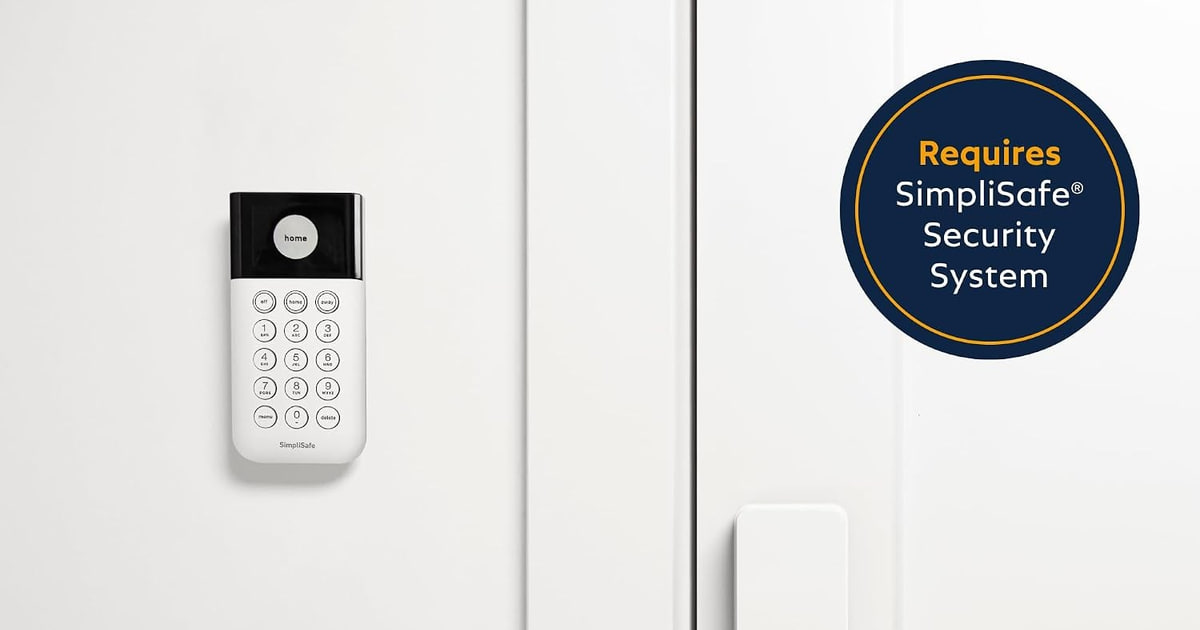
The SimpliSafe Smart Lock Series 2 ($119.99) — The SimpliSafe Smart Lock Series 2 is an add-on for a Gen 3 SimpliSafe system, not a security system itself, so it can't compete with the kits above. It's a good piece of gear on its own terms: it retrofits onto your existing deadbolt rather than replacing the whole lock, so your hardware finish stays consistent, and it auto-locks when you arm the system or on a timer. You get PIN entry, app control and alerts on every lock and unlock, and it works without a monitoring plan. Owners flag two real issues — alignment can be finicky enough that you're pulling the handle while locking, and a minority report the bolt failing to fully retract after a few months, which means falling back to a key. Consider it if you already run SimpliSafe and want keyless entry; don't buy it expecting an alarm.
Installation and upkeep
Plan the layout before you peel a single adhesive strip. Sensors go on the doors and windows a person could actually reach — ground floor, garage entry, the basement window behind the shrubs — not on every opening in the house. Clean each frame with rubbing alcohol first; dust is the main reason a contact sensor falls off in August. Mount motion detectors in a corner about seven feet up, aimed across a room rather than at a window, and if you have a dog, set the pet-sensitivity option before you arm it, not after the first false alarm. Put the yard sign and window decals up, since the UNC Charlotte research suggests visible signage does real deterrent work on its own. After that, the routine is small: test one sensor a month from the app, swap batteries when the app nags rather than when it screams, and re-check placement any time you move furniture that blocks a sensor's view.
Questions we get
What's the best DIY home security system with no monthly fee?
The eufy 8-piece kit with HomeBase 3 is the strongest no-fee option here. Everything records locally on the hub, which starts at 16 GB and expands to 16 TB, and nothing stops working if you never subscribe. The trade-off is that you're the monitoring service — if you miss the alert, nobody calls the police.
Do DIY security systems still work if my Wi-Fi gets cut?
Only if the system has cellular backup, which usually means a paid plan. Ring Alarm Pro is the standout here; Tom's Guide measured its LTE failover at under three seconds when broadband was deliberately cut. A Wi-Fi-only system goes dark the moment someone cuts the line outside, which is exactly why cellular backup matters more than the spec sheet suggests.
Can I take my system with me when I move?
Yes, and that's one of the real advantages of DIY. Every system here mounts with adhesive strips rather than screws, so sensors peel off, the hub unplugs, and the whole kit fits in a box. You'll re-run the app setup at the new address and may need to update your monitoring service with the new address and dispatch details.
Which system gets me professional monitoring on a budget?
Wyze's Core Kit is the lowest cost of entry. CNET confirmed Wyze's plan is the lowest-priced professional monitoring among DIY systems that use a UL-listed monitoring center, and alarms route to your local 911 call center with a human verification call first. Cove is the step up if you want faster response and a camera included.
What sensors do I actually need for a three-bedroom house?
Start with a contact sensor on every exterior door and every ground-floor window a person could climb through, then add one or two motion detectors covering the main hallway and the living room. That's roughly eight to twelve sensors for a typical house — which is why our top pick's 14-piece kit is sized the way it is. Add glass break, smoke and flood sensors as budget allows.
Do these actually lower my insurance?
Often, yes. The Insurance Information Institute confirms monitored systems can reduce homeowners premiums by 5 to 20%, depending on your carrier and the type of monitoring. The discount usually requires professional monitoring rather than self-monitoring, so call your agent with the specific system in mind before you decide.
Why you should trust us
For this guide:
- We read manufacturer spec sheets and setup guides for every system here, comparing sensor counts, cellular backup, storage limits and what stops working without a subscription.
- We reviewed published measurements and comparisons from Tom's Guide, TechRadar, PCMag, CNET, The Verge and Wirecutter on failover speed, low-light camera performance, monitoring response times and local storage ceilings.
- We read owner feedback across each listing to identify recurring themes — app friction, hub reliability, sensor alignment — rather than isolated complaints.
- We read owner reviews on every listing, weighted toward the critical ones, because that is where the recurring failures show up.
- We have a systematic way of automatically fetching the latest prices, so the numbers on this page stay current.
- This is a research-focused guide, so the team may not own every product listed — though we often do own the top winners, which gives us extra context for the recommendations.
- We don't accept free products, and the retailer commission never changes which product we recommend.
Sources
Best Home Security Systems 2026 — Wirecutter, Wirecutter (NYT)
Best Home Security Systems — PCMag, PCMag
Best Home Security Systems of 2026 — CNET, CNET
Best Home Security Systems — Tom's Guide, Tom's Guide
Home Security System Reviews — Consumer Reports, Consumer Reports
Best Home Security Systems — SafeWise, SafeWise
Home Security Research & Statistics — Security.org, Security.org
Crime in the United States — FBI Uniform Crime Report, FBI UCR
Alarm Systems and Your Insurance Premium — Insurance Information Institute, Insurance Information Institute
Understanding Decisions to Burglarize — UNC Charlotte Department of Criminal Justice, UNC Charlotte / ASU Center for Problem-Oriented Policing
Best Home Security Systems — TechRadar, TechRadar
Eufy Security HomeBase 3 Review — The Verge, The Verge
Amazon product listings and owner reviews for all 7 products
Manufacturer specification pages for each product
Some passages in this guide may be paraphrased with AI help. Prices are refreshed automatically.
More like this.
Continue exploring home reviews and recommendations.

The Best Home Security Systems
A home security system spends almost all of its life doing nothing at all. That's the point. What you actually notice day to day is smaller stuff: whether…

The Best Outdoor Smart Home Security Cameras
An outdoor camera earns its keep in small moments. A package shows up while you're at work. Something knocks over the recycling bin at 2 a.m. A contractor…

The Best Car Alarm and Security Systems
Your car spends most of its life parked and unattended. On a street, in a work lot, in a driveway you can't see from the kitchen sink. A security system's…

The Best Smart Home Security Cameras
A security camera earns its keep on ordinary days, not dramatic ones. You want to know the dog walker showed up, the package landed, the kid got home. So…

The Best Smart Garden Systems for Fresh Herbs
Fresh herbs go bad fast. You buy a clamshell of basil for one recipe, use a third of it, and find the rest slimy in the crisper a week later. A smart…

The Best Smart Door Locks and Keyless Entry Systems
A smart lock earns its keep in the small moments. You're carrying groceries in both arms and the door opens anyway. Your kid gets home from school and you…