The Best Indoor Security Cameras
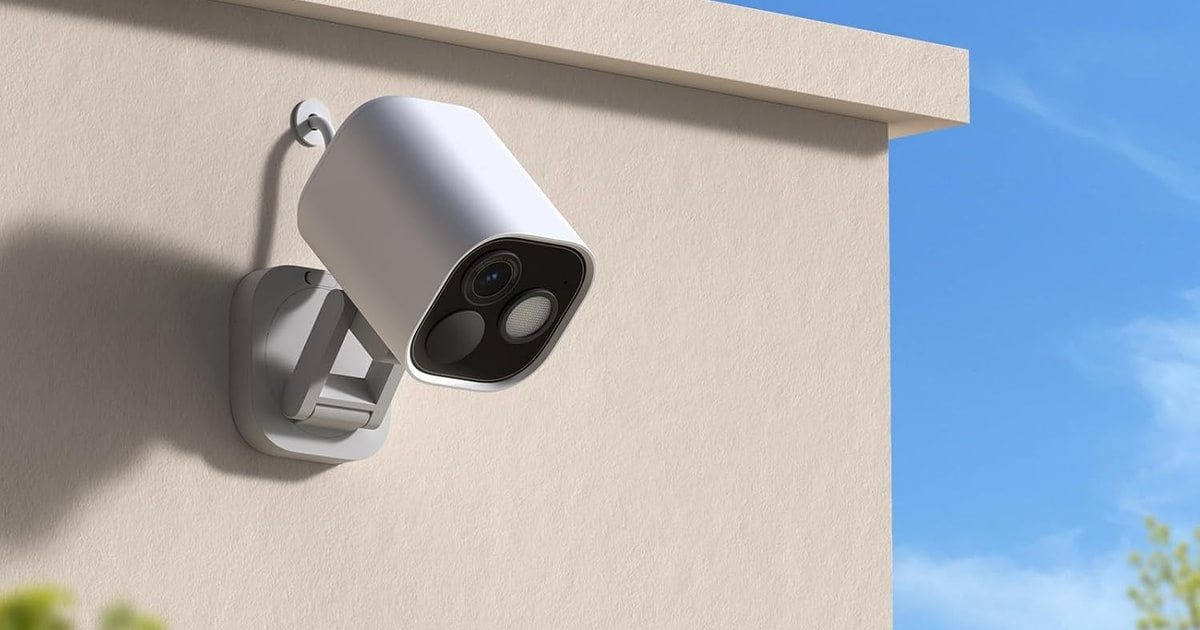
An indoor camera earns its keep in small moments. You're at work and the dog has gone quiet. A package gets dropped inside the door and you want to know when. The baby monitor you bought two years ago has a screen you can't check from the office. A good camera answers those questions in a couple of seconds, from your phone, without making you scrub through an hour of footage. A bad one buzzes your pocket every time the curtain moves, and you learn to ignore it.
Here's the honest part. No indoor camera on this list is cheap once you count the monthly fee, and the fee is where most of the money goes. Person detection, saved clips, and useful history are usually locked behind a subscription, so a modest camera on a paid plan can outrun a pricier one that stores footage locally. Matter support is still patchy across brands, despite the box art. And every camera in your house is another internet-connected microphone, which is a real thing to weigh.
We looked at how these cameras handle the ordinary stuff: a dim hallway at midnight, a cat that sets off alerts all afternoon, an app you'll open twice a day. We think that the Google Nest Cam Indoor is the best indoor security camera for most people, and that the Aqara Camera Hub G5 Pro is the one to buy if you live in Apple Home and want your footage staying close to home.
Everything we recommend

Sharp video and alerts that mean something, if you pay monthly

The Apple Home pick, with detection that runs on the camera itself

4K, full-room panning, and no monthly fee to unlock it

The easiest one to set up, especially if you're already on Alexa

Full-room panning and 2K for far less than the premium cameras
Prices as of Oct 24, 6:27 AM PT · Details
At a glance
| Product | Resolution | Night vision | Price | |
|---|---|---|---|---|
| Google Nest Cam IndoorTop pick | 2K HDR | Night vision | $129 |
 | Arlo Pro 5S - Wireless Security CameraAlso consider | 2K HDR | — | $199.92 |
| Aqara 4MP Camera Hub G5 Pro PoEAlso great | 4MP | True color | $199.99 |
| Ring Indoor CamRunner-up | 1080p HD | Color night vision | $49.99 |
| eufy Security 4K Indoor Camera E30Upgrade pick | 4K | — | $129.99 |
| TP-Link Tapo 2K QHD Pan/Tilt Security CameraBudget pick | 2K QHD 4MP | Night vision | $34.99 |
 | WYZE Cam v4Also in lineup | 2.5K QHD | Color, 72-lumen light | $44.97 |
 | SimpliSafe Smart Alarm Wireless Indoor Security CameraAlso consider | 1536p HD | — | $102.99 |
Prices as of Oct 24, 6:27 AM PT · Details
How we picked
Alerts you'll trust. We weighed published lab findings and owner feedback on false alerts, and gave real credit to cameras that run detection on the device instead of in the cloud. A camera you mute is a camera you don't own.
What it costs to keep. We looked at which features are locked behind a monthly plan versus included, using each brand's own subscription terms and reporting from CNET and SafeWise. Over three years, the fee usually outweighs the sticker.
Low-light picture. We compared sensor and aperture specs, spotlight brightness, and published low-light findings, favoring cameras that hold usable color at night. RTINGS found Arlo's spotlight kept color video usable down to roughly 0.1 lux.
Privacy hardware. We checked for a physical shutter or lens cover, encryption claims, and local processing. Consumer Reports found end-to-end encryption support is inconsistent across budget brands, so we didn't take marketing language at face value.
Ecosystem fit. We confirmed Alexa, Google Home, and HomeKit support against manufacturer documentation and Apple's HomeKit Secure Video list, and treated Matter claims skeptically since the Connectivity Standards Alliance list shows camera support is still partial.
Top pick
Sharp video and alerts that mean something, if you pay monthly
Google Nest Cam Indoor
The wired Nest Cam Indoor shoots 2K HDR with a wide, tall view that covers a long hallway or a big living room from one spot. Its alerts tell you what happened, not just that something moved, and it slots straight into Google Home.
$129fromAmazonPrices as of Oct 24, 6:27 AM PT · Details
Most indoor cameras fail at the alert, not the video. Nearly everything sold today looks fine in daylight. What separates them is whether your phone buzzes for a person or for a passing shadow. Wirecutter measured person-detection alerts from the Nest Cam arriving within two to four seconds of the motion that set them off. That's the difference between checking your phone and reacting to it.
The 2K HDR sensor is Nest's sharpest yet, and HDR matters more indoors than the resolution number suggests. Think of a couch backlit by a bright window at 4 p.m. Cheaper cameras blow out the window and turn everyone in front of it into a silhouette. HDR pulls detail back into both halves of the frame. Night vision handles the dark, and the wider, taller field of view means one camera can cover a room you'd otherwise need two for.
Google's newer software leans on Gemini to describe what it saw and to let you search your own video history in plain language. You can ask what happened to something in the living room and get a summary with the relevant clips. It's genuinely useful when you're trying to find one thirty-second event in a day of footage. It also requires a Google Home Premium subscription, which is the recurring theme with this camera.
The privacy story here is better than the brand's reputation suggests. Video is encrypted, two-step verification is available through your Google account, and a green LED lights up whenever the camera is processing or streaming. That last one is small but it matters. You can glance across the room and know the camera is awake, which is more than you get from a lens that looks identical whether it's recording or not.
Flaws but not dealbreakers
Almost everything good about this camera runs through a subscription. The Gemini descriptions, the detailed notifications, the searchable history: all of it needs a Google Home Premium plan. There's a free trial month, and then the meter starts. Over two or three years that fee will dwarf what you paid for the camera itself.
It's wired, so you're plugging it into an outlet and living with the cable. That's fine on a bookshelf and annoying on a high shelf across the room. And there's no physical privacy shutter, just the LED. If you want a lens you can physically cover, look at the Ring or the Aqara instead.
Also great
The Apple Home pick, with detection that runs on the camera itself
Aqara 4MP Camera Hub G5 Pro PoE
The G5 Pro is a 4MP PoE camera with HomeKit Secure Video, a built-in neural processor for on-device detection, and 8GB of encrypted storage inside the camera. It also acts as an Aqara hub for Zigbee and Thread devices.
$199.99fromAmazonPrices as of Oct 24, 6:27 AM PT · Details
Apple Home users have had a thin menu for years, and this is the camera that fixes it. HomeKit Secure Video works properly here, which means your clips go to encrypted iCloud storage instead of a camera brand's cloud. You need an active iCloud plan and an Apple Home hub, but if you already have those, you're not adding another monthly fee. Owners who bought it specifically for Apple Home consistently say it's the one that just works.
The on-device AI is the real reason to pick this over a cloud-only camera. A built-in neural processor handles seven types of visual detection and four kinds of unusual sound, all on the camera. PCMag found that Aqara's on-device processing measurably cut false pet-triggered alerts compared with cameras that ship every frame to a server first. If a cat crosses your living room forty times a day, that difference is the whole experience.
Low light is where it pulls ahead of most indoor cameras. A 1/1.8-inch sensor and an f/1.0 aperture let it hold true color at night instead of flipping to grainy black-and-white infrared, and there's a dimmable 3000K spotlight if you want more. Owners keep coming back to the night footage in their feedback. It looks like a lit room, not a horror movie.
It doubles as a smart home hub, which is unusual. The G5 Pro speaks both Aqara Zigbee and Thread, and it can carry up to 80 Aqara Zigbee sub-devices or 40 Thread devices. If you're building out sensors and switches anyway, that's one less box on a shelf. Storage is flexible too: 8GB of encrypted memory on board, Aqara Cloud, HomeKit Secure Video, or RTSP with end-to-end encryption if you run your own recorder.
Flaws but not dealbreakers
This is the PoE version, so it needs an Ethernet run and a PoE switch you buy separately. There's a USB-C port for power as an alternative, but you're still pulling a network cable to the camera. In an apartment with no wiring, that's a nonstarter. Renters should look at the Arlo or a plain plug-in camera instead.
Some features sit behind Aqara's own paywall, and owners are vocal about it. The common complaint is that a permanently wired camera should record around the clock and let you download clips without a subscription, and it doesn't. If you go the HomeKit Secure Video route you sidestep most of that, but Android households will feel the pinch.
It's a bigger, more industrial-looking camera than the soft white pucks most people put in a living room. Fine in a hallway or a garage. A bit much on a nightstand.
Upgrade pick
4K, full-room panning, and no monthly fee to unlock it
eufy Security 4K Indoor Camera E30
The eufy E30 records 4K around the clock, pans a full 360 degrees, and tracks people and pets automatically as they move. Everything runs off a microSD card you supply, with no subscription required for the core features.
$129.99fromAmazonPrices as of Oct 24, 6:27 AM PT · Details
If the monthly fee is what's stopping you, this is the camera to buy. SafeWise's consumer survey found roughly 60% of respondents put no monthly fee among their top three priorities for an indoor camera, and eufy built the E30 around exactly that. Footage goes to a microSD card you buy once. Person and pet detection, two-way audio, night vision: all of it works without paying anyone again.
It's the sharpest camera on this list, and 4K buys you something specific indoors. You can crop into a corner of the frame and still read what's happening there. Combine that with continuous 24/7 recording and you get a camera that captures the moment before and after an event, not just the six seconds a motion trigger decided to keep. That's the gap that frustrates people most with clip-only cameras.
The 360-degree pan with auto-tracking makes one camera cover a whole room. When it spots a person or a pet, the head follows them. There's also a panoramic view and a tap-to-focus feature in the app, so you can jump the camera to a corner without dragging a joystick around. For a big open living room or a kitchen that runs into a dining area, that's genuinely fewer cameras to buy.
On-device AI separates people from pets and picks out audio cues, including a crying baby. Color night vision runs off a built-in spotlight, and it falls back to infrared when you'd rather not light up the room. It works with HomeKit, Alexa, and Google Assistant, though HomeKit is capped at 1080p, which takes some of the shine off that 4K sensor if Apple Home is your main app.
Flaws but not dealbreakers
Local storage cuts both ways. A card in the camera means no recurring bill, but if someone walks off with the camera, they walk off with the footage. For a front entry or anywhere you're genuinely worried about a break-in, cloud backup is the safer bet, and eufy sells that as an optional extra.
It's the biggest camera here by a wide margin, closer to a small desk lamp than a puck. The motorized head needs the room. And a panning camera has a blind spot by definition: it can only look one direction at a time, so it can miss the thing happening behind it.
The HomeKit 1080p ceiling is a real limitation if you're an Apple household. You'll get the camera working in the Home app, but not at the resolution you paid for.
Runner-up
The easiest one to set up, especially if you're already on Alexa
Ring Indoor Cam
Ring's Indoor Cam shoots 1080p with color night vision and a manual privacy cover you swivel shut. It's tiny, it plugs in anywhere, and it's the least fussy camera here to get running on an Alexa household.
$49.99fromAmazonPrices as of Oct 24, 6:27 AM PT · Details
Setup is where Ring still wins. You plug it in, open the app, and you're watching your living room in a few minutes. No hub, no Ethernet, no firmware detour. If you've already got an Echo Show, the camera shows up there as a voice command, and everyone in the house can pull up the feed without learning a new app. That matters more than spec sheets when you're buying a camera for a parent or a roommate.
The privacy cover is the feature more cameras should copy. A physical shutter swivels across the lens and cuts the mic at the same time. You can see from across the room that it's closed. Software toggles ask you to trust a company; a piece of plastic over the glass doesn't. For a bedroom or a home office where you're on calls, that's the difference between using the camera and unplugging it.
Advanced Pre-Roll records a few seconds before each motion event, so clips start before the action instead of halfway through it. It's a small thing that fixes a common annoyance: the person is already in frame by the time recording begins. You can also draw motion zones to ignore the hallway or the window and only get alerts for the part of the room you care about.
It's the smallest camera here at under four inches tall and a couple of ounces. Set it on a shelf or use the swivel mount to get it up high. Because it's plug-in rather than wired-in, moving it to a different room is a two-minute job. Renters can take the whole thing with them.
Flaws but not dealbreakers
1080p is the lowest resolution on this list, and you notice it when you try to zoom. Reading a label across a room or making out a face at the far end of a hallway is harder here than on the 2K and 4K cameras. For general awareness it's fine. For identifying a stranger, it's thin.
Nearly everything past the live view needs a Ring Protect subscription: saved clips, scrolling back through history, and the alerts that tell you what's happening. CNET reports Ring's plans scale from a single-camera tier up to an unlimited-camera tier with 180 days of history, so the bill grows with your camera count. Budget for it before you buy a second one.
Budget pick
Full-room panning and 2K for far less than the premium cameras
TP-Link Tapo 2K QHD Pan/Tilt Security Camera
The Tapo C220 pans 360 degrees horizontally and 114 degrees vertically at 2K, records to a microSD card up to 512GB, and sends person and baby-crying alerts with no extra fee. It costs a fraction of the premium pan-tilt cameras.
$34.99fromAmazonPrices as of Oct 24, 6:27 AM PT · Details
This is the most camera you can get for the least money on this list. You get 2K video, a head that spins a full circle, motion tracking, two-way audio, and local recording. Tom's Guide measured Tapo's 360-degree pan covering an entire mid-size bedroom from one mounting point. If you want a camera in three rooms, the math here is hard to argue with.
Pet owners are the loudest fans, and it shows in what they say. People buy it before a trip to check on a dog left with a sitter, or to watch an automatic cat feeder from across the room. The 2K sensor is sharp enough to see what a pet actually has in its mouth, which is usually the question you're trying to answer. Setup takes minutes and runs over 2.4GHz Wi-Fi.
Local storage handles up to a 512GB microSD card, and person and baby-crying detection carry no additional fee to use. That last part matters if you're eyeing this as a nursery camera. On subscription cameras, crying detection is often the thing behind the paywall. Here it's included, and you can decide later whether cloud storage is worth adding.
It works with Alexa and Google Assistant, so you can throw the feed onto an Echo Show or a Chromecast-connected TV by voice. Owners also use it to check in on an older relative living nearby, talking to a caregiver through it when needed. It's a flexible little camera for something this inexpensive.
Flaws but not dealbreakers
The audio is the weak point. Owners report noticeable static on the two-way channel, enough that some kept the camera despite it rather than because of it. If you plan to talk through the camera often, to a child or a parent, that hiss will wear on you. Wired flagged two-way audio latency as a real issue when people repurpose general security cameras as baby monitors, and this is a version of the same problem.
There's no physical privacy shutter. The camera can be pointed at a wall through the app, which is a software promise rather than a mechanical one. And it's 2.4GHz Wi-Fi only, so if your router's 2.4GHz band is crowded, expect the occasional dropout.
Who this is for
Buy one of these if you want to check on a pet, a kid, or an empty house from your phone, and you'd rather not think about it much beyond that. Renters get the most out of the plug-in models here, since nothing needs to go through a wall. Pet owners and new parents should weight the alert quality and the two-way audio above resolution. If you're privacy-minded, start with the cameras that store footage locally or run detection on the device, and check whether the features you actually want are included or rented.
This guide covers indoor cameras you set up yourself, and it doesn't try to cover doorbells, outdoor floodlight cameras, or full alarm systems, even though a couple of these models are rated for outdoor use too. Skip the whole category if you're mainly worried about a break-in at the front door, since a doorbell camera and a locked door do more. And if you already own a camera that works, a newer sensor alone isn't a reason to replace it. Better alerts might be.
How we picked
Alerts: We favored cameras that process detection on the device, because published findings and owner feedback both point the same way: fewer false triggers from pets and shadows. Cost to keep: We tracked which features need a monthly plan and which are included, since the subscription usually outruns the purchase price over a few years. Night vision: We compared sensor size, aperture, and spotlight specs, giving credit to cameras that hold real color after dark instead of flipping to grainy infrared. Privacy: We looked for a physical shutter, stated encryption, and local storage options, and we treated marketing claims about security as claims rather than facts. Ecosystem: We verified Alexa, Google Home, and HomeKit support against manufacturer and Apple documentation, and stayed cautious on Matter, which remains only partly supported across camera brands.
Other indoor security cameras worth considering
If you want cameras with no wires at all: The Arlo Pro 5S - Wireless Security Camera — The Arlo Pro 5S kit runs on swappable rechargeable batteries, so you can put a camera anywhere without hunting for an outlet. This is the four-camera set, which covers a whole apartment in one purchase. You get 2K HDR with 12x zoom and a 160-degree view, plus a spotlight that turns on for full-color night footage. RTINGS found that spotlight kept color video usable down to roughly 0.1 lux. What you give up is battery management: four cameras means four batteries to recharge on a rotation, and the useful smart features, including person and package detection and emergency dispatch, need an Arlo Secure plan once the included trial month ends.
If you want a camera tied into a monitored alarm system: The SimpliSafe Smart Alarm Wireless Indoor Security Camera — The SimpliSafe Smart Alarm Indoor Camera does something none of the others do. Its agents can see the intruder and speak to them through the camera, and the camera itself triggers an 80 dB siren. Video verification also gets you priority emergency dispatch, since an agent has confirmed a real threat rather than a cat. Vision AI distinguishes pets under 50 pounds from people. The catch is that this only makes sense inside a SimpliSafe system with a professional monitoring plan, which Safety.com puts among the ongoing costs you'd carry. As a standalone camera it's an odd buy. As part of an alarm, it's the reason to choose one.
The competition
This is what our research surfaced, not a census of the market. Indoor cameras turn over quickly and plenty of capable models never came up. The camera below is worth knowing about, and it has a real audience, but a specific concern kept it out of the picks.
The WYZE Cam v4 — The Wyze Cam v4 is the least expensive capable camera here, and on paper it's remarkable: 2.5K video, a 120-degree view, a starlight sensor with a 72-lumen spotlight for color night vision, a 100 dB siren, IP65 weatherproofing, on-device AI for people, packages, pets, and vehicles, and up to 512GB of local recording with no subscription needed. Almost nothing else at this price does all that. The reason it isn't a pick is the company's history. The Verge's reporting on Wyze's past camera breach incidents makes the case that a brand's security track record belongs in the decision alongside the sticker price, and for a camera pointed at the inside of your home, we think that's right. If you're putting one in a garage, a workshop, or a spot where a stranger seeing the feed wouldn't matter much, the value is hard to beat. For a bedroom or a nursery, we'd spend more elsewhere.
Setup and security notes
Set the camera up properly once and you won't think about it again. Put a unique password on the account, turn on two-factor authentication, and don't reuse the password from your email. Keep the firmware set to update automatically, since most camera breaches trace back to old software or a recycled login rather than anything clever. Think about placement before you mount anything: a camera in a corner facing a doorway sees more than one facing a blank wall, and pointing it away from a bright window keeps faces from turning into silhouettes. If you're using a microSD card, know that it overwrites the oldest footage once it fills, so a 128GB card holds days rather than weeks of continuous 4K. Draw motion zones to skip the ceiling fan and the fish tank. And if a camera has a physical shutter, use it in bedrooms.
Questions we get
What's the best indoor security camera without a monthly subscription?
The eufy E30 is our pick if you want to pay once. It records 4K to a microSD card you supply, and person detection, pet detection, two-way audio, and night vision all work with no recurring fee. The Tapo C220 and the Wyze Cam v4 also record locally without a subscription for less money. Just remember that footage stored inside the camera goes missing if the camera does.
Can indoor security cameras see in color at night?
Yes, and it's common now rather than a premium feature. Most cameras do it with a small built-in spotlight that lights the room enough for the sensor to hold color, and they fall back to black-and-white infrared when you'd rather not light things up. The Aqara G5 Pro takes a different route, using a large sensor and a wide f/1.0 aperture to keep color with less light. RTINGS found Arlo's spotlight kept color video usable down to roughly 0.1 lux.
What's the best indoor camera for watching pets while I'm at work?
A panning camera with on-device pet detection is what you want, because a fixed camera loses the dog the moment it leaves the frame. The Tapo C220 is the affordable answer, and pet owners regularly buy it to check on a dog or a cat during the day. The eufy E30 does the same thing with a sharper sensor and auto-tracking that follows the animal. Whichever you pick, on-device detection matters here, since a cloud-only camera will alert you every time the cat walks past.
Should I choose local SD card storage or cloud storage?
Local storage saves you a monthly bill and keeps your footage off someone else's server, which is why SafeWise found no monthly fee ranks among most buyers' top priorities. The trade-off is that a stolen camera takes the evidence with it. For a security-critical spot like a front entry, cloud backup is the safer choice. For a nursery, a pet room, or general awareness, a card is usually plenty.
Do indoor cameras support Matter and Thread yet?
Only partly. The Connectivity Standards Alliance's certified product list shows camera support across major brands is still incomplete, so most models need their own app or ecosystem for full functionality even when the box mentions Matter. The Aqara G5 Pro is the exception in this group, acting as a bridge with both Zigbee and Thread. Assume you'll live in the manufacturer's app for now and treat Matter support as a bonus.
Can indoor cameras be hacked, and how do I secure mine?
They can, and the realistic risks are reused passwords and unpatched firmware rather than anything exotic. Use a unique password, turn on two-factor authentication, and leave automatic updates on. Consumer Reports found end-to-end encryption support is inconsistent across budget brands, so check what your camera actually offers rather than trusting the packaging. A physical shutter is the one protection that doesn't depend on software working correctly.
Why you should trust us
For this guide:
- We read manufacturer spec sheets and listing documentation for every camera here, along with Apple's HomeKit Secure Video compatibility list and the Connectivity Standards Alliance's certified product list.
- We compared published findings from Wirecutter, RTINGS, PCMag, Tom's Guide, CNET, Consumer Reports, Wired, and The Verge on alert speed, low-light performance, false-alert rates, and brand security history.
- We reviewed recurring themes in owner feedback, particularly around false alerts, audio quality, and which features turned out to sit behind a subscription.
- We read owner reviews on every listing, weighted toward the critical ones, because that is where the recurring failures show up.
- We have a systematic way of automatically fetching the latest prices, so the numbers on this page stay current.
- This is a research-focused guide, so the team may not own every product listed — though we often do own the top winners, which gives us extra context for the recommendations.
- We don't accept free products, and the retailer commission never changes which product we recommend.
Sources
Best Indoor Security Cameras of 2026 - Wirecutter, Wirecutter/NYT
Indoor Security Camera Reviews - RTINGS.com, RTINGS.com
Best Home Security Cameras - CNET, CNET
Best Home Security Cameras - PCMag, PCMag
How to Buy a Home Security Camera - Consumer Reports, Consumer Reports
Best Security Cameras - Tom's Guide, Tom's Guide
SafeWise 2026 Home Security Camera Report, SafeWise
The Verge: Wyze's Privacy Track Record, Explained, The Verge
Apple HomeKit Secure Video Compatible Cameras, Apple Support
Matter Smart Home Standard: Camera Support Status, Connectivity Standards Alliance
Best Baby Monitor Cameras - What to Look For, Wired
SimpliSafe System Reviews and Monitoring Plans, Safety.com
Amazon product listings and owner reviews for all 8 products
Manufacturer specification pages for each product
Some passages in this guide may be paraphrased with AI help.
Product prices and availability are accurate as of the date/time indicated and are subject to change. Any price and availability information displayed on Amazon.com at the time of purchase will apply to the purchase of this product.
More like this.
Continue exploring electronics reviews and recommendations.

The Best Outdoor Security Cameras Without a Subscription
An outdoor camera earns its keep on ordinary days, not dramatic ones. You check who rang the bell. You find out whether the package actually landed on the…

The Best Smart Home Security Cameras
A security camera earns its keep on ordinary days, not dramatic ones. You want to know the dog walker showed up, the package landed, the kid got home. So…

The Best Blink Security Cameras
Most home security cameras want a monthly fee before they'll do much of anything. Blink's pitch is different: buy the camera, skip the contract, and get…

The Best Outdoor Smart Home Security Cameras
An outdoor camera earns its keep in small moments. A package shows up while you're at work. Something knocks over the recycling bin at 2 a.m. A contractor…

The Best Car Alarm and Security Systems
Your car spends most of its life parked and unattended. On a street, in a work lot, in a driveway you can't see from the kitchen sink. A security system's…

The Best Cat Trees and Condos for Indoor Cats
A cat tree isn't decoration. For an indoor cat, it's the closest thing to territory - a high spot to nap, a post to shred instead of your sofa arm, and a…