The Best Streaming Webcams
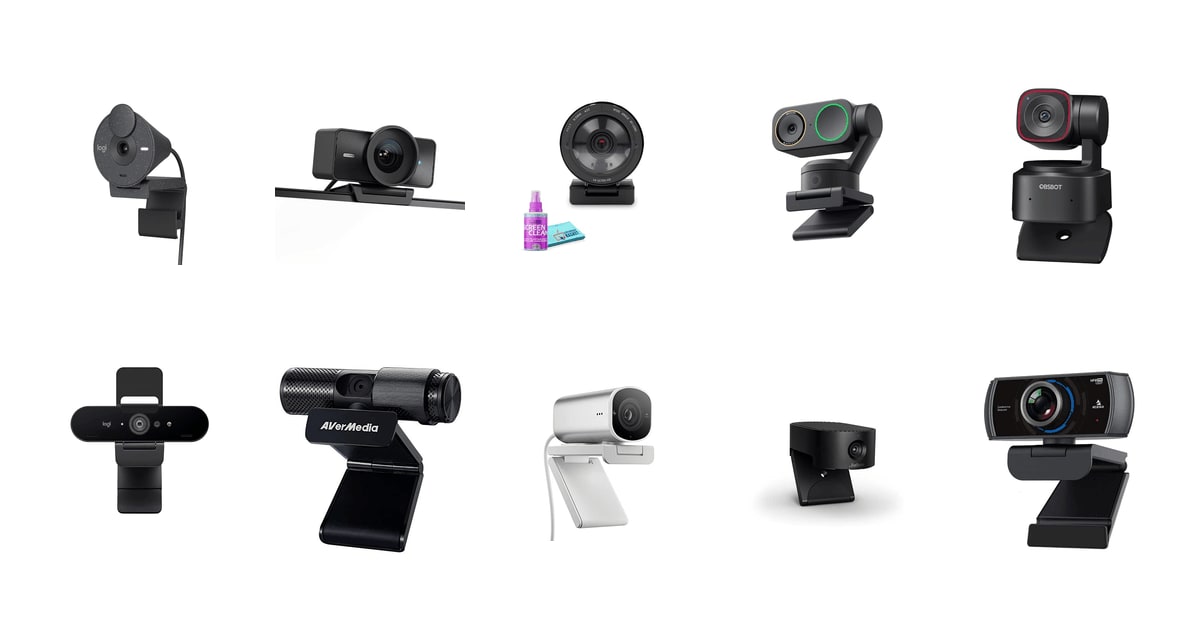
A webcam is the one piece of your setup everyone else stares at. Your audience will forgive a rough transition or a missed clip, but a soft, washed-out face cam makes the whole channel look amateur. What separates a good webcam from a bad one isn't the number printed on the box. It's how the camera handles the light you actually have — a window behind you, a lamp off to one side, a ceiling bulb at night — and whether it keeps your face sharp while you lean in and out of frame.
Here's the part the marketing skips. No webcam sees in the dark. Every camera in this guide, including the big-sensor ones, looks better with a cheap lamp pointed at your face than it does with a bigger sensor and no light at all. The built-in mics are mediocre across the board too: fine for a work call, thin for a stream. And the platforms don't accept 4K anyway. Twitch tops out at 1080p, and YouTube caps most creators below 4K, so nobody watching is seeing a 4K feed.
So think of 4K as source quality, not broadcast quality. A 4K sensor downscaled to 1080p in OBS gives you a sharper, cleaner picture than a native 1080p camera does, and that's the real reason to spend up. After that, match the camera to how you work: fixed and locked down if you sit still, motorized if you don't. We think that the Elgato Facecam 4K is the best streaming webcam for most people, and that the Insta360 Link 2 Pro is the one to buy if you move around while you're live.
Everything we recommend

Uncompressed 4K60 and real manual control, if you light the room

It follows you around the room and stays clean in dim light

Smooth 1080p at 60 frames, with a mic you can actually use

The cleanest picture in a dark room, if you can justify it

Gimbal tracking in a tiny body, with a smaller sensor
Prices as of Oct 24, 6:27 AM PT · Details
At a glance
| Product | Resolution | Max FPS | Price | |
|---|---|---|---|---|
 | Logitech Brio 300 Graphite Noise Reducing MicAlso consider | 1080P | — | $37.72 |
| Elgato Facecam 4K - 4K60 Studio WebcamTop pick | 4K | 60FPS | $159.99On sale |
| Razer Kiyo Pro Ultra 4K Webcam: LargeUpgrade pick | 4K | 24FPS | Check price |
| Insta360 Link 2 ProRunner-up | 4K | — | $249.99 |
| OBSBOT Tiny 2 Lite 4K Webcam forAlso great | 4K | 60FPS | $119 |
 | Logitech Brio 4K WebcamAlso in lineup | 4K | 90FPS | $109 |
 | AVerMedia Live Streamer Cam 313 - FullAlso consider | 1080P | — | $59.99 |
 | HP 960 4K Streaming WebcamAlso in lineup | 4K | — | $228 |
 | Jabra PanaCast 20 Conferencing Camera - FlexibleAlso consider | 4K | — | $186.28 |
| NexiGo N980P 1080P 60FPS Webcam with MicrophoneBudget pick | 1080P | 60FPS | $54.99 |
Prices as of Oct 24, 6:27 AM PT · Details
How we picked
Source image quality. We compared sensor size, aperture and output format on manufacturer spec sheets, since those decide how a camera looks once OBS downscales it. Anything with a tiny sensor and a slow lens had to justify itself on price or frame rate.
Low-light behavior. Published reviews and owner feedback agree that most webcams fall apart in a normally lit room at night. We weighted cameras that reviewers and owners describe as usable without a dedicated key light.
Framing and tracking. We separated motorized gimbal tracking from software cropping, because cropping costs resolution every time it moves. Cameras claiming AI framing had to say how it works.
Software and workflow. We looked for OBS compatibility, plug-and-play UVC support and settings you can save, and we checked owner reports for the two things that ruin a stream: drivers that fight the OS and cameras that drop out.
Reported reliability. We read owner feedback for repeated failure modes rather than one-off complaints, and treated a pattern of dropouts, dead units or refurb condition problems as disqualifying for a top spot.
Top pickOn sale
Uncompressed 4K60 and real manual control, if you light the room
Elgato Facecam 4K - 4K60 Studio Webcam
The Facecam 4K hands OBS an uncompressed 4K60 image and gives you shutter, ISO and white balance the way a real camera does. Lock your settings once, save them to the camera, and your face looks the same on every stream.
$159.99fromAmazonList pricePrices as of Oct 24, 6:27 AM PT · Details
The Facecam 4K sends your encoder a clean, uncompressed picture, and that's the whole point. Most webcams squash the video before it ever reaches OBS, which bakes in mush you can't undo later. This one passes raw frames at 4K and 60 per second. Downscale that to 1080p for Twitch and your face comes out sharper than any native 1080p camera manages. It's the gap between a stream that looks fine and one that looks produced.
The controls are the other reason to buy it. Camera Hub gives you shutter speed, ISO, white balance and a focus area you draw yourself, like you would on a mirrorless body. You can lock all of it so your skin tone doesn't shift when someone opens a blind behind you mid-stream. The camera then writes those settings to onboard memory, so moving to another PC doesn't mean starting over.
The Sony STARVIS 2 sensor and f/2.8 lens do the heavy lifting on detail. Owners coming from cheaper cameras describe the jump as obvious the moment they plug it in, especially in hair, glasses and fabric. HDR helps when there's a window behind you. And the 49mm filter thread is a genuinely odd, genuinely useful touch — screw on a diffusion filter and you soften your look without any software effect at all.
It also fits a working desk. The mount clamps to a monitor or screws onto a standard tripod, the cable is USB-C, and Stream Deck users can flip presets without leaving the game. If you already run Elgato gear, everything talks to everything else. That kind of boring compatibility matters more when you're live than any spec on the box does.
Flaws but not dealbreakers
There's no microphone in it. None. If you're buying your first camera and you were hoping to sound decent without another purchase, this isn't the one — budget for a USB mic or a headset before you buy.
It's also hungry for light. Owners running it in a room lit by ordinary ceiling bulbs report a dim, noisy picture, and the fix is a key light, which is another purchase and another thing clamped to your desk. A few also find the body feels lighter and more plastic than they expected for its size, and the full feature set only opens up once you install Camera Hub.
Runner-up
It follows you around the room and stays clean in dim light
Insta360 Link 2 Pro
The Link 2 Pro sits on a motorized gimbal that physically pans and tilts to keep you framed, and its large sensor holds up when the room gets dark. It's the pick for cooking streams, workouts, whiteboards and anyone who won't sit still.
$249.99fromAmazonPrices as of Oct 24, 6:27 AM PT · Details
Most auto-framing is a lie. Software crops into a fixed image and calls it tracking, which costs you resolution every time you drift left. The Link 2 Pro actually moves — the head pans and tilts to follow you, so you keep the full sensor no matter where you end up. Owners who record workouts, lessons and demos say it's the feature they'd miss most if they went back.
The 1/1.3-inch sensor is the reason this is a runner-up and not just a gimmick camera. Tracking is worthless if the picture falls apart when you move away from the lamp. Owners consistently call out how well it holds exposure with a bright window sitting right behind the desk, which is exactly where cheaper cameras blow out into a white rectangle. Focus stays locked too, instead of hunting in and out every time you shift.
The gesture controls sound like a party trick and turn out to be practical. Raise a hand to lock tracking onto you, point to zoom, trigger whiteboard mode without touching anything. When you're live and your hands are covered in flour, not having to reach for a mouse is worth real money. Stream Deck integration covers the rest of it.
The dual mics with directional pickup are better than the usual webcam array, and there's a natural bokeh mode that blurs the background in hardware rather than smearing your ears off the way software blur does. You still won't want it as your main audio for a serious stream. But it's the closest thing here to a camera that does the whole job on its own.
Flaws but not dealbreakers
The gimbal makes a faint whirring sound when it moves, and in a quiet room a sensitive mic will pick it up. Some owners also find the tracking a little unnerving at first — it stays glued to you, which takes getting used to.
There are real connection complaints. A handful of owners report the camera dropping out or refusing to work with a particular machine's USB-C port, so check your ports and keep the return window in mind. It's a bigger, heavier object than a clip-on camera, and on a thin laptop lid it can feel top-heavy; a separate arm or tripod solves that.
Budget pick
Smooth 1080p at 60 frames, with a mic you can actually use
NexiGo N980P 1080P 60FPS Webcam with Microphone
The N980P shoots 1080p at 60 frames per second and includes dual mics and a privacy cover, so it's a complete starter setup out of one box. For fast gameplay, that frame rate matters more than resolution does.
$54.99fromAmazonPrices as of Oct 24, 6:27 AM PT · Details
If you're streaming games, 60 frames per second beats extra pixels. A 4K camera locked at 30 makes quick head turns and gestures look slightly stuttery next to the game feed running beside them. The N980P holds 60 at 1080p, which is exactly what Twitch wants anyway. Your face cam is a small box in the corner of the screen — smooth motion reads better there than detail nobody can see.
It's also the whole kit. Dual noise-reducing mics mean you can go live the day it arrives instead of waiting on a mic arm, and there's a physical cover you slide across the lens when you're done. The 120-degree lens pulls in more of the room than most, which helps if you sit close to the screen or want your setup in the shot.
Setup is genuinely nothing. It uses standard UVC drivers, so Windows, macOS, Linux and Chrome OS all just see a camera when you plug it in. The companion app is there if you want to nudge brightness, contrast or white balance, but you don't have to open it. For a first camera, or a second one covering another angle, that simplicity is the feature.
Flaws but not dealbreakers
The sensor is small, and it shows the moment the sun goes down. In a dim room you get visible noise and mushy detail, and no setting in the app fixes that — a desk lamp will do more for this camera than anything else you can buy for it. The software is basic next to Camera Hub or Logi Tune, and 1080p is the ceiling, so if you're planning to move to 4K later you'll be replacing this rather than growing into it.
Upgrade pick
The cleanest picture in a dark room, if you can justify it
Razer Kiyo Pro Ultra 4K Webcam: Large
The Kiyo Pro Ultra pairs a 1/1.2-inch Sony STARVIS 2 sensor with an f/1.7 lens, the widest aperture in this guide. In a room where every other webcam turns grainy, it still gives you a usable, natural-looking image.
Check priceatAmazonPrices as of Oct 24, 6:27 AM PT · Details
Sensor size and aperture are the two specs that decide how a camera behaves at night, and this one wins both. The 1/1.2-inch STARVIS 2 sensor uses large 2.9-micron pixels, and the f/1.7 lens lets in noticeably more light than the f/2.8 optics on most rivals. Published reviews single it out for dark-room work. If you stream late, with the overhead light off and a monitor as your main source, that's the difference between grain and a face.
The wide aperture buys you a look, not just brightness. Because the lens is fast and the sensor is big, the background genuinely falls out of focus behind you instead of being fake-blurred by an algorithm that eats the edges of your hair. Combined with hardware background removal and the auto light correction that rides exposure as your lighting shifts, it produces the most camera-like image here without you touching a single setting.
It's built like a piece of equipment. The chassis is metal, the mount feels solid, and there's a mic and a shutter built in, so it can work as a self-contained setup for calls as well as streams. Razer sells it here with a cleaning kit, which is a small thing, but keeping a fast lens free of fingerprints matters more than it does on a cheap camera.
Flaws but not dealbreakers
Read the frame rates carefully. Uncompressed 4K runs at 24 frames per second, and if you want 60 you're shooting 1080p. That's a fine trade for talking-head content and a bad one for twitchy gameplay in 4K, so don't buy this expecting both at once.
It's the most expensive camera here and the heaviest, which makes it a poor match for a laptop lid. You'll also want Synapse installed to get at the advanced controls, and Razer's software is a bigger commitment than a single settings panel.
Also great
Gimbal tracking in a tiny body, with a smaller sensor
OBSBOT Tiny 2 Lite 4K Webcam for
The Tiny 2 Lite gives you real motorized tracking and 4K video in something about the size of a golf ball. You give up sensor area compared with the Link 2 Pro, and you save a lot in return.
$119fromAmazonPrices as of Oct 24, 6:27 AM PT · Details
This is the simplest way into hardware tracking that actually works. The head pans and tilts to follow you, with upper-body and hand-tracking modes plus custom zones so it ignores whoever wanders past the doorway. Preset positions let you snap between a seated shot and a standing one, each with its own settings. For teaching, demos or any stream where you get up, that's a different experience from a fixed camera.
The gesture control is the part owners keep mentioning. An open palm locks tracking onto you, a raised finger zooms, and you never touch the camera or alt-tab out of your scene. It also flips between horizontal, portrait and upside-down automatically depending on how it's mounted, which is handy if you're feeding a vertical stream as well as a widescreen one.
Size matters more than you'd think. It takes up almost no desk, clamps to a monitor without drooping, and screws onto a standard tripod thread when you want it somewhere else. Several long-term owners report units still running years in with nothing worse than an occasional replug. For a motorized device, that's reassuring.
Flaws but not dealbreakers
The 1/2-inch sensor is smaller than what the Link 2 Pro and the Razer use, and low light is where you'll notice it. Gesture recognition also misfires now and then against a busy background.
Reliability is the real caveat. A minority of owners describe the camera dropping out and needing a replug, and a few report the same fault returning on a replacement unit. Most people never hit it, but it's a motorized device with firmware, and OBSBOT's software ecosystem is narrower than Logitech's or Elgato's if you need support.
Who this is for
This guide is for anyone whose face ends up on a screen regularly — streaming on Twitch, recording YouTube, teaching remotely, or sitting in calls where you'd rather not look like a security camera. If you already own a mirrorless camera and a capture card, you don't need any of these; a real camera with a real lens still beats every webcam here. And if you're on a call once a week with the blinds open, the camera in your laptop is probably fine.
We cover USB webcams that clip to a monitor or mount on a tripod, from budget 1080p cameras up to large-sensor 4K units and motorized PTZ models. We don't cover conference room systems, capture cards, phone-as-webcam apps or lighting, though a cheap key light will improve any camera on this list more than moving one tier up will.
How we picked
We started from spec sheets and published reviews, then used owner feedback to sort claims from reality. Source quality: sensor size, aperture and whether the camera outputs uncompressed video, because everything downstream is built on that image. Low light: how the picture holds up in a room lit by ordinary bulbs, which is where most webcams quietly fail. Framing: motorized pan-and-tilt tracking counts, digital cropping dressed up as AI counts for much less. Software: plug-and-play on Windows and macOS, clean OBS behavior, and settings that stick. Reliability: repeated owner reports of dropouts, dead units or rough refurbished condition kept a camera out of the picks.
Other streaming webcams worth considering
If you want the simplest good camera with a mic built in: The Logitech Brio 300 Graphite Noise Reducing Mic — The Brio 300 is the one to hand someone who doesn't want a hobby. It's 1080p, it's USB-C, and Logitech's auto light correction quietly fixes the backlit-window problem that makes most people look like a silhouette. The noise-reducing mic is good enough that you can skip a headset for meetings, and Logi Tune lets you nudge brightness and color in seconds. You give up 4K, any kind of tracking, and adjustable field of view — and note that a few owners report the fixed focus struggling at very close range, so it's a poor choice if you need to hold documents up to the lens.
If you want something that just keeps working: The AVerMedia Live Streamer Cam 313 - Full — The AVerMedia Live Streamer Cam 313 is unglamorous 1080p with a physical privacy shutter, dual mics and a swivel bracket, and its owner feedback is the steadiest in this guide — teachers and small offices describe units running for years and then getting replaced with the same model. It's NDAA compliant, which matters if you're buying for a school or government office. But it runs over USB 2.0, the sensor is small enough that dim rooms look rough, and there's no auto-framing or background work at all.
If your day is Teams and Zoom rather than Twitch: The Jabra PanaCast 20 Conferencing Camera - Flexible — The Jabra PanaCast 20 is built for calls, and it's certified for the major platforms out of the box, which is the sort of thing an IT department cares about. Its 13-megapixel sensor feeds an intelligent zoom that crops to keep you framed, lighting optimization handles a badly lit home office, and the whole thing is small enough to live in a bag with its own case. The zoom is digital rather than optical, though, and there's nothing here for gaming or creative streaming — no manual controls, no filter thread, no OBS-specific features.
The competition
This is what our research surfaced, not a map of everything sold. Two cameras in the lineup ended up here rather than among the picks, and in both cases the reason is the same: what owners actually receive doesn't reliably match what the listing promises.
The Logitech Brio 4K Webcam — The Logitech Brio 4K is a genuinely good camera — native 4K, HDR, three selectable fields of view at 90, 78 and 65 degrees, dual mics and Windows Hello infrared login, which almost nothing else here offers. The problem is that this listing is a renewed unit, and owner reports run hot and cold: some get a clean camera that solves their password-free login problem, others describe cosmetically rough hardware or a unit that wouldn't work on current Windows or macOS at all. If you want Windows Hello and adjustable framing badly enough to gamble on a refurb, buy it somewhere with an easy return.
The HP 960 4K Streaming Webcam — The HP 960 is a 4K USB-C camera with an 86-degree field of view and AI auto-framing, aimed squarely at corporate desks rather than streamers, and it has HP's commercial support behind it. We can't recommend it. The listing itself gives almost nothing to go on, and owner sentiment skews unhappy in a way we didn't see on any other camera here. If you're standardizing a fleet and HP support is the deciding factor, it's a defensible choice; for a personal purchase, the Jabra covers the same ground with a better track record.
Setup and lighting notes
Plug a 4K camera into a USB 3.0 port or better — a USB 2.0 port will silently cap your resolution, and it's the most common reason a new camera looks worse than expected. Set your capture resolution in OBS to the camera's native output and let OBS downscale, rather than asking the camera to send 1080p. Then spend a little on light: a single lamp bounced off a wall in front of you beats every sensor upgrade in this guide. Wipe the lens with a microfiber cloth now and then, since a fingerprint on a fast lens shows up as haze around bright objects. And if you use a motorized camera, leave a few inches of clearance so the head can pan without hitting your monitor bezel.
Questions we get
Is a 4K webcam worth it if I only stream at 1080p?
Usually yes. A 4K image downscaled in OBS ends up sharper and cleaner than the same scene captured natively at 1080p, because the software has more information to work with. The difference shows up most in fine detail like hair, glasses and on-screen text. It's a real improvement, not a marketing one.
Can I actually broadcast in 4K on Twitch or YouTube?
No. Twitch's ingest tops out at 1080p and YouTube caps most creators below 4K, so a 4K feed gets scaled down before anyone sees it. The benefit of 4K is the quality of the source, not the resolution of the broadcast. Buy it for sharpness, not for a 4K stream.
Should I pick 4K at 30 frames or 1080p at 60?
It depends on how much you move. 4K at 30 gives you more detail and suits talking-head content, tutorials and recorded video. 1080p at 60 looks smoother and is the better match for fast gameplay, where stuttery motion in the face cam stands out next to the game feed.
Do I still need a separate microphone?
For a serious stream, yes. Built-in webcam mics sit too far away and pick up your keyboard and your room, and one of our picks has no mic at all. A basic USB mic or a headset will do more for how professional you sound than any camera upgrade does.
Which camera should I get for a dark room?
The Razer Kiyo Pro Ultra, because it combines the largest sensor here with an f/1.7 lens, and published reviews single it out for low-light work. The Insta360 Link 2 Pro is the next best option and costs less. That said, adding one lamp will improve any of these cameras more than switching between them will.
Why you should trust us
For this guide:
- We compared manufacturer spec sheets across every camera in this guide, focusing on sensor size, aperture, output format and frame rate, since those numbers explain most of the difference in how the footage looks.
- We read published reviews of the flagship models and looked for points where independent reviewers agreed or disagreed with the marketing.
- We went through owner feedback for each listing to find the failure modes that come up repeatedly — dropouts, refurbished units arriving in poor shape, and cameras that need far more light than their listings suggest.
- We read owner reviews on every listing, weighted toward the critical ones, because that is where the recurring failures show up.
- We have a systematic way of automatically fetching the latest prices, so the numbers on this page stay current.
- This is a research-focused guide, so the team may not own every product listed — though we often do own the top winners, which gives us extra context for the recommendations.
- We don't accept free products, and the retailer commission never changes which product we recommend.
Sources
The Best Webcams — Wirecutter / New York Times, Wirecutter
Best Webcams 2026: Tested and Ranked — PCMag, PCMag
Best Webcams in 2026 — Tom's Hardware, Tom's Hardware
Best Webcams 2026 — TechRadar, TechRadar
Best Webcams We've Tested — RTINGS.com, RTINGS.com
The Best Webcam — The Verge, The Verge
Elgato Facecam Pro Review — Digital Camera World, Digital Camera World
Best Webcams for Streaming Tested — Reviewed (USA Today), Reviewed (USA Today)
Amazon product listings and owner reviews for all 10 products
Manufacturer specification pages for each product
Some passages in this guide may be paraphrased with AI help.
Product prices and availability are accurate as of the date/time indicated and are subject to change. Any price and availability information displayed on Amazon.com at the time of purchase will apply to the purchase of this product.
More like this.
Continue exploring electronics reviews and recommendations.

The Best Webcams for Streaming and Video Calls
Most of us are on camera more than we'd like to admit. A morning standup, a client call, a Sunday-night stream - and the laptop's built-in camera makes…

The Best Magnetic Car Phone Mounts
A phone mount is one of those small purchases you either forget about or curse daily. You reach for it a dozen times a drive - snapping the phone up for…

The Best Emergency Weather Radios
Severe weather doesn't wait for you to check your phone. A NOAA weather radio sits in the corner of a room and does one job: it makes noise when the…

The Best Car Stereo Head Units
Your factory stereo is probably the oldest piece of technology you touch every day. Replace it and you get wireless Apple CarPlay or Android Auto, a…

The Best Car Seat Organizers
A back seat gets messy fast. Tablets slide under the seat, water bottles roll on every turn, and snack wrappers work their way into places you won't find…

The Best Solar Power Banks and Portable Chargers
A charger you carry outside has one job: keep your phone alive when there's no outlet for days. That sounds simple until you're three nights into a trip…