The Best Document Scanners for Home Offices
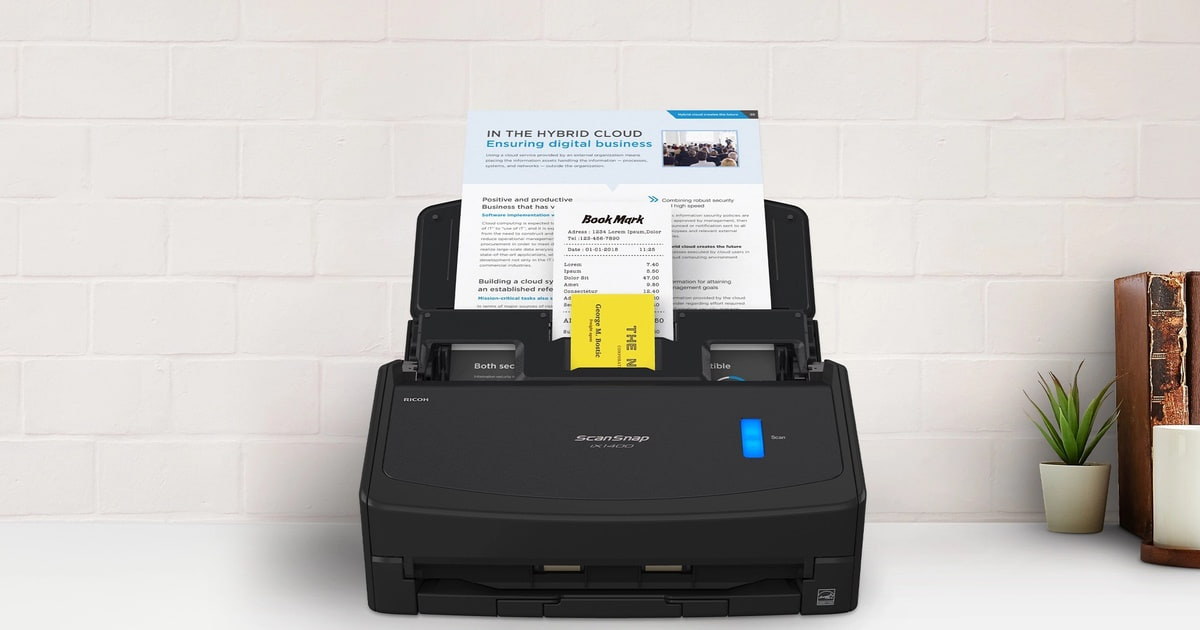
A document scanner earns its space on your desk in the boring moments. You come home with a folder of school forms, a year of receipts, or the closing paperwork on a house, and you want all of it in a searchable PDF before dinner. That means a feeder that pulls a stack through on its own, double-sided scanning in a single pass, and software that files the result somewhere you'll actually find it later. Everything else — resolution numbers, cloud logos on the box — matters far less than you'd think.
Here's the part no manufacturer puts on the box: the hardware is mostly solved, and the software is where these things fall apart. Owners of nearly every model here describe the same arc. The scanner itself flies, and then setup eats an afternoon. Wireless pairing drops. Scan-to-cloud menus hide behind a browser admin page. And every feeder in this category will eventually jam on a stapled corner or a sticky note you didn't see. Budget an hour for setup, whatever you buy.
So we'd rather have a scanner that does one thing without argument than one with a menu for everything. Think about your real volume too. If you scan a few pages a month, the flatbed on your all-in-one printer is fine and a feeder scanner is a solution looking for a problem. Once you're feeding stacks every week, the math flips fast. We think that the ScanSnap iX1400 is the best document scanner for most people, and that the Canon imageFORMULA R40 is the one to buy if you want a bigger feeder and receipt data that lands in QuickBooks on its own.
Everything we recommend

Fast, simple, wired — one button and the paper's done

A bigger feeder and receipts that land in QuickBooks on their own

An 80-sheet feeder and network scanning for a busy household

The one to get if your paperwork is mostly crumpled receipts
At a glance
| Product | Weight | Scan Speed | Price | |
|---|---|---|---|---|
 | Fujitsu ScanSnap iX1600 ADF Scanner - 600Also in lineup | 9.7 lbs | — | $525 |
 | Brother Wireless Document ScannerAlso consider | 3.3 lbs | 25 ppm | $335.37On sale |
| Canon imageFORMULA R40 Office Document Scanner ReceiptRunner-up | 6.17 lbs | 40 ppm | $635 |
| Epson Workforce ES-500WR Wireless Color Receipt &Also great | 8.1 lbs | 35 ppm/70 ipm | $475 |
| ScanSnap iX1400 High-Speed Simple One-Touch Button ColorTop pick | 7.1 lbs | — | $799.99 |
| Brother ADS-4700W Professional Desktop Scanner with FastUpgrade pick | 6.4 lbs | 40 ppm | $490On sale |
 | Epson ES-60W Wireless Compact Lightweight Sheetfed MobileAlso consider | 0.66 lbs | 4 sec/page | $169.95 |
How we picked
Feeder capacity. We compared rated sheet capacity across every model, because reloading is what actually drags out a session. We treated 20 sheets as the floor for occasional use and looked for 50 or more for anyone working through a backlog.
Single-pass duplex. Every scanner here captures both sides of a page in one pass through the feeder, according to its specifications. Anything that makes you flip a stack by hand doubles your time and was never in contention.
Software you'll live with. We read published reviews and owner feedback on the bundled applications, since that's where these products win or lose. Automatic cropping, de-skewing, blank-page removal and searchable PDF output were the baseline.
Reported reliability. We looked for repeat themes in owner feedback rather than one-off complaints: jam frequency, units failing within weeks, and wireless connections that drop. A pattern of early failures kept a model out of the top spot.
Setup and connection. We noted what each model needs to work — a cable, a router, a host computer, a browser admin page — and how loudly owners complain about getting there. Simpler setups scored better.
Top pick
Fast, simple, wired — one button and the paper's done
ScanSnap iX1400 High-Speed Simple One-Touch Button Color
It's a one-button scanner: drop in a stack, press, and ScanSnap Home crops, de-skews, drops blank backs and saves a searchable PDF. You give up Wi-Fi and multiple profiles, but you keep the same 40-page-per-minute duplex engine as Fujitsu's flagship.
$799.99fromAmazonFor most people, one button beats thirty profiles. The iX1400 has a single scan button on the front. Press it and ScanSnap Home takes over: it detects the page size, sorts out color versus black and white, straightens crooked feeds, strips blank backs, and saves a searchable PDF where you told it to. There's nothing to tap through, which means nobody else in the house needs a tutorial from you.
The speed matches Fujitsu's more expensive model — 40 pages a minute, 80 images a minute in duplex. In practice that means a fat stack of double-sided statements clears while you do something else in the room. Owners moving over from the scan bed on an all-in-one printer tend to describe the jump as startling, and the specifications back that up. A flatbed makes you place and flip every page.
The wired USB connection is a feature, not a downgrade. Wireless scanners in this category generate a steady stream of complaints about dropped pairings and firmware that has to catch up. A cable doesn't have that problem. If the scanner is going to live on your desk next to the computer anyway, you lose nothing, and setup comes down to plugging it in and installing the software.
It handles more than letter paper. Business cards, receipts, envelopes and photos all feed without a separate tray, and ScanSnap Home cleans each of them up differently. That flexibility is why it works for the one-time projects people actually buy scanners for — a shoebox of old family photos, a decade of tax folders, the contents of a filing cabinet you want out of the closet.
Flaws but not dealbreakers
The software is generous to a fault. ScanSnap Home bundles a lot of functions, and owners who scan only occasionally report opening it and losing track of which one they wanted. It's also a closed system: there's no TWAIN or ISIS driver here, so if you lean on an older document management program that expects a standard driver, this isn't your scanner.
You get one configurable profile, not a menu of them. If two people want different destinations and different file naming, you'll be changing settings in the software each time instead of tapping a name on a screen. And there's no Wi-Fi at all, so the scanner has to sit within cable reach of a computer.
Runner-up
A bigger feeder and receipts that land in QuickBooks on their own
Canon imageFORMULA R40 Office Document Scanner Receipt
The R40 matches our top pick's 40-page-per-minute duplex speed and adds a 60-sheet feeder, the largest of the mainstream options here. Its included software pulls payee, amount and date off a receipt and pushes the data into QuickBooks Online, which is a real hour saved every month.
$635fromAmazonThe feeder is the reason to look here. Sixty sheets is more than our top pick holds, and capacity does more for a long session than raw speed does. A 60-sheet stack goes in once and comes out the other side while you make coffee. If you're digitizing a filing cabinet rather than the day's mail, that's the number to watch.
The QuickBooks pipeline is the standout. Scan a pile of receipts and invoices, and the bundled software reads the payee, the amount, the date and a category off each one, then uploads it to Intuit QuickBooks Online. For a freelancer doing their own books, that removes the most tedious hour of the month. Barcode recognition is in there too, if you route documents with cover sheets.
It's a plain machine otherwise, and that's fine. One button on the front, no touchscreen, no on-device menus — profile switching happens on the computer. Canon's CaptureOnTouch software does the basics without drama, but it isn't as clever as ScanSnap Home about deciding where a finished file belongs. You'll do a bit more sorting yourself, which some people prefer anyway.
Owners generally describe setup as fussy the first time and uneventful forever after. Several report loading stacks well past the rated capacity without trouble. The jams they do hit usually trace back to a sticky note tripping the double-feed sensor, and there's a setting for that. Worth finding before you start a big batch rather than during one.
Flaws but not dealbreakers
Mac owners have a legitimate gripe. The connection is USB 2.0, which throttles what a 40-page-per-minute scanner can actually push to a computer, and Canon's Mac software draws the sharpest criticism of anything here. If you're on a Mac and you scan in volume, our top pick is the safer buy.
The QuickBooks plugin has also caused confusion. Some buyers report the receipt-extraction software wasn't in the box as the listing described and had to be tracked down separately. Plan on a download and possibly a support conversation rather than a clean out-of-box setup.
Upgrade pickOn sale
An 80-sheet feeder and network scanning for a busy household
Brother ADS-4700W Professional Desktop Scanner with Fast
This is an office scanner that happens to fit on a desk: an 80-sheet feeder, 40-page-per-minute duplex, Ethernet and Wi-Fi, and a 4.3-inch touchscreen with room for dozens of shortcuts. It scans straight to a shared network folder with no computer involved, which nothing else here does as cleanly.
$490fromAmazonList priceStart with the feeder. Eighty sheets is the biggest capacity here by a wide margin, and it changes what a scanning session feels like. You load a genuinely large batch, walk away, and come back to a finished file. If you process incoming mail, client paperwork or patient forms every day, the reloading you skip is the actual benefit.
It's the only pick here that doesn't need a computer at all. Put it on your network and it drops files straight into a shared folder, an email, SharePoint, an SFTP server or a USB stick. Small offices are where the enthusiasm concentrates in owner feedback — one device, several people, no cables, no host PC sitting there babysitting the job.
Driver support is the other reason to pay up. TWAIN, WIA, ISIS and SANE are all supported, so it slots into older document management software that refuses to talk to a proprietary system. If your practice software, case management tool or accountant's platform expects a standard driver, this is the scanner that fits without an argument.
Brother layers on security features, which reads like box copy until you're scanning tax documents onto a drive other people can reach. Pair that with the touchscreen shortcuts — you can set up a lot of them — and it becomes the scanner to buy when more than one person needs their own destinations and their own file naming.
Flaws but not dealbreakers
Configuration is the recurring complaint, and it's a serious one. Owners describe bouncing between the on-device screen and a browser-based admin page to get destinations working, and cloud destinations in particular defeat people who got email and SFTP running fine. Give yourself an evening, not fifteen minutes.
It's also more scanner than a solo user needs. If nobody else in the house is going to scan anything, you're paying for network plumbing and driver breadth you'll never open, and our top pick will clear your paperwork just as fast with far less setup.
Also great
The one to get if your paperwork is mostly crumpled receipts
Epson Workforce ES-500WR Wireless Color Receipt &
Epson built this one around receipts: a feed path made for curled thermal slips, a 50-sheet feeder for everything else, and software that reads vendor, date and total and exports to QuickBooks, Quicken, TurboTax or a CSV with no subscription attached. Duplex scanning runs at 35 pages a minute.
$475fromAmazonThermal receipts are the documents that break scanners. They're curled, they're slick, and they come in odd lengths, so an ordinary roller path either skews them or grabs two at once. Epson's feed path is built for that specific mess, which is why bookkeepers and tax preparers keep pointing at this model. If your shoebox is mostly gas station and restaurant slips, that's the pitch.
The data extraction is the other half of it. The included software reads the vendor, the date and the total off each receipt, then hands the results to QuickBooks, Quicken, TurboTax or a spreadsheet. No monthly fee, no cloud account you have to keep alive. For a self-employed person filing their own return, that's an evening of typing you never have to do.
It isn't a one-trick machine, either. The 50-sheet feeder takes mixed page sizes in the same stack, duplex is single-pass, and it scans over Wi-Fi to a phone, tablet, Mac or PC. Owners working through decades of family tax records — the boxes-in-the-attic project — describe it as the thing that finally made the job finishable.
Flaws but not dealbreakers
Jams come up more often here than with our top pick. Owners say the fix is learning the machine's preferences, mostly how to fan a stack and how much to load, and that it settles down after a few sessions. The first week can still be irritating. A few also report the unit failing to wake from sleep and needing a power cycle.
The software looks its age next to ScanSnap Home, and it's better at the receipt work than at general document filing. If most of your scanning is ordinary letter-size paperwork with the occasional receipt mixed in, our runner-up covers both jobs and gives you a bigger feeder.
Who this is for
This guide is for people running a home office or a home-based business with paper piling up: contracts, invoices, receipts, medical records, school forms, decades of tax folders. If you're scanning more than a couple hundred pages a month, a sheet-fed scanner will save you real time over the flatbed on your printer. If you scan a handful of pages a month, it won't, and you should keep your money. A big one-time project counts too — emptying a filing cabinet is reason enough on its own.
We stuck to sheet-fed desktop scanners that pull a stack through rollers. So we're not covering flatbeds, which you still want for bound books, fragile paper and glossy photos that rollers can mark. It also means none of these handle oversized pages, so check the maximum width before you buy if you work with tabloid sheets or drawings. And if you need one scanner shared across a whole office of people, look at higher-volume production models instead of anything here.
How we picked
Feeder capacity: we set 20 sheets as the minimum and looked for 50 or more for anyone with a backlog, since reloading costs more time than a slower engine does. Duplex: every model captures both sides in one pass per its specifications, because hand-flipping a stack was disqualifying. Software: we read published reviews and owner feedback on the bundled applications, treating automatic cropping, de-skewing, blank-page removal and searchable PDFs as the floor. Reliability: we weighted repeated owner themes — jams, early failures, dropped wireless — far above isolated complaints. Setup: we noted how much fuss each one takes to get running, and how much of that fuss shows up in owner feedback.
Other document scanners for home offices worth considering
If you want a scanner that fits in a laptop bag: The Epson ES-60W Wireless Compact Lightweight Sheetfed Mobile ($169.95) — The Epson ES-60W is roughly the size of a paper towel tube — about 10.7 inches long and under two inches thick — and it runs on bus power over USB-C, so there's no brick and no outlet to hunt for. It scans a page in as little as four seconds and sends it to a PC, Mac, iPhone or Android device over Wi-Fi. The catch is absolute: it feeds one sheet at a time. No automatic feeder, so a ten-page contract means ten trips to the slot. Buy it as a travel companion to a desk scanner, or for someone who scans a document or two a week. Owners also note it doesn't roam onto unfamiliar Wi-Fi networks gracefully, so pack the cable.
If your desk is small and your stacks are short: The Brother Wireless Document Scanner ($335.37) — The Brother ADS-1700W is the most compact desktop scanner here, about 3.3 inches deep, and footprint is genuinely why you'd choose it. Auto Start Scan means you drop paper in the feeder and it just goes, with no clicking through software for a single page. There's a 2.8-inch touchscreen for preset destinations, a dedicated slot for ID and business cards, and it scans to a USB stick with no computer attached. But the feeder holds 20 sheets and it runs at 25 pages a minute, both the lowest here, so batches mean babysitting. Owners also warn that the micro USB cable isn't in the box, and the bundled software draws steady complaints for being bloated and confusing. Get it for a cramped desk, not for volume.
The competition
This is what our research surfaced, not a census of everything on the market. Scanner lineups shift constantly and there are capable models from these same brands that didn't come up. Here's the one we looked at closely and decided against.
The Fujitsu ScanSnap iX1600 ADF Scanner - 600 ($525) — The Fujitsu ScanSnap iX1600 is the flagship version of our top pick, and on paper it's the better machine: the same 40-page-per-minute duplex engine, a 50-sheet feeder, Wi-Fi, and a color touchscreen holding up to 30 scan profiles, so four people can each tap their own name and get their own destination and file naming. ScanSnap Home's cloud routing is the deepest here — Google Drive, Dropbox, OneDrive, Evernote and more, with a different target per profile. It's also the most expensive scanner in this guide, and the owner feedback on this listing is rougher than a flagship's should be: units arriving with almost no packaging, scanners quitting after a handful of sessions, and buyers who assumed it took tabloid-size pages discovering the intake slot can't. If you need the touchscreen and per-user profiles, it's the machine that does that. Everyone else gets the same scanning engine and the same software from the iX1400.
Setup and maintenance
Two habits keep a sheet-fed scanner out of trouble. First, prep the stack. Pull staples and paper clips, peel off sticky notes — they're the most common cause of a false double-feed alarm — and fan the pages so they separate cleanly, then square the edges before loading. Second, clean the rollers and the glass strip every few thousand pages with the pad or cleaning sheet the manufacturer supplies. A streak running down every scanned page means the glass needs a wipe, not that the scanner is failing. Feed rollers are consumable and can be replaced when they start slipping. And check for driver and firmware updates when you first set up; several models here improved noticeably after updates shipped.
Questions we get
Do I really need a dedicated scanner if my printer already scans?
If you scan fewer than about 50 pages a month, your printer's flatbed is fine and you should keep the money. The break-even point is somewhere around 200 pages a month. That's where the difference bites: a flatbed means placing and flipping every single page, while a feeder takes the whole stack and lets you walk away. A big one-time project, like emptying a filing cabinet, justifies a scanner on its own.
What DPI do I need for scanning documents for OCR?
300 dpi is enough for essentially all business documents, letters and invoices. OCR engines read clean type reliably at that resolution, and scanning higher mostly gives you bigger files and longer processing. Move up to 600 dpi only for very small print, fine-detail legal contracts, or photos you're archiving for the long haul.
What's the difference between a flatbed and a sheet-fed scanner?
A flatbed has a glass bed you lay pages on, one at a time. A sheet-fed scanner pulls pages through rollers, which is what makes unattended batch scanning possible. For stacks of ordinary paper, sheet-fed wins by a mile. But keep a flatbed around for bound books, fragile documents and glossy photos, since rollers can leave pressure marks and can't handle anything that won't feed.
Which scanner is best for scanning receipts for taxes?
The Epson ES-500WR, because it's built for the actual problem. Thermal receipts are curled and slippery, and they defeat ordinary rollers. Its bundled software also reads the vendor, date and total off each slip and exports to QuickBooks, Quicken, TurboTax or a spreadsheet without a subscription. If receipts are only part of your paperwork, the Canon imageFORMULA R40 handles them alongside general documents and gives you a bigger feeder.
Do these scanners handle double-sided pages automatically?
Yes. Every model here with an automatic feeder captures both sides in a single pass, so you never flip a stack. That's why duplex numbers look doubled on spec sheets — 40 pages a minute means 80 images a minute. Single-pass duplex is the one feature worth confirming on any scanner you're considering.
Do these work with a Mac?
All of them list Mac support. Fujitsu's ScanSnap Home is the most polished on macOS, and Brother's software is solid. Canon's Mac experience draws the most criticism from owners, and the R40's USB 2.0 connection is a genuine bottleneck if you scan large batches. If you're on older hardware, check the current driver against your macOS version before you buy.
Why you should trust us
For this guide:
- We read the manufacturer specifications for all seven scanners, comparing feeder capacity, duplex speed, connection type and bundled software.
- We compared published reviews and manufacturer documentation on the software each brand ships, since that's where these products differ most.
- We read through owner feedback on every model, looking for repeated themes around jams, setup difficulty and early failures rather than isolated complaints.
- We read owner reviews on every listing, weighted toward the critical ones, because that is where the recurring failures show up.
- We have a systematic way of automatically fetching the latest prices, so the numbers on this page stay current.
- This is a research-focused guide, so the team may not own every product listed — though we often do own the top winners, which gives us extra context for the recommendations.
- We don't accept free products, and the retailer commission never changes which product we recommend.
Sources
Best Document Scanners 2026 — PCMag Editors' Choice, PCMag
The Best Document Scanner — Wirecutter / New York Times, Wirecutter
Best Scanners 2026 — Tom's Guide, Tom's Guide
Best Document Scanners for Home and Office — TechRadar, TechRadar
Fujitsu ScanSnap iX1600 Review — PCMag, PCMag
Amazon product listings and owner reviews for all 7 products
Manufacturer specification pages for each product
Some passages in this guide may be paraphrased with AI help. Prices are refreshed automatically.
More like this.
Continue exploring electronics reviews and recommendations.

The Best Paper Shredders for Home Offices
A paper shredder spends most of its life doing nothing, then has to work hard for twenty minutes when a filing box finally gets opened. That pattern is…

The Best Stud Finders and Wall Scanners
Hanging anything heavy starts with the same question: where's the wood? Drywall on its own won't hold a TV mount, a floating shelf, or a loaded bookcase.…

The Best OBD2 Scanners
A check engine light tells you something is wrong and nothing about what. An OBD2 scanner closes that gap. Plug one into the 16-pin port under your dash - …

The Best Ceramic Heaters for Home Offices
A home office gets cold in ways the rest of the house doesn't. You're sitting still for hours, often in a converted bedroom or a garage corner the furnace…

The Best iPhone 17 and 17 Pro Accessories
A new iPhone is naked for about ten minutes before something has to go on it. A case, a screen protector, a charger that lives on the nightstand. Those…

The Best Car Bluetooth and Aux Adapters
Most cars on the road still have a stereo that can't talk to your phone. If yours has an aux jack, a small receiver bridges that gap without touching your…