The Best Portable External SSDs
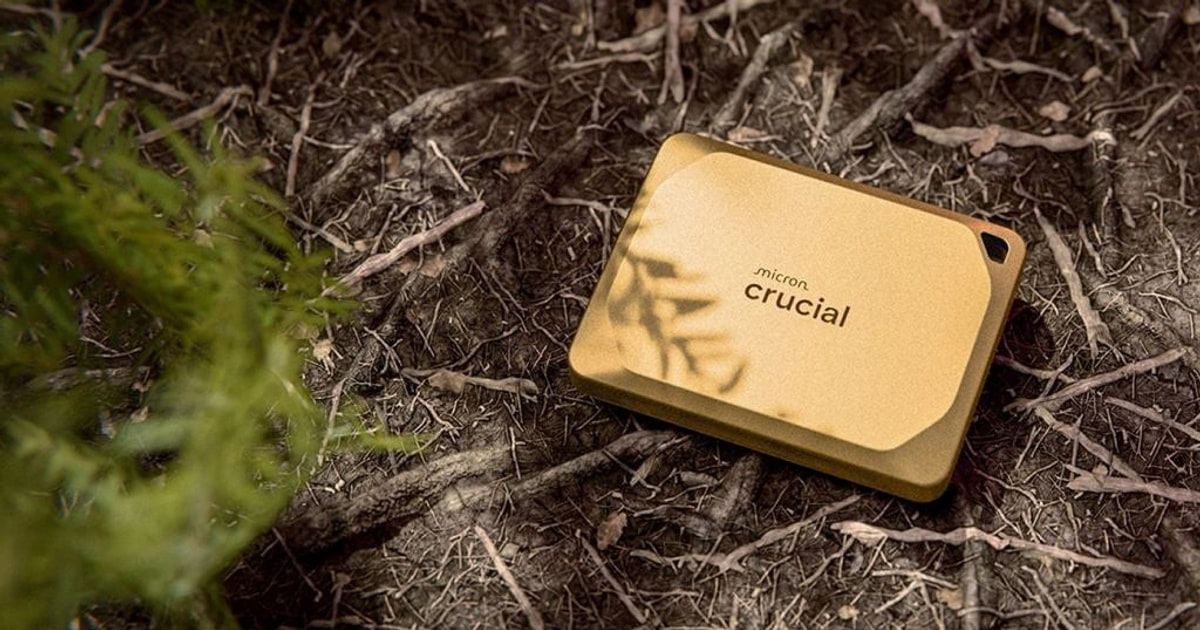
A portable SSD is the drive you grab when your laptop is full, when a shoot wraps and the cards need clearing, or when a console runs out of room mid-download. The good ones are small enough to forget in a jacket pocket and quick enough that a 50GB transfer doesn't become a coffee break. What you actually feel day to day is how fast it starts moving data, whether it keeps that pace through a big dump of footage, and whether it survives being tossed in a bag with keys and a charger.
Here's the honest part: the speed on the box is a best-case number, and most people never see it. A drive rated at 2,000 MB/s needs a USB 3.2 Gen 2x2 or USB4 port to hit that figure, and plenty of laptops — including every Mac — don't have one. Plug it into an ordinary 10Gbps port and you'll land near 1,000 MB/s instead. Sustained writes fall off too, once the fast cache fills and the drive warms up. No portable SSD escapes that.
Also, none of these are archival storage. Flash loses charge when it sits unpowered for years, so anything irreplaceable needs a second copy somewhere else. Plan on it. We think that the Samsung T9 Portable SSD is the best portable external SSD for most people, and that the Crucial X10 Pro is the one to buy if you want nearly the same speed in a drive that disappears into a pocket.
Everything we recommend

Fast, tough, and it keeps its pace on long transfers

Nearly the same speed in a much smaller shell
Much higher sustained writes, if your machine can keep up

The one to take outside, with the best drop rating here

Plenty quick for backups, and the least you can spend here
At a glance
| Product | Rated speed | Durability | Price | |
|---|---|---|---|---|
| Samsung T9 Portable SSD 2TBTop pick | Up to 2,000 MB/s | — | $449.50On sale |
| Crucial X10 Pro 1TB Portable SSDRunner-up | Up to 2,100 MB/s read | IP55, 7.5 ft drop | $199 |
| Sandisk 2TB Extreme PRO Portable SSDUpgrade pick | Up to 4,000 MB/s | IP65, 3m drop | $549.99 |
| Samsung T7 Shield Portable SSD 1TBAlso great | Up to 1,050 MB/s | IP65, 9.8 ft drop | $267On sale |
| Crucial 1TB X9 External SSD USB 3.2Budget pick | USB 3.2 Gen 2 | — | $224.95 |
 | Samsung T5 EVO Portable SSD 4TBAlso consider | Up to 460MB/s | 6 ft fall protection | $568.46 |
 | Kingston XS2000 2TB High Performance Portable SSDAlso in lineup | Up to 2,000 MB/s | — | $349.99On sale |
 | OWC Envoy Pro FX 2TB Thunderbolt 40Gb/sAlso consider | Up to 2,800 MB/s | Aluminum housing | $802.84 |
How we picked
Real-world speed. We compared rated interface speeds against what each port standard can actually carry, since a 2,000 MB/s drive is capped near 1,000 MB/s on a 10Gbps connection. Drives that clearly state sustained write figures, not just peak bursts, scored higher.
Heat and throttling. We looked for thermal design claims in manufacturer documentation and for owner reports of speeds collapsing partway through large transfers. Drives with a credible story about holding pace through a long copy moved up.
Durability ratings. We read the IP and drop ratings each manufacturer publishes and weighted them by how the drive is likely to be used. A field drive needs IP65; a desk drive doesn't need any rating at all.
Capacity and value. We favored lines that offer at least 2TB, since cost per terabyte usually improves at that size. Drives available only in small capacities were less useful for video work and large backups.
Owner track record. We read through owner feedback themes for each drive, looking for repeated patterns around failures, setup trouble, or speeds falling short of the rating. Isolated complaints we discounted; recurring ones we treated as real.
Top pickOn sale
Fast, tough, and it keeps its pace on long transfers
Samsung T9 Portable SSD 2TB
The T9 is rated at 2,000 MB/s over a USB 3.2 Gen 2x2 port, with a grippy rubberized shell and a thermal design meant to hold speed through long jobs. It's the drive we'd hand to someone who wants one SSD for a laptop, a camera, and a console.
$449.50fromAmazonList priceThe T9 is the safest pick in a category where the box numbers lie a lot. Samsung rates it at up to 2,000 MB/s read and write over USB 3.2 Gen 2x2, and the listing specifically calls out sustained speed rather than a peak burst. That distinction matters. If you're dumping an afternoon of 4K footage, the number you care about is the one the drive holds in minute four, not minute one.
Heat is what kills speed on small drives, and Samsung built the T9 around that problem. Its Dynamic Thermal Guard is meant to pull heat away and keep the controller from backing off mid-transfer. You'll still feel the drive get warm during a long copy — they all do — but the design goal here is holding a pace rather than hitting a headline.
It plays well with almost everything you'd plug it into. Desktops, cameras, game consoles: the T9 is built for broad compatibility, and Samsung's Magician software handles firmware updates, drive health checks, and extra encryption if you want a password on your files. That last bit is worth a minute of setup if the drive ever leaves your house.
The build feels like it expects to be dropped. The shell is rubberized and grippy rather than slick aluminum, which means it stays put on a desk and doesn't squirt out of your hand. Samsung rates it for drops from 3 meters. At roughly a quarter pound and about three and a half inches long, it's pocketable without being so tiny you lose it.
Owner feedback skews strongly positive, and the T9 is one of the most widely bought drives in this category — which matters more than it sounds. A popular drive gets firmware updates, has a support path, and has enough people using it that real problems surface fast. That's a quieter kind of reliability than a spec sheet can show you.
Flaws but not dealbreakers
The 2,000 MB/s rating needs a USB 3.2 Gen 2x2 port, and those are uncommon. Most laptops, and every Mac, cap out at 10Gbps — so you'll see closer to 1,000 MB/s. That's still quick, but you're paying for speed you may never reach. Check your port before you buy.
It's bigger and heavier than the Crucial X10 Pro for the same job, and it costs more. The rubber shell also grabs lint and pocket fuzz. Neither is a dealbreaker, but if you want the smallest thing in your bag, look at the X10 Pro instead.
Runner-up
Nearly the same speed in a much smaller shell
Crucial X10 Pro 1TB Portable SSD
The X10 Pro is rated at 2,100 MB/s read and 2,000 MB/s write, and it's about three-quarters the footprint of the T9. It adds IP55 dust and splash resistance, a 2-meter drop rating, and a lanyard loop, which makes it the better travel drive.
$199fromAmazonIt's genuinely small. At roughly two and a half inches long and under a tenth of a pound, the X10 Pro is closer to a thick credit card than a hard drive. Owners who've compared it directly to the T9 describe it as noticeably more compact for the same capacity. If it's living in a camera bag pocket or clipped to a strap via the lanyard loop, that difference adds up.
On paper it's a hair faster than our top pick, and that gap is meaningless in practice. Crucial rates it at 2,100 MB/s read and 2,000 MB/s write — same class, same port requirement, same caveat. You need a Gen 2x2 or USB4 connection to get there. On a standard 10Gbps port, a Mac included, both drives land in the same place around 900 to 1,000 MB/s.
It's rated IP55 for dust and water and drop resistant to 7.5 feet, which covers the realistic field hazards: a dusty trailhead, a surprise drizzle, a drop off a folding table. It also supports password protection on the drive itself, plus bundled Mylio Photos and Acronis True Image if you want backup software you didn't have to shop for.
Compatibility is broad and specifically called out: Windows, Mac, iPad Pro, Chromebook, Android, Linux, PS4, PS5, and Xbox, over both USB-C and USB-A. One owner shooting with a Panasonic LUMIX recorded directly to it, though they ran into a camera-side 2TB limit on the larger model. Worth checking your camera's documentation before you size up.
Flaws but not dealbreakers
Owner feedback on this one is more mixed than the T9's, and the complaints cluster around two things: speeds falling short of the rating on ordinary ports, and setup friction for people who aren't comfortable formatting a drive. Several owners describe the initial experience as confusing. If you want plug-in-and-go, the T9 is the easier ride.
The IP55 rating is a step below the IP65 you get on the T7 Shield, and the 2-meter drop rating is lower than the T9's 3 meters. It's rugged enough for a backpack, not for a job site.
Upgrade pick
Much higher sustained writes, if your machine can keep up
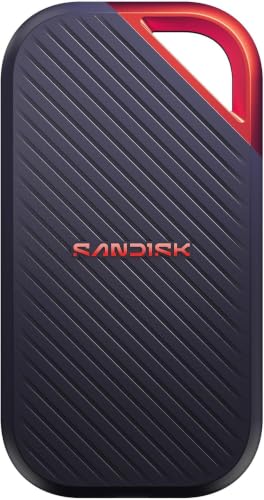
Sandisk 2TB Extreme PRO Portable SSD
SanDisk rates the newest Extreme PRO at up to 4,000 MB/s with 3,100 MB/s average sustained writes on the 2TB and larger models. It's the drive for people who move hours of high-resolution video and have a Thunderbolt 5 or USB4 machine to feed it.
$549.99fromAmazonSustained write speed is the number that actually matters for video, and this is the only drive here that leads with it. SanDisk cites 3,100 MB/s average sustained writes on the 2TB and 4TB models — not a peak, an average across a long transfer. Every other drive on this list quotes a headline figure and goes quiet about what happens after the cache fills.
The peak rating is up to 4,000 MB/s, roughly double the Gen 2x2 drives. SanDisk's own framing is moving ten minutes of 12K video in under a minute. That's marketing math, but the direction is right: if you're offloading a full shoot day, the difference between this and a 10Gbps drive is the difference between a coffee break and a bathroom break.
It's rated IP65 for dust and water, with up to 3 meters of drop protection, and it carries 256-bit AES encryption with password protection. Field-ready, in other words. At 0.14 pounds and about four and a third inches long, it's longer than the T9 but lighter — a slim bar rather than a brick.
This is a new model, so the owner feedback pool is thin. What's there is enthusiastic, mostly from people pairing it with recent Thunderbolt Macs. We'd treat that as a promising early signal rather than a track record. Buy it for the spec sheet and the SanDisk Extreme PRO line's reputation, not for a long history on this particular revision.
Flaws but not dealbreakers
You need a very fast port to see any of this. On a 10Gbps connection — most laptops, most docks — a 4,000 MB/s drive behaves like a 1,000 MB/s drive, and you've spent upgrade money for nothing. Thunderbolt 5 or USB4 is the real requirement.
It's the most expensive drive on this list, and the sustained-write advantage only applies to the 2TB and larger capacities. A 1TB model doesn't get the same figure.
Earlier generations of SanDisk's Extreme line drew well-documented complaints about drives dropping offline. SanDisk has since revised the hardware, but the history is worth knowing, and it's another reason to keep a second copy of anything irreplaceable.
Also greatOn sale
The one to take outside, with the best drop rating here
Samsung T7 Shield Portable SSD 1TB
The T7 Shield is rated IP65 for dust and water, drop resistant to 9.8 feet, and good for 1,050 MB/s over an ordinary 10Gbps port. It's the drive to buy if it's going to live in a camera bag, a truck, or a jacket pocket on a wet day.
$267fromAmazonList priceIf your drive is going to get rained on, this is the one. Samsung rates the T7 Shield IP65 for dust and water resistance and drop resistant from 9.8 feet — the highest fall rating in this group by a wide margin. The ribbed rubber shell is the whole point. It absorbs impact and it doesn't slide off the hood of a car.
The speed rating is 1,050 MB/s read and 1,000 MB/s write over plain USB 3.2 Gen 2, and here's the thing: that's the speed most people would get from the faster drives anyway. If your laptop has an ordinary 10Gbps port, you're not giving up real-world performance by choosing this over a 2,000 MB/s drive. You're just paying less for the same experience.
It's been on the market long enough to have a deep track record, and owner feedback is consistently strong across photographers, video editors, and DJs who keep libraries on it. People who've owned several of them keep buying more. That kind of repeat purchasing is a better signal than any single review.
Capacities run from 1TB to 4TB, and at about 0.21 pounds in a palm-sized body it's easy to carry. Compatibility covers PC, Mac, Android, and game consoles. For a student, a remote worker, or anyone who just wants a reliable backup drive that doesn't need babying, this is the sensible answer.
Flaws but not dealbreakers
It's half the rated speed of our top pick. If you have a Gen 2x2 or USB4 machine and move very large files regularly, you'll notice that gap on every transfer.
The rubber shell picks up dust and lint, and it's a bit thicker than the newer drives. Availability and pricing on the larger capacities have been erratic, so the 4TB model isn't always a sensible buy.
Budget pick
Plenty quick for backups, and the least you can spend here
Crucial 1TB X9 External SSD USB 3.2
The Crucial X9 is a straightforward USB 3.2 Gen 2 drive rated at 1,050 MB/s, in a light plastic shell with no extras. If you want a dependable place to park photos and documents without thinking about ports or thermal throttling, this does the job.
$224.95fromAmazonMost people buying a portable SSD are backing up a laptop, clearing a phone, or carrying project files between two places. None of that needs 2,000 MB/s. The X9 is rated at 1,050 MB/s over ordinary USB 3.2 Gen 2, which saturates the port on nearly any computer you'd plug it into. You'd be hard pressed to feel the difference during a nightly backup.
The appeal here is that it costs noticeably less per terabyte than anything else on this list. Crucial is Micron's consumer brand, so the flash inside comes from a company that makes its own NAND. You're skipping the rugged shell and the encryption software, not the fundamentals.
It's light — about a tenth of a pound — and slim enough to live in a laptop sleeve. There's nothing to configure and nothing to learn. Plug it in, format it if your operating system asks, and start copying. For a student who just needs somewhere to keep coursework and photos, that simplicity is the feature.
Flaws but not dealbreakers
There's no IP rating and no stated drop protection. The plastic shell is fine in a bag but it's not built for a job site or a hiking trip — if the drive is going outside, spend up for the T7 Shield.
The Amazon listing for this one is unusually bare, with a single feature bullet and no detail on encryption, bundled software, or endurance. Owner feedback is also thinner than for the bigger sellers here, so there's less collective experience to lean on.
At 1,050 MB/s it's the slowest drive here apart from the T5 EVO, and it won't get faster on a better port.
Who this is for
Buy a portable SSD if you're hauling files between machines, offloading camera cards in the field, giving a console more room for games, or keeping a backup that you can grab on the way out the door. They're quiet, they have no moving parts to break, and they're fast enough that a big transfer stops being something you schedule around. Photographers and video editors get the most out of the faster models; students, remote workers, and anyone with a full laptop will be well served by a 1,050 MB/s drive.
Skip one if your real need is bulk archive storage — a spinning hard drive still costs far less per terabyte, and neither is a substitute for keeping multiple copies. This guide covers self-contained bus-powered drives you can carry in a pocket. It doesn't cover desktop drives that need their own power brick, NVMe enclosures you build yourself, network storage, or microSD cards. And no drive here is rated for full submersion, so none of them belong on a dive boat without a dry bag.
How we picked
We judged these drives on the things that change how a transfer actually feels. Real-world speed: we checked each rated figure against what the port standard can carry, since a 2,000 MB/s drive is bottlenecked near 1,000 MB/s on a 10Gbps connection, and we gave credit to drives that publish sustained write numbers instead of peak bursts. Heat and throttling: we looked for thermal design claims and for owner reports of speeds collapsing mid-copy. Durability ratings: we read the published IP and drop ratings and weighted them against how each drive is likely to be used. Capacity and value: we favored lines that reach 2TB and beyond, where cost per terabyte usually improves. Owner track record: we read feedback themes for recurring patterns around failures, setup friction, and performance shortfalls.
Other portable external ssds worth considering
If you want the most storage in a pocket: The Samsung T5 EVO Portable SSD 4TB ($568.46) — The Samsung T5 EVO goes up to 8TB, which is more than anything else here, and it does it in a body about the size of a thick memory stick. The catch is speed: it's a USB 3.2 Gen 1 drive rated at 460 MB/s, roughly half of a basic Gen 2 SSD and a quarter of our top pick. Owners confirm it behaves that way, with real-world writes often landing lower still. For nightly backups, a photo archive, or a game library you load from occasionally, that's fine — it's still far quicker than a spinning drive and it runs cool. For editing video off the drive, it isn't. Samsung rates it for 6-foot drops, and it's worth noting that a handful of owners have reported outright failures, so treat it as one copy of your data rather than the only one.
If you have a Thunderbolt Mac and a pro workflow: The OWC Envoy Pro FX 2TB Thunderbolt 40Gb/s ($802.84) — The OWC Envoy Pro FX connects over Thunderbolt at 40Gb/s and falls back to USB-C at 10Gb/s on anything else, with rated performance up to 2,800 MB/s. The fanless aluminum housing doubles as a heat sink, so it stays silent and holds speed without a thermal shutdown, and the Thunderbolt cable is included. It's bus-powered and built like a tool. The downsides are size and price: it's the largest drive here at over four inches long, and it costs well above the Gen 2x2 options. If your machine doesn't have Thunderbolt or USB4, you'd be buying a 10Gbps drive at a premium — get the T7 Shield instead.
The competition
This is what our research surfaced, not a complete map of the market. New drives arrive constantly, and a model we didn't look at may suit you better. Here's the one remaining drive we considered and where it landed.
The Kingston XS2000 2TB High Performance Portable SSD ($349.99) — The Kingston XS2000 is the smallest 2,000 MB/s drive in this group — about the length of a lighter — and it ships with a protective sleeve and an IP55 rating. Capacities run up to 4TB. It lost to the Crucial X10 Pro on two counts. Owner feedback includes a recurring theme of write speeds becoming erratic once the drive fills past a quarter or so, which points to cache behavior that the X10 Pro and T9 handle better. And there are scattered reports of outright failures, though Kingston's support response gets consistent praise from the people who needed it. If pocket size is your single priority and you keep a second copy of everything, it's still a reasonable buy.
Care and setup notes
Format the drive for the machines you'll actually use. exFAT works on both Windows and Mac and on most consoles, but it's less resilient than APFS or NTFS if a transfer gets interrupted — so if the drive lives with one computer, use that system's native format. Don't yank the cable mid-copy; eject it properly, every time. Keep the drive uncovered during long transfers, since a drive buried under a jacket in a bag will heat up and slow down. Use the cable that came in the box or a known USB 3.2 cable, because a charge-only cable will connect at a crawl and leave you blaming the drive. And remember that flash loses charge when it sits unpowered for years. Plug an archive drive in once in a while, and keep a second copy of anything you can't replace.
Questions we get
Do I need USB 3.2 Gen 2x2 or USB4 for a portable SSD?
Only if your computer has that kind of port. USB 3.2 Gen 2 runs at 10Gbps, or about 1,000 MB/s real-world, while Gen 2x2 doubles the link to 20Gbps. Plug a 2,000 MB/s drive into a 10Gbps port and it tops out near 1,000 MB/s. Macs don't support Gen 2x2 at all, so a Mac user wanting more speed needs Thunderbolt or USB4 instead.
Why is my portable SSD slower than advertised?
Usually the port, the cable, or the cache. Check that both your port and your cable support the drive's standard — a charge-only USB-C cable will throttle it badly. Beyond that, most SSDs write quickly into a small fast cache and then slow down once it's full, which is why sustained write figures matter more than headline numbers for big video files. Heat causes the same drop on long transfers.
Which portable SSD is best for PS5 game storage?
Any of these will work for storing and playing PS4 games and storing PS5 games, since the console connects over USB and caps the speed anyway. The Crucial X10 Pro explicitly lists PS5 support, and the T7 Shield and T5 EVO both cover consoles too. Buy on capacity rather than speed here — the port is the bottleneck, not the drive. Note that PS5 games have to be moved to internal storage before they'll run.
What's the best portable SSD for recording video from an iPhone?
Apple documents that iPhone 15 and later models with USB-C can record video, including ProRes, directly to an external drive. Any of the USB-C drives here can handle that data rate, so pick on size and ruggedness. The Crucial X10 Pro is the easiest to carry on a rig, and the T7 Shield is the one we'd choose if you're shooting outdoors. Check that your drive is formatted exFAT first.
Can I use a portable SSD for long-term backup or archiving?
As one copy, yes. As your only copy, no. Flash memory gradually loses charge when a drive sits unpowered for years, and SSDs can fail without the warning noises a hard drive gives you. Follow the 3-2-1 rule: three copies, two kinds of media, one of them off-site.
How much storage do I need?
For documents, photos, and a laptop backup, 1TB is usually plenty. For video work, game libraries, or a full Time Machine backup of a large Mac, start at 2TB — which is also where cost per terabyte tends to be most reasonable. Go to 4TB or 8TB only if you're archiving footage, and expect to trade some speed for that capacity.
Why you should trust us
For this guide:
- We read the published specifications for every drive here, including rated interface speeds, IP and drop ratings, capacity ranges, and stated sustained write figures.
- We compared those ratings against the USB Implementers Forum's published throughput for each interface generation, to separate real-world speed from headline numbers.
- We reviewed owner feedback themes for each model, looking for recurring reports of throttling, setup difficulty, and failures rather than isolated complaints.
- We read owner reviews on every listing, weighted toward the critical ones, because that is where the recurring failures show up.
- We have a systematic way of automatically fetching the latest prices, so the numbers on this page stay current.
- This is a research-focused guide, so the team may not own every product listed — though we often do own the top winners, which gives us extra context for the recommendations.
- We don't accept free products, and the retailer commission never changes which product we recommend.
Sources
Best Portable SSDs - Wirecutter (NYT), Wirecutter
Best External SSDs - Tom's Hardware, Tom's Hardware
Best Portable SSDs - PCMag, PCMag
External SSD reviews - RTINGS.com, RTINGS
Samsung T9 Portable SSD product page, Samsung (manufacturer specs)
Crucial X10 Pro product page, Crucial (manufacturer specs)
SanDisk Extreme PRO Portable SSD V2 product page, SanDisk / Western Digital (manufacturer specs)
USB speed and branding explained - USB-IF, USB Implementers Forum
Apple support: connect external storage to iPhone/iPad/Mac, Apple Support
Amazon product listings and owner reviews for all 8 products
Manufacturer specification pages for each product
Some passages in this guide may be paraphrased with AI help. Prices are refreshed automatically.
More like this.
Continue exploring electronics reviews and recommendations.

The Best Portable Car Vacuums
Cleaning a car is mostly a reaching problem. The crumbs live in the seat track, the sand settles into the carpet pile, and the dog hair works its way into…

The 7 Best Portable Bluetooth Keyboards for Travel in 2026: Lightweight, Multi-Device Picks
Expert-tested portable Bluetooth keyboards for travel in 2026. Compare weight, battery life, and multi-device pairing across 7 top picks from Logitech, Keychron, nuphy, and more.

The Best Portable Car Heaters
A cold car is a visibility problem before it's a comfort problem. You get in, breathe twice, and the windshield fogs over. The factory defroster works,…

The Best Portable Air Compressors for Your Garage
An air compressor is one of those tools you buy for one job and then use for a hundred you never planned on. Topping off tires before a road trip. Blowing…

The Best Portable Audio Gear
Portable audio is one of the few gadget categories where a good pick genuinely changes your day. The right noise-canceling headphones turn a screaming jet…

The Best Portable Power Stations for Camping
A power station is the quiet fix for the two things that actually annoy you at a campsite: a cooler that has to keep working, and phones that die by…