The Best Standing Desk Converters
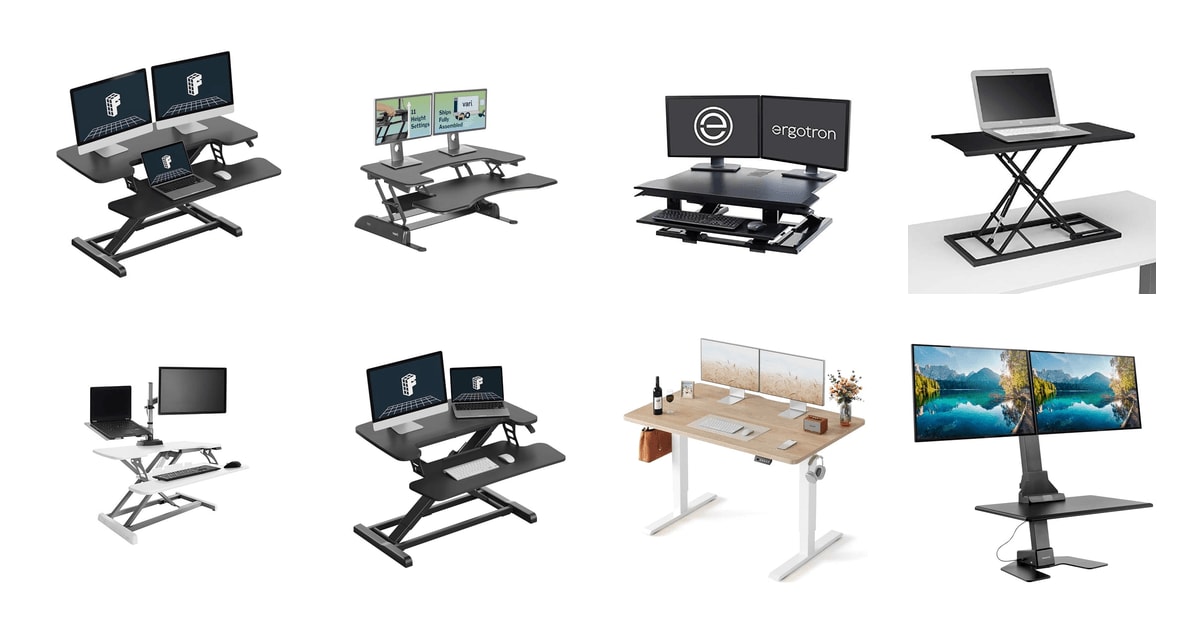
A standing desk converter sits on the desk you already own and lifts your monitor and keyboard to standing height. That's the whole idea, and it's a good one. You don't have to buy a new desk, drill anything, or ask your landlord for permission. What separates a good converter from a frustrating one comes down to a few things you'll notice within a week: how fast it goes up, how much it wobbles when you type at full height, and whether your monitors actually fit on the top deck.
Here's the honest catch. Every converter raises your screen, but none of them raise your desk, so your keyboard ends up on a tray that hovers somewhere near your existing surface. On a tall desk, that can put your wrists too high even at the lowest setting. Converters also eat desk space when they're down, and the heavier models are a two-person job to move. Wobble at maximum height is the complaint that shows up across every price tier, and no converter is completely free of it.
We also want to be upfront that this guide is built from specifications, published reviews and owner feedback, not from our own use. We think that the FLEXISPOT 36" Desk Riser is the best standing desk converter for most people, and that the Vari VariDesk Pro Plus 36 is the one to buy if you want a heavier, fully assembled unit with a longer warranty behind it.
Everything we recommend

A wide, steady deck that lifts with one squeeze

Heavier, tougher and backed longer, if you can lift it

The same lift on a footprint that fits a small desk

Push a button instead of lifting a loaded platform

Straight-up lift and a keyboard tray that drops below desk level
Prices as of Nov 5, 9:31 AM PT · Details
At a glance
| Product | Weight Capacity | Height Range | Price | |
|---|---|---|---|---|
| FLEXISPOT Standing Desk Converter 36" Desk RiserTop pick | 33 lbs | — | $119.99On sale |
| Vari VariDesk Pro Plus 36 - AdjustableRunner-up | — | 11 Settings | $429 |
| ErgotronAlso great | 10-40 lbs | 20 in Lift | $824 |
 | E3 Compact Stand Up Desk ConverterAlso consider | 11 lbs | — | $129 |
| Vari Pro Plus 36 ElectricUpgrade pick | — | 6-19.75 in | $299 |
| FLEXISPOT Standing Desk Converter 28" Desk RiserBudget pick | 33 lbs | — | Check price |
 | FEZIBO Standing Desk 48 × 24 InchAlso in lineup | 176 lbs | 28.3-46.5 in | $99.98 |
 | Mount-It! Dual Monitor Electric Standing Desk ConverterAlso in lineup | 55 lbs | 1.4-21.1 in | $449.99 |
Prices as of Nov 5, 9:31 AM PT · Details
How we picked
Stability at height. Published long-term reviews of this category consistently name wobble at maximum height as the most common failure point, so we favored wide bases, reinforced steel frames and units heavy enough to stay planted. Owner feedback about typing bounce carried more weight than any spec.
Surface width. Published guidance puts the dual-monitor threshold at 35 inches or wider, so we treated anything near 28 inches as a laptop or single-screen product. Spec sheets gave us exact deck dimensions, and owner reports confirmed what actually fits.
Lift effort. Comparisons of lift types show pneumatic and spring systems moving in under three seconds one-handed while cranks take 30 to 60 seconds. We prioritized mechanisms that stay easy when the deck is loaded, since friction is what stops people from standing.
Weight capacity. Dual 27-inch monitors commonly weigh 18 to 24 pounds combined, and many converters in this range are rated for 25 to 35 pounds. We checked whether each unit left real headroom or was already near its limit with a normal setup.
Setup and support. We favored units that ship assembled or need only a keyboard tray attached, based on manufacturer documentation and owner reports of setup time. Warranty length told us what each brand expects the product to survive.
Top pickOn sale
A wide, steady deck that lifts with one squeeze
FLEXISPOT Standing Desk Converter 36" Desk Riser
This is the converter most home offices should get. The 36-inch top holds two monitors with room left for a coffee cup, the spring lift raises in one motion, and the keyboard tray keeps your arms at a sane angle without you having to fight it.
$119.99fromAmazonList pricePrices as of Nov 5, 9:31 AM PT · Details
A 36-inch top is the width that actually solves the dual-monitor problem. Anything narrower and you end up rotating a screen vertically or scooting one off the edge. Owners with two displays plus a keyboard and mouse consistently say everything fits with space to spare. If you run a single ultrawide or a laptop plus one monitor, you'll have room for a notebook and a mug too.
The lift uses a mechanical steel spring rather than a gas cylinder. FLEXISPOT's argument is that gas springs can leak and weaken over years, and steel wire doesn't. We can't verify long-term durability, but the practical upside is immediate: you squeeze the handle, pull up, and you're standing. Owner feedback repeatedly describes the motion as smooth and easy to do one-handed, which matters more than it sounds. The easier the switch, the more often you'll make it.
Stability is where budget converters usually fall apart, and it's the single most-cited problem in published long-term reviews of this category. This one uses a reinforced steel frame with thickened square tubes, and it weighs about 34 pounds — heft that works in your favor. Owners describe it as sturdy at full height and note it doesn't feel like it's going to tip when they lean on the edge.
Setup is close to trivial. The unit ships nearly assembled; you attach the keyboard tray and you're done. Several owners mention doing it alone in a few minutes with no real tools. If you've ever spent an evening with an allen key and a 40-step diagram, you'll appreciate skipping that.
Flaws but not dealbreakers
The top surface is rated for 33 pounds and the keyboard tray for only 4.4. Two 27-inch monitors can easily land in the 18-to-24-pound range, so you have headroom but not a lot of it. Add a heavy monitor arm or a third screen and you're past the limit.
Lifting gets noticeably harder as you load it up. Owners running two monitors plus a keyboard say it still works, but the pull takes real effort — the spring is calibrated for a lighter load than a maxed-out desk. A few buyers also received units with cosmetic scratches on the top deck, so check yours when it arrives.
It's a big object. When lowered, a 36-inch riser still covers a wide strip of your desk, and it isn't something you'll slide out of the way when you want a clear surface.
Runner-up
Heavier, tougher and backed longer, if you can lift it
Vari VariDesk Pro Plus 36 - Adjustable
The Pro Plus 36 is the original wide converter and still the sturdiest-feeling one here. It arrives fully assembled, offers 11 locking heights, and carries a five-year warranty — the trade-off is that it weighs over 50 pounds.
$429fromAmazonPrices as of Nov 5, 9:31 AM PT · Details
The build quality is the reason to pick this one. Vari uses thicker steel, a 3D laminate finish and dual stability bars, plus a heavy base that keeps the whole thing planted. Owners who've had one for years describe it as a solid piece of equipment rather than a piece of furniture, and that heaviness is precisely what kills wobble at standing height. If you type hard, this matters.
The five-year warranty is the longest coverage on any full-size converter here. That's a real signal about expected lifespan, not just marketing. Vari also offers 30-day returns, which takes some risk out of a purchase you can't try in a store. For a product you'll touch every single workday for years, coverage is worth weighing alongside the spec sheet.
It arrives fully assembled — no tools, no tray to bolt on, nothing. You take it out of the box, set it on your desk, and start working. That's genuinely rare in this category, where most units need 20 to 45 minutes of setup. The rowing-style lift with dual handles and foam-wrapped steel is also designed to keep fingers away from pinch points, a small thing you'll notice if kids share the space.
The two-tier layout puts a 36-by-12.25-inch upper deck under your monitors and a lower deck for keyboard and mouse. Owners at around 5'8" report the top height lands right for them. Taller users should measure carefully, since the lift range is fixed and starts from whatever your desk height already is.
Flaws but not dealbreakers
It weighs about 52 pounds. Getting it onto your desk is a two-person job, and once it's there you won't be repositioning it casually. It's also worth checking that your desk can take that load plus your gear — some cheaper particleboard desks sag under it.
The upper deck is only about 12.25 inches deep. That's fine for monitors on their factory stands, but if you use deep-footed stands or want to push screens back for eye distance, it's tight.
This is the most expensive converter here by a wide margin, and you're paying largely for steel and finish rather than extra features.
The VariDesk Pro Plus 36 comes with a five-year warranty and 30-day free returns.
Budget pick
The same lift on a footprint that fits a small desk
FLEXISPOT Standing Desk Converter 28" Desk Riser
This is the 28-inch version of our top pick, built around the same steel spring lift and reinforced frame. It's meant for a laptop or a single monitor, and it's the one to get when your desk simply can't spare 36 inches.
Check priceatAmazonPrices as of Nov 5, 9:31 AM PT · Details
If you work at an apartment desk, a dorm setup, or a corner of a dining table, width is the constraint that decides everything. A 28-inch deck leaves you actual desk on either side. Owners of the small-space setups this is built for describe it as space-efficient without feeling cramped for a single-screen workflow.
The internals are the same as the larger model: mechanical steel spring lift, reinforced steel frame, thickened square tubes, 33-pound top capacity and a 4.4-pound keyboard tray. You're not getting a downgraded mechanism for the smaller size — just less surface area. That's an unusually honest way to build a budget option.
Skip this one if you run two monitors. Twenty-eight inches is a laptop-and-one-screen surface, full stop. Published guidance across this category puts the dual-monitor threshold at 35 inches or wider, and trying to squeeze two 24-inch displays onto a 28-inch deck means one of them ends up rotated or hanging off the edge. Know which setup you have before you order.
Setup takes minutes. It ships nearly assembled, and attaching the keyboard tray is the only step. For a converter you might move between a home desk and a spare room, that simplicity is worth something.
Flaws but not dealbreakers
It weighs 31 pounds, which is heavy for something this small. You can move it alone, but it's awkward rather than portable.
The keyboard tray's 4.4-pound rating is low. A heavy mechanical keyboard plus a mouse gets close to it, and there's no room for a wrist rest or a tablet down there.
Like the 36-inch model, some units arrive with scratches on the top surface. Inspect the deck before you load it up.
Upgrade pick
Push a button instead of lifting a loaded platform
Vari Pro Plus 36 Electric
This is the electric version of the Vari Pro Plus 36, sold as a cosmetic factory second in white. The motor raises the deck from about 6 to 19.75 inches quietly, so switching between sitting and standing takes no physical effort at all.
$299fromAmazonPrices as of Nov 5, 9:31 AM PT · Details
If you switch positions many times a day, a motor changes the math entirely. Published comparisons put a pneumatic lift at under three seconds one-handed and a manual crank at 30 to 60 seconds of work — and effort is what quietly stops people from standing. An electric lift removes even the three-second squeeze. Owners who used the manual Vari at an office and moved to this one for home describe the motorized version as smooth and quiet.
The 36-inch workspace holds two monitors and a laptop, with a laptop cutout and a keyboard deck built in. It fits any desk at least 18 inches deep, which covers most home setups including narrow apartment desks. The weighted base keeps it steady through the full travel range.
This particular listing is a factory second with a visible color inconsistency — some parts may look slightly pink rather than pure white. Vari states performance and durability are unaffected. If you don't care what your desk riser looks like up close, that cosmetic flaw is the entire reason this is more attainable than a first-quality electric converter.
Assembly is short. You attach the keyboard tray with the included tools, set it on your desk and plug it in. Owners report finishing in about 15 minutes working alone.
Flaws but not dealbreakers
It needs a power outlet. That's obvious but easy to forget when you're planning where the unit goes — factor a cord run into your cable management.
The listing photos show a monitor stand that isn't included, and buyers have been caught out by that. You're getting the converter and keyboard tray, not a monitor riser.
It's a factory second, so the finish will not be uniform. If your home office is a space you care about visually, that pink cast in the white may bother you every day.
Also great
Straight-up lift and a keyboard tray that drops below desk level
Ergotron
The WorkFit-TX rides straight up and down instead of arcing forward, and its keyboard tray adjusts independently and sits below your desk surface. For dual-monitor users fighting wrist angle, that combination is hard to find elsewhere.
$824fromAmazonPrices as of Nov 5, 9:31 AM PT · Details
Most converters swing forward as they rise, which means your monitors end up closer to your face at standing height than they were sitting. The WorkFit-TX offers 20 inches of no-sway lift straight up and down. Owners specifically praise the minimal keyboard bounce and the stability, and several say they chose it after searching for a large surface paired with a drop-below keyboard tray.
The keyboard tray is the real differentiator. It offers three inches of independent height adjustment plus back-tilt, and it can sit below your desk surface — which fixes the single biggest ergonomic problem with converters. If your desk is on the tall side and every other riser leaves your wrists cocked upward, this is the one that solves it.
The worksurface measures 32 by 27 inches, which is deep rather than wide. That depth lets you push monitors back to a comfortable viewing distance instead of parking them at arm's length. It folds down to within two inches of your desk, so when you're sitting it reads as a low shelf rather than a piece of equipment.
Ergotron backs it with a five-year warranty and technical support, and it ships with non-slip pads, a cable management sleeve, cable clips and zip ties. Nothing needs mounting or clamping.
Flaws but not dealbreakers
At nearly 69 pounds, this is the heaviest converter here. Placing it is a two-person job, and a lightweight desk may not be a safe home for it.
The 32-inch width is narrower than the 36-inch models, and owners with two large monitors report having to rotate one vertically to fit. Measure your screens before you commit.
Lowering it takes practice. Several owners describe having to rock it down slowly rather than pushing it, and the effort scales with how much weight is on top. The lift capacity range is 10 to 40 pounds, so a very light load can also cause it to behave oddly.
Ergotron covers the WorkFit-TX with a five-year warranty and technical support.
Who this is for
Buy a converter if you already have a desk you like and you want to stand for part of the day without replacing it. That covers most remote and hybrid workers, anyone renting who can't modify a workspace, and people dealing with back or neck stiffness from long sitting stretches. The health case is well documented: a consensus statement in the British Journal of Sports Medicine recommends office workers accumulate at least two hours of standing and light activity per working day, building toward four. A randomized trial published in the International Journal of Environmental Research and Public Health found sit-stand workstation use associated with a 54% reduction in upper-back and neck pain over seven weeks, and Cornell ergonomics researchers reported a similar 54% drop in musculoskeletal discomfort among call-center staff.
Skip a converter if your desk is already tall, if you need the full surface clear for paperwork or drawing, or if you're willing to replace the desk entirely — a full sit-stand desk gives you a proper keyboard height at every position, which no converter can. This guide covers risers that sit on top of an existing desk. We've noted where a listing in our lineup is actually a full desk rather than a converter, since those solve a different problem.
How we picked
We built this guide around five things. Stability: wobble at full height is the complaint that shows up across every price tier, so wide bases, reinforced steel and real mass mattered most. Width: 35 inches or more for two monitors, around 28 inches for a laptop or single screen — anything in between forces compromises. Lift effort: spring and pneumatic systems move in seconds one-handed, and the easier the switch, the more often you'll actually make it. Capacity: two 27-inch monitors can run 18 to 24 pounds, so a 25-pound rating leaves almost nothing spare. Setup and support: we favored units that arrive assembled or nearly so, and warranties long enough to signal real confidence.
Other standing desk converters worth considering
If you want something you can pick up and carry: The E3 Compact Stand Up Desk Converter — The Uplift E3 Compact is a different animal — an 11-pound, 27-inch-wide gas-spring riser that folds to under an inch when closed. You slide a tab, lift, and it locks. It's built for a laptop and a book, with an 11-pound lifting capacity, so a monitor is out of the question. But it works on a kitchen island, a spare table or a craft corner, and it ships fully assembled with a 15-year warranty — the longest coverage of anything here. Owners praise its stability and low profile; the one recurring gripe is that the lift mechanism takes some getting used to. Get it if portability matters more than screen real estate.
The competition
These are the other products our research surfaced, not a survey of everything sold. Two of them are worth understanding because they're often shopped alongside converters even though they solve the problem differently.
The Mount-It! Dual Monitor Electric Standing Desk Converter — The Mount-It! MI-7912 is an electric converter with two VESA monitor arms built in, which is a genuinely different approach: instead of setting monitors on a deck, you bolt them to arms that tilt, swivel and rotate to portrait. It handles screens up to 32 inches, supports 55 pounds total, travels from 1.4 to 21.1 inches and fits a 28.3-inch base. Owners call it sturdy with almost no wobble, and one reports two trouble-free years. It lost to our picks on two counts: assembly runs about an hour, and it's clunky and heavy enough that owners say the monitors sit too close and can't be pushed back. There's also a scattering of reports about the up button failing after a few months. Choose it if mounted, independently adjustable screens are what you actually want.
The FEZIBO Standing Desk 48 × 24 Inch — The FEZIBO 48 × 24 is a full electric standing desk, not a converter — you replace your desk with it rather than putting it on top. It's a strong product on its own terms: 28.3 to 46.5 inches of travel, three memory presets, a 176-pound capacity, an FSC-certified wood top and a motor rated under 45 decibels. Assembly runs about 30 minutes. The common complaint is that the top ships as two planks that can shift against each other, so it doesn't feel as monolithic as a single-slab desk. Consider it if you'd rather solve the keyboard-height problem properly and you're willing to give up your current desk.
Fit and installation notes
Measure before you order. Check your desk's usable depth first — most full-size converters need 18 to 20 inches, and an L-shaped or shallow desk can rule out the deeper models entirely. Then measure your monitor stands, not just your screens, since a wide-footed stand eats deck space fast. Weigh your gear against the top-surface rating, and remember the keyboard tray usually has a much lower limit than the deck above it. If your desk is particleboard, be honest about whether it can carry 50 or 70 pounds plus your equipment on one edge; owners have had lighter desks sag under heavy converters. Use the non-slip pads that come in the box, run your cables before you load the unit, and give the lift a few empty test cycles so you know how it moves before your monitors are on it.
Questions we get
Are standing desk converters worth it, or should I just buy a full sit-stand desk?
A converter costs a fraction of a motorized desk and doesn't require you to get rid of the furniture you own, which makes it the easiest ergonomic upgrade for most home offices. The trade-off is keyboard height: a converter raises your gear off your existing desk, so your wrists sit higher than ideal at every position. If your desk is already on the tall side, or you want the setup to be right rather than better, buy the full desk.
What size converter do I need for dual monitors?
Look for 35 inches of width or more. Two 24- or 27-inch monitors side by side simply won't sit comfortably on a 28-inch deck — you'll end up rotating one vertically or letting it overhang. Also check the top-surface weight rating, since two 27-inch screens commonly total 18 to 24 pounds and many converters top out around 33 to 35.
Do standing desk converters wobble at full height?
Some wobble is normal, and it's the most frequent complaint across every price tier. The fix is mass and geometry: wide bases, reinforced steel columns and heavier units stay noticeably steadier under typing pressure. The heaviest models here are the most stable, which is exactly why they're also the hardest to move.
How long should I stand each day?
A consensus statement in the British Journal of Sports Medicine recommends office workers accumulate at least two hours of standing and light activity per working day, building toward four hours over time. In practice, alternating every 30 to 60 minutes is the common guidance. Don't try to stand all day from day one — your feet and lower back need to adapt.
Will a converter scratch or damage my desk?
Every converter here ships with non-slip pads that sit between the base and your desk surface, which prevents scratching in normal use. The bigger risk is weight. A heavy converter concentrates 50 to 70 pounds on one part of your desk, and thin particleboard tops can sag or fail over time. Check your desk's construction before buying one of the heavier models.
What's the difference between a pneumatic and an electric converter?
A pneumatic or spring converter uses a gas cylinder or steel spring you release with a handle, then lift by hand — quick, but the effort grows as you load more weight on the deck. An electric converter uses a motor, so you press a button and it moves on its own, no effort regardless of load. Electric costs more and needs an outlet, but it's worth it if you switch positions many times a day.
Why you should trust us
For this guide:
- We read manufacturer specifications for every converter here, comparing deck dimensions, height ranges, lift mechanisms and weight ratings side by side.
- We reviewed published coverage of this category, including comparisons of lift-mechanism speed and long-term reports on stability, along with peer-reviewed research on sit-stand workstations and musculoskeletal discomfort.
- We read through owner feedback for each product, looking for recurring themes around wobble, assembly and lift effort rather than isolated complaints.
- We read owner reviews on every listing, weighted toward the critical ones, because that is where the recurring failures show up.
- We have a systematic way of automatically fetching the latest prices, so the numbers on this page stay current.
- This is a research-focused guide, so the team may not own every product listed — though we often do own the top winners, which gives us extra context for the recommendations.
- We don't accept free products, and the retailer commission never changes which product we recommend.
Sources
Best Standing Desk Converters — Wirecutter, Wirecutter / New York Times
The Best Standing Desk Converters — PCMag, PCMag
Best Standing Desk Converters — CNET, CNET
Best Standing Desk Converters — Tom's Guide, Tom's Guide
Best Standing Desk Converters — Forbes Home, Forbes Home
Best Standing Desk Converters — Good Housekeeping, Good Housekeeping
Standing Desks Ratings and Reviews — Consumer Reports, Consumer Reports
Get Britain Standing: Sedentary Behaviour in the Workplace — British Journal of Sports Medicine 2015 Consensus Statement, British Journal of Sports Medicine
Leisure Time Spent Sitting in Relation to Total Mortality — American Journal of Epidemiology, American Journal of Epidemiology
Effect of a Sit-Stand Workstation on Lower Back Pain — International Journal of Environmental Research and Public Health, MDPI / International Journal of Environmental Research and Public Health
Cornell Ergonomics Web — Sit-Stand Workstation Guidelines, Cornell University Department of Design and Environmental Analysis
Ergotron Work Insights Survey — Remote Work and Ergonomics, Ergotron
Amazon product listings and owner reviews for all 8 products
Manufacturer specification pages for each product
Some passages in this guide may be paraphrased with AI help.
Product prices and availability are accurate as of the date/time indicated and are subject to change. Any price and availability information displayed on Amazon.com at the time of purchase will apply to the purchase of this product.
More like this.
Continue exploring home reviews and recommendations.

The Best Electric Standing Desks
A standing desk earns its keep in small moments. You take a call on your feet, you stretch out your lower back between meetings, you drop the surface an…

The Best LED Desk Lamps for Studying and Eye Comfort
If you read or work at a desk for hours, your lamp does more for your eyes than almost anything else on the desk. The problem isn't usually brightness.…

The Best TV Stands and Media Consoles
A TV stand is furniture you stop noticing about a week after you buy it, which is exactly the problem. You notice it again when the cable box runs hot…

The Best Stand Mixer Attachments
Your stand mixer is a motor with a bowl bolted to it. That motor spends most of its life whipping cream and kneading bread, but the little hub on the…

The Best Cookbook Stands
A cookbook stand does one job: it holds your book open, at an angle you can read, somewhere the sauce can't reach it. That sounds trivial until you're…

The Best Christmas Tree Stands
A tree stand does one job, and you notice it only when it fails. It has to hold a top-heavy tree upright on a floor that's never quite level, through six…