The Best Mesh WiFi Systems
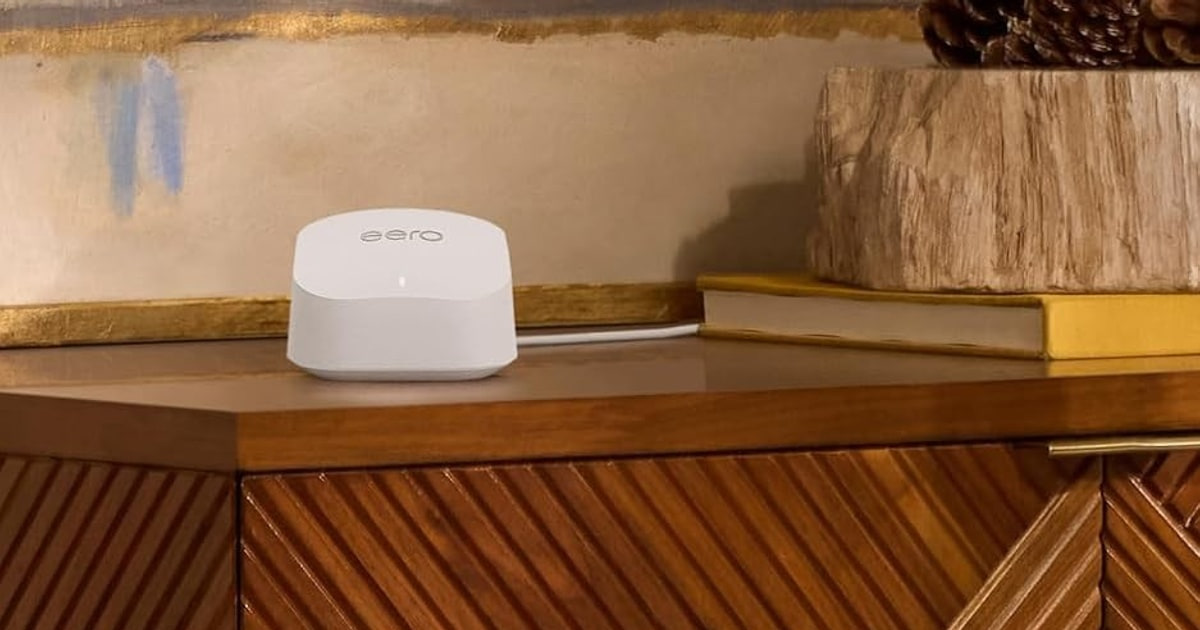
Dead zones are the whole reason mesh systems exist. One router stuck in a corner means the back bedroom drops video calls and the garage gets nothing at all. A mesh system splits that job across two or three nodes that talk to each other and hand your phone off as you walk around. You don't switch networks. You don't think about it. A good one makes the far end of the house feel like the near end, which is really all most people want from Wi-Fi.
Here's the honest part. No mesh system fixes a slow internet plan, and the coverage numbers on the box are optimistic. Those square-foot ratings assume open floor plans and drywall. Plaster, brick, and split-level layouts can cut real range by a third or more. Every brand also locks you in: eero nodes won't join an Orbi network, and Deco nodes won't join eero. Setup gremlins are common across the whole category, too. Owners of nearly every system here describe at least one round of factory resets.
So think about your house first and the spec sheet second. Count your floors, note what the walls are made of, and check what your modem's Ethernet port can actually pass — a gigabit port caps a multi-gig mesh no matter how much you spend. Then match the Wi-Fi standard to the plan you pay for. We think that the eero Max 7 is the best mesh WiFi system for most people, and that the eero 6+ is the one to buy if your internet plan tops out around a gigabit.
Everything we recommend

Multi-gig speed without the networking homework

Enough Wi-Fi for a gigabit plan, and nothing more

Enormous throughput and fiber-ready ports, if you'll tinker

Free parental controls and Thread, at Wi-Fi 6E speeds
At a glance
| Product | Coverage | Max Speed | Price | |
|---|---|---|---|---|
| Amazon eero Max 7 mesh wifi routerTop pick | 2,500 sq ft | 4.3 Gbps | $419.99On sale |
| TP-Link Deco 7 Elite BE85 Tri-Band WiFiUpgrade pick | — | 22 Gbps | $1,199.99 |
 | NETGEAR Orbi 970 Series Quad-Band WiFi 7Also consider | 10,000 sq ft | 27 Gbps | $1,999.99 |
 | TP-Link Deco 7 Outdoor BE65 BE11000 Tri-BandAlso consider | 3,000 sq ft | 11 Gbps | $294.85 |
| Google Nest WiFi Pro - 6E -Also great | 6600 sq ft | 6E | $399.96 |
| Amazon eero 6+ mesh wifi system -Budget pick | 4,500 sq ft | 1 Gbps | $214.99On sale |
 | Linksys Velop WRT Pro 7: OpenWrt LuCIAlso in lineup | 3,000 sq ft | 10680 Mbps | $229.99 |
How we picked
Coverage that holds up. We compared manufacturer square-foot ratings against what owners in real houses describe, and discounted heavily for masonry, plaster and split-level layouts. Any system we recommend had to cover a normal two-story home with the nodes in its standard kit.
Ports and backhaul. We read spec sheets for WAN and LAN port speeds, since a gigabit port makes a multi-gig plan pointless. Systems with a dedicated backhaul band or true wired backhaul support scored higher.
Setup you can finish. Published reviews and owner feedback both flag setup as the most common failure point in this category. We weighed how often people describe finishing in minutes versus how often they describe factory resets and support calls.
Cost of the extras. We checked which parental controls, content filters and security scans work without a subscription. A system that hides basic family features behind a monthly fee lost ground to one that doesn't.
Long-term stability. We looked for repeated owner reports of nodes dropping, systems needing regular reboots, or performance sliding after a few months. Isolated complaints we ignored; patterns we treated as disqualifying for a top spot.
Top pickOn sale
Multi-gig speed without the networking homework
Amazon eero Max 7 mesh wifi router
The eero Max 7 is a Wi-Fi 7 node with two 10 Gigabit Ethernet ports and a setup app that non-technical people actually finish. It's the one to get if you pay for a fast plan and want the network to disappear into the background.
$419.99fromAmazonList priceIf you're paying for multi-gig internet and not getting it, this is usually the fix. Plenty of ISP gateways choke long before your plan does. The Max 7 has two 10 Gigabit Ethernet ports, so one handles the connection in and the other can wire a gaming PC, a console, or a NAS at full speed. Owners upgrading from a carrier-supplied box routinely describe finally seeing the numbers on their bill.
Setup is the quiet reason we keep coming back to eero. You scan a code, name the network, and you're done in about the time it takes to make coffee. There are no web interfaces, no channel-width menus, no firmware files to download. Published reviews and owner feedback agree on this point more than on any spec: this is the mesh you hand to someone who has never configured a router.
Wi-Fi 7's multi-link operation is the real upgrade here, not the headline throughput. Instead of picking one band, a supported phone or laptop uses two at once. That cuts latency and smooths out the moments when a stream stutters or a call freezes. Published lab comparisons put the Max 7's ping meaningfully below the best Wi-Fi 6E systems. If you game or spend your day on video calls, you'll notice that more than any download number.
It also doubles as a smart home hub. Thread devices connect directly, and it works as a Matter and Zigbee controller, which means one less plastic box plugged into your wall. eero's TrueMesh routing handles the handoffs between nodes on its own, and owners who've run eero hardware for years mostly report the same thing: they forget it's there. That's the compliment routers rarely earn.
Flaws but not dealbreakers
It's sold one node at a time, and that adds up fast. The 2,500-square-foot rating assumes open rooms and drywall; concrete or a split-level layout shrinks it closer to 1,500. A big house needs two or three of these, and this is already the priciest way to buy a single node in the lineup.
The free tier of the app covers per-device pause and scheduling, but real content filtering and threat scanning sit behind an eero Secure subscription. A few owners also report irritating side effects of the deep Amazon integration — most memorably, having their carefully named Echo devices renamed on them overnight. Others have hit snags getting certain VPN clients to behave. Neither is common, but neither is imaginary.
Budget pickOn sale
Enough Wi-Fi for a gigabit plan, and nothing more
Amazon eero 6+ mesh wifi system -
The eero 6+ is a three-node Wi-Fi 6 kit that covers about 4,500 square feet and keeps up with plans up to a gigabit. If your bill says 300 or 500 Mbps, this gets you the same daily experience as the flagships for far less.
$214.99fromAmazonList priceMost American homes don't have multi-gig internet. They have a few hundred megabits, a dozen or so devices, and a bedroom where Netflix buffers. The eero 6+ is built for exactly that house. Three nodes cover roughly 4,500 square feet, and the 160 MHz channel on 5 GHz gives you noticeably more headroom than the cheap Wi-Fi 6 routers it competes with. You won't feel the missing Wi-Fi 7.
This is the widest-owned system here, and the feedback is remarkably calm. People describe setting it up in minutes, sticking a node on each floor, and never opening the app again. Grandparents set it up. Renters use it to skip drilling holes for Ethernet. That kind of boring, consistent reception is worth more day to day than a throughput ceiling you'll never touch.
The built-in Zigbee hub is a genuine bonus. If you've been running smart plugs or bulbs through a separate bridge, these nodes can talk to them directly, and you get one fewer thing plugged in behind the TV. Alexa integration is here too, so you can pause the kids' devices by voice. It's also backward compatible with older eero hardware, which matters if you're expanding rather than starting over.
Flaws but not dealbreakers
Wi-Fi 6 is the ceiling, and it's a real one. If you're on a 2-gig fiber plan, you're leaving most of it on the table. Each node is rated for 75-plus connections rather than the 200-plus the Wi-Fi 7 systems claim, so a device-heavy smart home will feel crowded sooner.
Old houses still fight it. Owners in wood-frame homes with basements report needing wired backhaul between floors to get consistent results, and a few never got what they wanted from three nodes alone. There's also no VLAN support, no meaningful QoS control, and content filtering again requires the eero Secure subscription.
Upgrade pick
Enormous throughput and fiber-ready ports, if you'll tinker
TP-Link Deco 7 Elite BE85 Tri-Band WiFi
The Deco 7 Elite BE85 is a three-node Wi-Fi 7 kit with two 10G ports, one of them an SFP+ fiber combo, and 22 Gbps of combined bandwidth. Get it if you have fast fiber, a big house, and patience for a fussier app.
$1,199.99fromAmazonNothing else here connects to a fiber ONT directly. The SFP+ combo port means you can skip a separate fiber modem entirely, which is a genuinely uncommon feature in consumer gear. Add a second 10G RJ45 port, two 2.5G ports, and USB 3.0 on each node, and you've got the wiring flexibility of a small-business setup. If your ISP just ran multi-gig fiber to the house, this is the system built for it.
The bandwidth story is straightforward. Tri-band Wi-Fi 7 gives you 11,520 Mbps on 6 GHz, 8,640 on 5 GHz, and 1,376 on 2.4 GHz, and the three-pack is rated to cover roughly 9,600 square feet. TP-Link's nodes can also run wired and wireless backhaul at the same time, so if the Ethernet run to an upstairs satellite gets unplugged, the link doesn't simply die.
Owners with genuinely demanding networks — well over a hundred connected devices, several 4K streams, a gaming PC or two — report it holds up once it's dialed in. Several who describe themselves as network engineers landed here after trying more expensive prosumer gear. HomeShield's free tier includes basic parental controls and device identification, and the built-in VPN client and server are useful if you work remotely.
The catch is that it rewards attention. The Deco app is capable but busier than eero's, and the settings that matter aren't always where you'd expect. If you enjoy separating your IoT devices onto their own network and reading through traffic analytics, you'll like it here. If that sentence sounded like a chore, buy something else.
Flaws but not dealbreakers
A meaningful minority of owners report instability — nodes dropping, systems needing reboots, and a few returns after weeks of otherwise excellent speeds. The pattern often involves large networks with lots of IoT devices, and TP-Link's support gets consistent praise for working through it. Still, you should know it's a real possibility before you commit.
The full parental controls and detailed analytics require a HomeShield Pro subscription. And these nodes are big — nearly ten inches tall each — so three of them are hard to hide in a living room.
Also great
Free parental controls and Thread, at Wi-Fi 6E speeds
Google Nest WiFi Pro - 6E -
The Nest WiFi Pro is a three-node Wi-Fi 6E kit covering about 6,600 square feet, with a Thread border router built in. It's the pick if your house runs on Google Home and Matter devices and you'd rather not pay a monthly fee.
$399.96fromAmazonEvery parental control here is free. Per-device scheduling, content filtering, SafeSearch — no subscription, no upsell screen. Both eero systems put the equivalent behind a paid tier, and Netgear does the same for its security scanning. If you're setting up Wi-Fi for a house with kids and you don't want another recurring charge, that alone is a good reason to choose this one.
The Thread border router matters more than the Wi-Fi standard for a lot of buyers. Matter devices get a low-latency local connection without a separate hub, and everything lands in the Google Home app alongside your speakers and cameras. Setup runs through that same app, and owners upgrading from older Google Wifi or Nest Wifi generally describe it as painless.
Coverage is the sleeper strength. Three nodes are rated for 6,600 square feet, more than either eero kit, and owners with large or awkwardly shaped houses report the edges of the network holding up well. Wi-Fi 6E gives you a clean 6 GHz band without the Wi-Fi 7 price, which is plenty if your plan is a gigabit or less.
Flaws but not dealbreakers
It's Wi-Fi 6E, not Wi-Fi 7, so there's no multi-link operation and a lower ceiling than anything else in the picks. It also won't work with previous-generation Google Wifi or Nest Wifi hardware, so expanding an old setup means starting over.
Setup is where the complaints cluster. A number of owners describe nodes that refuse to be found, sparse troubleshooting guidance in the app, and long support calls before things click into place. Once running, most report it's fine — but a few say stability slowly degraded over months of use. Advanced settings like VLANs and granular port forwarding simply aren't exposed.
Who this is for
Buy a mesh system if a single router leaves you with rooms where video calls drop or streams buffer, and you'd rather not run cable through the walls. Two nodes handle most homes around 2,000 square feet; three make sense past 3,500, or in any house with plaster, brick, or a finished basement. If your whole house already works fine on one router, you don't need this — a mesh won't make a 200 Mbps plan any faster.
This guide covers indoor whole-home kits plus one outdoor extender, aimed at ordinary households rather than IT departments. We're not covering business access points, Wi-Fi extenders that create a second network name, or DIY router builds. One caveat worth repeating: brands don't mix. Whatever you buy, you're committing to that ecosystem for any node you add later, so pick the app you'll be happy opening in three years.
How we picked
We started from spec sheets, published reviews and owner feedback, then weighed five things. Coverage: rated square footage matters less than what owners in real houses report, so we discounted for masonry, plaster and multiple floors. Ports and backhaul: multi-gig plans need 2.5 or 10 Gigabit WAN ports, and a dedicated backhaul band or a wired run beats shared wireless every time. Setup: the most common complaint in this category isn't speed, it's a node that won't be found, so we favored systems people describe finishing in minutes. Subscriptions: parental controls and security scanning that cost nothing extra scored higher than the same features behind a monthly fee. Stability: repeated owner reports of drops, reboots or slow degradation kept a product out of the top spots.
Other mesh wifi systems worth considering
If your dead zone is outside: The TP-Link Deco 7 Outdoor BE65 BE11000 Tri-Band ($294.85) — The Deco 7 Outdoor BE65 is the answer to a backyard, garage or detached workshop that Wi-Fi never reaches. It's IP65-rated for permanent mounting under an eave, adds up to 3,000 square feet of outdoor Wi-Fi 7 coverage, and takes power and data over a single PoE+ cable. Owners consistently say the range beats the rating — one mounted it on a deck and reached a barn a hundred feet back. The hard limit is compatibility: it extends an existing TP-Link Deco network and nothing else, so it's useless if you own eero or Orbi hardware. Mounting hardware is a weak point, with reports of stripped screws and a fiddly kit.
If you have a genuinely huge house: The NETGEAR Orbi 970 Series Quad-Band WiFi 7 ($1,999.99) — The Orbi 970 is the biggest thing here — quad-band Wi-Fi 7, a dedicated backhaul band that keeps node-to-node traffic entirely off your device bands, a 10 Gig internet port, and a rated 10,000 square feet across three units. Published lab comparisons put its sustained throughput at range above everything else in this lineup, and owners with 5,000-square-foot, three-level homes describe replacing a shelf full of extenders with these three boxes. We can't make it a pick, though. Owner feedback splits sharply, with a large cluster reporting instability, slow firmware-update-and-reset ordeals during setup, and coverage well short of the claim in dense-walled homes. It's also the most expensive system here and physically enormous.
The competition
This is what our research surfaced, not a census of the market. Mesh systems turn over constantly, and there are capable kits from other brands we didn't look at here. The product below is one we read about closely and can't recommend to a general audience.
The Linksys Velop WRT Pro 7: OpenWrt LuCI ($229.99) — The Linksys Velop WRT Pro 7 is a tri-band Wi-Fi 7 router that ships with the OpenWrt LuCI interface, which means VLANs, custom DNS, traffic shaping and routing rules that no consumer mesh app exposes. On paper the radios are strong: 5,765 Mbps on 6 GHz with 320 MHz channels, a 2.5 Gbps WAN port, and a quad-core processor. But it covers only 3,000 square feet per unit, the four LAN ports are gigabit, and there's no mesh app — you build multi-node setups yourself in a web interface. Owner feedback is thin and rough, including a name-driven trap: it will not mesh with existing non-WRT Velop hardware, and several buyers found that out the hard way. If you're a network engineer who wants an OpenWrt box and knows exactly what you're getting, it's interesting. For everyone else, it's the wrong tool.
Setup and placement
Where you put the nodes matters as much as which ones you buy. Don't hide them in cabinets, behind the TV, or in a closet — obstructions can cut effective range roughly in half. Keep nodes within about 30 to 40 feet of each other, and put the upstairs one in a central hallway rather than a far corner. If you can run a single Ethernet cable between floors, do it; wired backhaul removes node-to-node interference completely and often doubles what an upstairs node can deliver. Before you buy anything, check your modem or ISP gateway's Ethernet port speed. A gigabit port caps the whole system at a gigabit no matter what the mesh is rated for. If your ISP gave you a combined modem-router, put it in bridge mode so your mesh handles routing.
Questions we get
What makes a mesh system different from a regular router?
A regular router broadcasts from one spot, so signal fades as you walk away from it. A mesh uses several nodes that form one network with one name, and they hand your devices off as you move. Most keep the node-to-node traffic on a separate band, or on Ethernet, so it doesn't eat into what your devices are using.
How many nodes do I need for a 2,000-square-foot home?
Two is usually right. Single-node coverage runs somewhere between 1,500 and 2,500 square feet depending on your walls and layout. Concrete, plaster, split-levels and multiple floors all push you toward three. That's why most systems are sold as two- or three-packs.
Can I mix nodes from different brands?
No. eero nodes only work with eero, Deco only with Deco, Orbi only with Orbi. If you're expanding an existing network, you have to buy from the same brand and product family. The Deco 7 Outdoor BE65 is the one node here designed purely to extend an existing network, and even that only works with Deco.
Should I use wired or wireless backhaul?
Wired, whenever you can. Running Ethernet between node locations removes inter-node interference and lets each node deliver its full rated throughput. If cable isn't practical, pick a system with a dedicated backhaul band — the Orbi 970's quad-band design and the Deco BE85's simultaneous wired-and-wireless backhaul both exist for this reason.
Is Wi-Fi 7 worth it, or should I wait for Wi-Fi 8?
Get Wi-Fi 7 if your plan is a gigabit or faster and you own recent phones and laptops. Multi-link operation lets those devices use two bands at once, which lowers latency in a way you can feel on calls and in games. Wi-Fi 8 isn't expected in consumer products for years. If your plan is under 500 Mbps, Wi-Fi 6E or even Wi-Fi 6 will feel identical day to day.
Do I have to pay a monthly subscription?
Not for basic internet and network management — every system here works without one. Subscriptions unlock extras: eero Secure adds content filtering and threat scanning, Netgear Armor adds malware protection, HomeShield Pro adds detailed analytics and stronger parental controls. Google's Nest WiFi Pro includes parental controls at no charge, which is worth weighing if that's what you actually need.
Why you should trust us
For this guide:
- We read manufacturer spec sheets for every system here, comparing band configurations, WAN and LAN port speeds, backhaul design and rated coverage.
- We reviewed published lab comparisons from established review outlets for throughput and latency claims, rather than relying on box numbers.
- We read through owner feedback for each product to find repeated failure patterns — setup trouble, node drops, coverage falling short of the rating — and let those themes shape the flaws and the award order.
- We read owner reviews on every listing, weighted toward the critical ones, because that is where the recurring failures show up.
- We have a systematic way of automatically fetching the latest prices, so the numbers on this page stay current.
- This is a research-focused guide, so the team may not own every product listed — though we often do own the top winners, which gives us extra context for the recommendations.
- We don't accept free products, and the retailer commission never changes which product we recommend.
Sources
Best Mesh Wi-Fi Systems 2026 — Wirecutter, Wirecutter
Best Mesh Wi-Fi Routers 2026 — PCMag, PCMag
TP-Link Deco BE85 Review — Tom's Guide, Tom's Guide
Netgear Orbi 970 Review — PCMag, PCMag
Amazon Eero Max 7 Review — CNET, CNET
Amazon product listings and owner reviews for all 7 products
Manufacturer specification pages for each product
Some passages in this guide may be paraphrased with AI help. Prices are refreshed automatically.
More like this.
Continue exploring electronics reviews and recommendations.

The Best WiFi Freeze Alarms and Temperature Sensors
A frozen pipe doesn't announce itself. It splits quietly, thaws a day later, and then, according to the American Red Cross, a single 1/8-inch crack can…

The Best WiFi Routers
Your router is the one piece of tech in your home that everything else depends on. When it's working, you don't think about it. When it isn't, the TV…

The Best Car Speakers and Stereo Systems
A car stereo is the one piece of gear in your car you touch every single day. You reach for it before you've backed out of the driveway, and you're still…

The Best Tire Pressure Monitoring Systems
Your tires are losing air right now. Nothing dramatic - just the ordinary seep of one to two pounds a month, according to the Tire Industry Association,…

The Best Car Alarm and Security Systems
Your car spends most of its life parked and unattended. On a street, in a work lot, in a driveway you can't see from the kitchen sink. A security system's…

The Best Home Theater Systems
Your TV's built-in speakers are thin, and you already know it. Dialogue disappears under the score, explosions sound like a phone buzzing on a table, and…