The Best DJI Drone Accessories
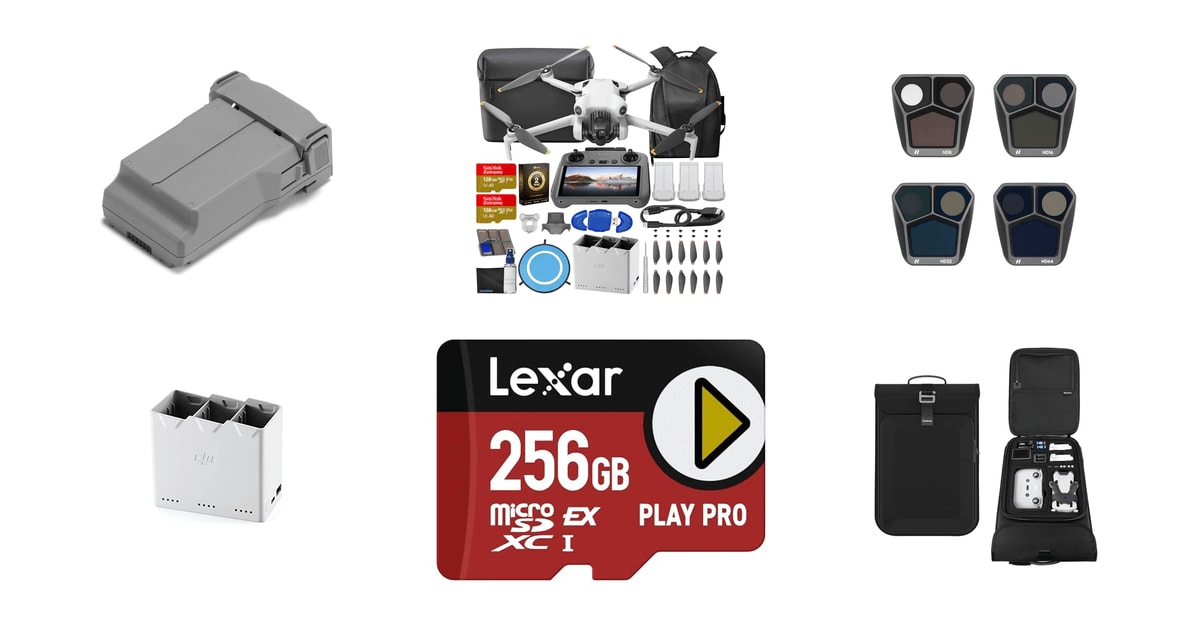
Flying a DJI drone is mostly waiting. You drive out to the spot, unfold the arms, wait for the sensor checks, and then you get half an hour in the air before the low-battery warning starts nagging. That's why the accessories worth your money aren't the flashy ones. They're the ones that buy back time: a second battery, a hub that charges the stack while you drive home, a filter that keeps midday footage from looking like a security camera. Everything else is a nice-to-have.
Here's the honest part. Nothing in this category solves the underlying problem, which is that small drones run on small batteries and the physics won't budge. Extended batteries add flight time, but they also add grams, and on a sub-249g drone that can push you over the line where registration kicks in. Compatibility is unforgiving too. A battery, a hub, or a filter set built for one DJI model usually won't fit the next one, even within the same family.
So buy for the drone you actually own, and buy in the order that pilots keep landing on: power first, then light control, then protection. We think that the DJI Mini 5 Pro Intelligent Flight Battery Plus is the best DJI drone accessory for most people, and that the DJI 30W USB-C Two-Way Charging Hub is the one to buy if you already have a pile of batteries and you're tired of babysitting the charger between flights.
Everything we recommend

More air time per charge, if you fly the matching model

Turns a pile of batteries into a single plug and a power bank

Cinematic shutter speeds in bright sun, for one drone family
How we picked
Drone compatibility. We cross-checked every listing's stated compatibility against DJI's own model lists, because most of the frustration in this category comes from a battery or filter that physically fits nothing you own. Anything with vague or contradictory compatibility got downgraded.
Flight time gained. For power accessories, we looked at manufacturer-rated flight time and then at what owners report in wind and cold. A pack has to add meaningful minutes over the standard battery, not two or three.
Optical quality. Filter sets had to use coated glass, mount without stressing the gimbal, and cover a usable range of light reduction. Sets tuned to a multi-camera drone scored higher than one-size-fits-all kits.
Charging convenience. We favored hubs that charge unattended, show per-battery status, and double as storage or a power bank. Published specs and owner feedback both had to agree that charging behavior was predictable.
Protection and weight. Cases had to hold a drone, controller and spare batteries in fitted foam without becoming luggage. We also flagged anything heavy enough to push a sub-249g drone past the registration threshold.
Top pick
More air time per charge, if you fly the matching model
DJI Mini 5 Pro Intelligent Flight Battery
An official extended-capacity battery for the Mini 5 Pro, rated for up to 52 minutes of flight on a charge. If you only add one thing to your kit, make it a spare battery — it's the difference between one attempt at a shot and three.
$105fromAmazonA second battery changes how a flight day feels more than anything else you can buy. With one pack, you're rationing. You skip the second angle because you need the charge to get home safely. With two, you land, swap, and go again while the first one cools off. DJI rates this pack for up to 52 minutes on the Mini 5 Pro, which is a long block of usable air time for a drone this small.
Owners tend to report numbers below the headline figure, which is exactly what you'd expect. Wind, cold, and aggressive flying all pull from the same tank. Reported real-world sessions in the 35-to-45-minute range still land well above what a standard pack gives you. Treat the rated figure as a ceiling on a calm day and plan your shot list around something shorter.
Because it's DJI's own pack, the fit and firmware handshake are one less thing to think about. It seats in the bay without persuasion, the app reads cell health and cycle count, and there's no guessing about whether a third-party cell chemistry will hold up in the cold. Owner feedback on the OEM packs is consistently boring in the best way — they show up, they charge, they fly.
Buy two, not one. A single spare gets you through a casual afternoon, but the moment you're shooting something that matters — a property walkthrough, a wedding exit, a hike you drove two hours to reach — you'll want a third pack in the bag. Batteries are the accessory people regret buying too few of, never too many.
Flaws but not dealbreakers
Compatibility is the whole story here, and it's narrow. This pack is for the Mini 5 Pro and nothing else. If you fly a Mini 4 Pro, an Air 3S, or a Mavic 3 Pro, you need that drone's own battery, and the mistake is an easy one to make when the listings all look alike.
Extended packs weigh more than standard ones. On a drone that sits just under the 249g registration threshold, that extra mass is precisely the kind of thing that pushes you over it. Check your total flying weight with the battery installed before you assume you're exempt from registering.
Lithium packs also don't like sitting at full charge, and they don't like heat. If you buy three and fly once a month, you're paying for capacity that quietly ages in a drawer.
Runner-up
Turns a pile of batteries into a single plug and a power bank
DJI 30W USB-C Two-Way Charging Hub for
This hub holds three Mini-series batteries, charges them one after another in order of charge level, and doubles as a power bank for your phone or controller. It's the accessory that makes owning multiple batteries actually convenient instead of a juggling act.
$49fromAmazonCharging batteries inside the drone is a nuisance. You have to unfold it, plug it in, wait, then repeat twice more. This hub takes three packs at once and works through them in sequence, so you plug in once when you get to the car and come back to a full set. Owners of the Mini 3, Mini 3 Pro and Mini 4 Pro consistently describe it as the thing they should have bought first.
The sequential charging is a feature, not a compromise. A single USB-C brick can only push so many watts, and splitting that across three packs would just make all three slow. DJI charges the fullest battery first to get you back in the air soonest. Paired with DJI's 30W USB-C charger, three Mini 3 Pro packs come up to full in about three hours.
It also earns its space in the bag twice over. It stores your batteries in one protected block instead of loose in a pocket, and it runs in reverse as a mobile power source when your controller or phone is running low on a long shoot. If you're the sort of person who films until the light goes, that second job matters.
Flaws but not dealbreakers
It charges one battery at a time, and if you were expecting three at once you'll be disappointed for the first ten minutes. Plan around it: plug in when you start driving, not when you arrive.
Compatibility runs to the Mini 4 Pro, Mini 3 Pro and Mini 3. That means it doesn't cover our top pick's drone, the Mini 5 Pro, and it won't touch Air or Mavic packs at all. Match the hub to your specific drone before you order, because look-alike hubs from other sellers are everywhere and owners who've tried both generally regret going generic.
Also great
Cinematic shutter speeds in bright sun, for one drone family
DJI Mavic 3 Pro ND Filters Set
A four-filter ND set built specifically for the Mavic 3 Pro's triple-camera system, with lighter light reduction on the tele lens so all three cameras expose evenly. If you shoot video in daylight, this fixes the choppy-motion problem that no editing app can undo.
$98fromAmazonShoot at noon without a filter and your drone picks an absurdly fast shutter to avoid blowing out the sky. The footage comes back sharp and stuttery, with none of the natural motion blur your eye expects. An ND filter cuts the light so you can keep the shutter near the 180-degree rule — roughly 1/48s at 24fps — and the pans suddenly look like film instead of a slideshow.
The clever bit here is that the filters aren't uniform. The Mavic 3 Pro carries three lenses with different apertures, so a matched set would leave the tele camera underexposed while the wide looked correct. DJI reduces light less on the telephoto element to keep all three cameras usable at the same shutter and frame rate. Owners who cut between the 24mm, 70mm and 166mm views report exactly that benefit.
Fit is the other reason to go with the factory set. These filters are cut to the gimbal's weight tolerances, so the stabilizer isn't fighting extra mass at the front, and they twist on and off without the wiggling that heavier third-party glass sometimes needs. Owner feedback on machining and coating quality is unusually consistent.
The ND8 through ND64 spread covers most of what you'll meet outdoors, from an overcast afternoon to hard midday sun over snow or water. That's four filters, not one you have to guess with.
Flaws but not dealbreakers
This set fits the Mavic 3 Pro and Mavic 3 Pro Cine, and that's it. There's no cross-compatibility with the Air or Mini lines, so it's only relevant if you already own the big Hasselblad-equipped drone.
There's no polarizer in the set. If you shoot over water or through glare on car roofs and windows, you'll still want a CPL, and you'll be buying that separately. The set also starts at ND8, so in genuinely dim or overcast conditions you're better off with no filter at all than with the lightest one here.
Who this is for
This guide is for people who already own a DJI drone, or are about to, and want to know what to add first. If you fly a few times a month for fun, a spare battery and a charging hub will change more about your experience than anything else on this page. If you shoot for clients — real estate, weddings, tourism work — add ND filters and a hard case, in that order. Gift shoppers can buy a battery or a hub almost blind, as long as they know the exact drone model.
We're covering add-ons: batteries, charging hubs, filters, storage cards and cases, plus a couple of DJI bundles worth knowing about if you don't own a drone yet. We're not ranking drones themselves, and we're not covering repair parts, propellers or FPV racing gear. Skip everything here if you fly a drone from another brand, since almost none of it will fit.
How we picked
We started from DJI's published specifications and the compatibility lists for each drone, then read owner feedback for the themes that show up over and over. Compatibility: the accessory has to fit a drone you actually own, stated plainly, with no ambiguity between model generations. Flight time: a battery has to add real minutes over the standard pack, and we weighed rated figures against what pilots report in wind and cold. Optical quality: filters need coated glass, a usable range of light reduction, and a mount that doesn't fight the gimbal. Charging: hubs should work unattended, report per-battery status, and ideally double as storage or a power source. Protection and weight: cases need fitted foam and a shell you can toss in a trunk, and anything that adds grams to a sub-249g drone gets a warning about registration.
Other dji drone accessories worth considering
If you fly while traveling: The Smatree Waterproof Carrying Backpack for DJI Mini ($69.99) — Smatree's waterproof backpack is built around the Mini 4 Pro and Mini 3 Pro, with cut foam for the drone, a controller, two batteries, spare sticks, memory cards and even an action camera. The shell is hard where it matters and the whole thing is slim enough that owners report using it as a personal item on budget airlines. Hard cases with fitted foam are the single best defense against the gimbal and propeller damage that Digital Trends flags as the common casualty of air travel. It gives up interior flexibility, though — a few owners find there's little usable space beyond the cutouts, so it's a bad fit if you want one bag for the drone and a laptop.
If you want a card with headroom to spare: The Lexar 256GB Play PRO Micro SD Express ($79.99) — Lexar's Play PRO is a 256GB microSD Express card rated V30 and backwards compatible with UHS-I hosts, which is what your drone will use it as. It's fast enough for 4K and D-Log M recording without dropped frames, and Lexar's cards are a common recommendation for drone footage. Be clear about what you're buying, though: the Express speeds are aimed at handheld gaming consoles, and your drone can't touch them. A plain high-endurance V30 card does the same job in the air. Buy this one if you'd also use it in a Switch 2, and skip it if the drone is its only home.
More from DJI
These are the other DJI kits our research surfaced, not everything the company sells. Both are complete drone bundles rather than standalone accessories, so they're here rather than up with the picks — but if you don't own a drone yet, buying the right bundle gets you most of your accessories in one go.
The DJI Mini 4 Pro Drone Fly More ($1,449) — The Mini 4 Pro Fly More Combo Plus is the bundle to get if you're starting from nothing and want the accessory problem solved on day one. It pairs the Mini 4 Pro and the screen-equipped RC 2 controller with three extended batteries, a two-way charging hub, a shoulder bag, a backpack, two 128GB cards and a reader. DJI rates the drone for up to 45 minutes of flight, with omnidirectional obstacle sensing and OcuSync 4 transmission out to 12.4 miles. One caveat worth reading twice: the listing notes it requires FAA registration, since the extended packs in this bundle add enough weight to put it past the sub-249g exemption. Owners are broadly enthusiastic about the drone and lukewarm about the included bag, which is a reasonable trade.
The DJI Neo 2 Motion Fly More Combo ($599) — The Neo 2 Motion Fly More Combo suits the pilot who wants the immersive, first-person view rather than a camera platform to compose with. It bundles the 151g, C0-certified Neo 2 with the RC Motion 3 controller and Goggles N3, so you lean and the drone goes. Full-coverage propeller guards make it far less nerve-racking indoors or around people, and there's 4K capture, palm takeoff, gesture control and omnidirectional obstacle sensing. It's a genuinely good on-ramp to FPV — beginners say they were flying within an hour. Setup is the rough patch: you need a phone and the app to update firmware on each component before anything works, and a few owners with older or unusual Android handsets have hit compatibility trouble.
Is DJI worth it?
DJI sits at the center of consumer drones, and its accessories reflect that. The advantage is fit and predictability: batteries handshake with the firmware and report real cell health, filters are cut to the gimbal's weight tolerances, and hubs charge in a defined order instead of guessing. Owner feedback on the official parts is reliably uneventful, which is what you want from a battery you're trusting a few hundred feet up. The trade-off is cost and lock-in. DJI accessories are rarely the least expensive option, and compatibility is drawn tightly enough that a battery or filter set usually serves exactly one drone family — so upgrading the aircraft can mean replacing the kit around it. Third-party makers like PolarPro, Freewell and Smatree compete hard on optical extras, storage and cases, and they're a sensible place to save. For anything that carries current or hangs off the gimbal, we'd stay with the official parts.
Not set on DJI?
If your real bottleneck is topping batteries up from the car or a campsite, that guide covers the power banks and USB-C chargers that feed a hub in the field. our UGREEN charging accessories guide →
Worth a look if you want travel-friendly charging and cable gear that works for the controller and phone side of your kit, not just the drone. our Belkin accessories guide →
Care and storage
Batteries are the part of your kit that quietly degrade while you're not looking. Don't leave packs at full charge for weeks; DJI's cells self-discharge to a storage level on their own, but heat accelerates aging, so keep them out of a hot car and out of direct sun. In cold weather, warm a pack in an inside pocket before takeoff — a cold battery reports full and then drops off a cliff. Filters live or die by their coatings, so use a blower and a microfiber cloth, never a shirt sleeve, and store them in the case they came in. Check propellers for nicks after every landing on rough ground. And rehearse the swap at home once, because fumbling a battery release with cold fingers on a cliff edge is how drones get dropped.
Questions we get
What accessories should I buy first with a new DJI drone?
Spare batteries, then a charging hub, then ND filters. PCMag's drone buying guide puts two to three spare packs at the top of the list for any new owner, and that matches what pilots say. A case comes next if you travel with the drone; everything else can wait until you know how you actually fly.
Do I really need ND filters?
For video in daylight, yes. Without one, bright sun forces the camera into a very fast shutter, and the footage comes back stuttery instead of smooth. An ND32 cuts about five stops, so at midday you can hold the shutter near the 180-degree rule instead of letting the camera race far past it. For stills only, you can skip them.
Are third-party batteries safe?
OEM packs are the safer bet. DJI's batteries are built to the firmware and thermal tolerances the drone expects, and the app can read cell health and cycle count properly. Third-party cells vary a lot in quality, and a failure mid-flight means losing the aircraft. Filters and cases are a much lower-risk place to save money.
Do accessories affect the 249g registration limit?
They can. The threshold applies to your total flying weight, so an extended battery, a filter or an add-on mount can tip a drone that's exempt on its own over the line. If registration status matters to you, weigh the drone as you'll actually fly it. When in doubt, register — it's quick and it removes the question.
What kind of microSD card should I use for 4K footage?
You want sustained write speed, not headline read speed. A U3 or V30 card from a name like Lexar or SanDisk handles 4K/60 and D-Log M recording without dropping frames. Cheap unbranded cards are the most common cause of corrupted clips. Format the card in the drone before your first flight, and again whenever you swap it between devices.
Which charging hub should I get?
The one DJI makes for your specific drone family. The two-way hub covers the Mini 3, Mini 3 Pro and Mini 4 Pro, charging three packs in sequence and doubling as a power bank. Other DJI lines have their own hubs. Look-alike generic hubs are common, and owners who've tried both generally end up back with the official one.
Why you should trust us
For this guide:
- We read DJI's published specifications and compatibility lists for every battery, hub and filter set here, and checked them against each drone family they claim to fit.
- We went through owner feedback looking for recurring themes rather than one-off complaints — real-world flight time versus rated figures, charging behavior, and how cases hold up in transit.
- We also drew on published drone buying guidance from outlets including PCMag and Digital Trends, plus filter documentation from PolarPro and card specifications from Lexar.
- We read owner reviews on every listing, weighted toward the critical ones, because that is where the recurring failures show up.
- We have a systematic way of automatically fetching the latest prices, so the numbers on this page stay current.
- This is a research-focused guide, so the team may not own every product listed — though we often do own the top winners, which gives us extra context for the recommendations.
- We don't accept free products, and the retailer commission never changes which product we recommend.
Sources
DJI Official Store — Drone Accessories, DJI
DJI Air 3 / Air 3S Product Specs, DJI
DJI Mini 4 Pro Product Specs, DJI
Best Drones for 2026, PCMag
Best Drone Accessories, Digital Trends
Best Drones, The Verge
Best Drones for Every Skill Level, Wired
Best Drones, CNET
DJI Neutral Density Filters Overview, DJI
PolarPro Drone Filters, PolarPro
Best Camera Drones, DPReview
How to Choose ND Filters for Drone Video, PetaPixel
Amazon product listings and owner reviews for all 7 products
Manufacturer specification pages for each product
Some passages in this guide may be paraphrased with AI help. Prices are refreshed automatically.
More like this.
Continue exploring electronics reviews and recommendations.

The Best Webcams for Streaming and Video Calls
Most of us are on camera more than we'd like to admit. A morning standup, a client call, a Sunday-night stream - and the laptop's built-in camera makes…

The Best Ring Lights for Content Creators
A ring light does one job: it puts even light straight onto your face so your camera isn't guessing. That matters most in the rooms creators actually work…

The Best Car Covers for Outdoor Protection
A car that sleeps outside takes a beating you don't really see day to day. Sun bleaches the clear coat, sap drips from whatever tree you parked under, and…

The Best Under-Desk Cable Management Trays
The mess under your desk is the part of your setup nobody photographs. A power strip on the carpet, three adapter bricks piled on top of it, and a knot of…

The Best Camera Lens Attachments for iPhone
Your iPhone already has three cameras, so the question isn't whether you need more glass - it's whether an add-on lens gets you something the phone…

The Best MagSafe Accessories for iPhone
Magnets changed how you use your phone, and most people don't notice until the magnets are bad. A good MagSafe accessory snaps into place on the first…