The Best GPS Navigation Systems for Cars
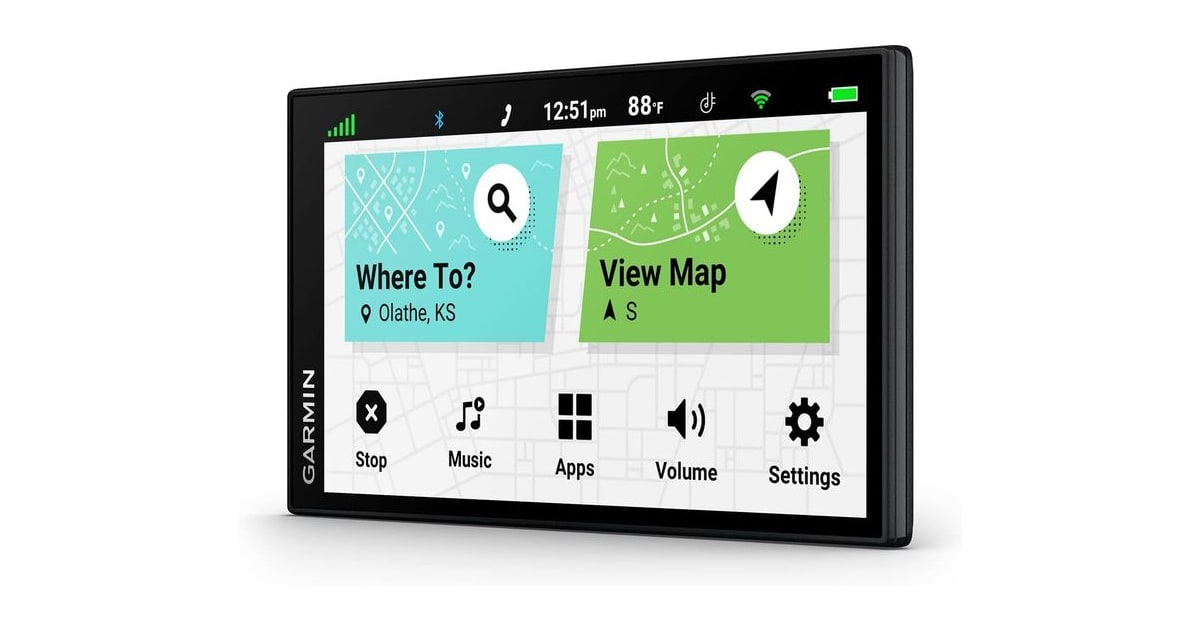
A dedicated car GPS does one job, and it does it without asking anything of your phone. It already has the map onboard, so it keeps calling out turns through the dead zones in Nevada, west Texas, or that stretch of interstate where your bars quietly disappear. It sits at eye level on a mount built for the job instead of wobbling in a vent clip. And it won't cook your phone battery on a four-hour drive. For a lot of drivers, that's the entire argument.
None of these units beat your phone at everything, though. Traffic on a Garmin leans on a Bluetooth tether to the Garmin Drive app, so live incident data is only as good as the phone in your pocket. Search still feels clunky next to typing an address into a phone. Map updates on the Garmin models mean plugging into a computer, which you'll put off. And a screen stuck to your windshield is one more thing to unclip before you park downtown.
We looked at five portable navigators from Garmin and TomTom, and the real differences come down to screen size, voice features, and how each one gets its traffic and its maps. Bigger screens cost more and eat more windshield. Smaller ones disappear into a compact car's dash. Renewed listings turn up constantly in this category, which is worth knowing before you click buy. We think that the Garmin DriveSmart 76 is the best GPS navigation system for cars for most people, and that the Garmin DriveSmart 55 is the one to buy if you mainly want dependable turn-by-turn guidance in a smaller, cheaper package.
Everything we recommend

Nearly everything the big one does, on a screen that still fits
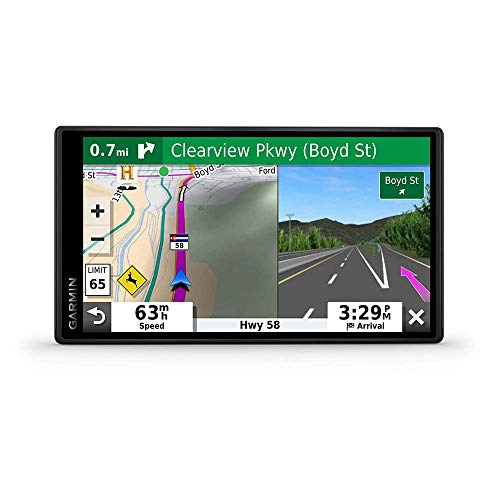
Less screen and less money, with the driver alerts intact

The biggest, brightest screen here, if your dash can take it
At a glance
| Product | Screen Size | Map Coverage & Live Traffic | Price | |
|---|---|---|---|---|
| Garmin DriveSmart 86Upgrade pick | 8 Inch | — | $289.99On sale |
| Garmin DriveSmart 76Top pick | 7 Inch | — | $243.46On sale |
 | TomTom GO Supreme 5” GPS Navigation DeviceAlso in lineup | 5 Inch | World Maps; Traffic | Check price |
 | Garmin DriveSmart 66Also consider | 6 Inch | — | $215.99On sale |
| Garmin DriveSmart 55 & Traffic: GPS NavigatorBudget pick | 5.5 Inch | — | $179.99On sale |
How we picked
Screen size and legibility. We compared listed display sizes and panel descriptions across every unit, then weighed them against how much windshield each chassis takes up. Anything below roughly 5 inches gets hard to read at a glance on the highway.
Offline map coverage. We required full onboard maps and routing that work with no cell signal at all, since that's the main reason to own one of these instead of using your phone. We also checked which regions each unit's included maps cover.
Traffic and connectivity. We looked at how each device receives live traffic, because the answer changes what happens when your phone drops off. Units that need a Bluetooth tether lose traffic when the pairing fails; ones with their own traffic feed don't.
Driver alerts. Published reviews and owner feedback both point to school-zone, sharp-curve, and speed-change alerts as the features people notice most. We treated the full alert set as a baseline rather than a bonus.
Update process. We checked whether maps update over Wi-Fi or require a cable and a desktop app, since an update people won't actually perform is worse than one they will. Recurring subscription fees would have disqualified a unit outright.
Top pickOn sale
Nearly everything the big one does, on a screen that still fits
Garmin DriveSmart 76
This is the 7-inch middle child of Garmin's lineup, and it gives up almost nothing to the 8-inch model above it. You get Alexa, live traffic through the Garmin Drive app, Foursquare and Tripadvisor listings, and Garmin's full run of driver alerts.
$243.46fromAmazonList priceSeven inches is big enough to read at a glance and small enough to live with. At normal dash-mounting distance, street names, lane arrows, and junction art are all easy to pick out without staring at them. That matters more than raw inches. Garmin lists the same bright, high-resolution panel across its current DriveSmart models, so what you're really picking is footprint. Seven inches clears most windshields without putting a black rectangle where the road should be.
You're not paying less for a stripped-down feature set. The 76's spec sheet covers the same ground as the 8-inch model: Alexa built in, hands-free calling over Bluetooth, Garmin voice assist for spoken destinations, and live traffic, fuel prices, parking, and weather through the Garmin Drive app. Smart notifications mirror your calls and texts to the screen. Published reviews treat the two as siblings that differ mainly in size, and the listings back that up.
Garmin's driver alerts are the quiet reason people stay loyal to these. The unit warns you about school zones, sharp curves, and speed changes as you come up on them, so you're not reading a sign at the last second in a town you've never driven. Owners of the DriveSmart models routinely single out the alerts and the lane guidance as the thing their phone doesn't handle as calmly. You stop noticing it, then you'd miss it.
The road-trip extras actually earn their space. Garmin bundles millions of Foursquare points of interest, Tripadvisor traveler ratings, a U.S. national parks directory, and a HISTORY database of notable sites. On a long drive that means you can hunt for a diner or a park entrance on the screen you're already looking at, instead of digging out your phone at a gas pump. It's not a reason to buy on its own. It's nice at hour five.
Flaws but not dealbreakers
Live traffic rides on your phone. Traffic, fuel prices, weather, and parking all arrive through the Garmin Drive app over Bluetooth, so the data is only as current as the connection in your pocket. Lose the pairing and you'll still navigate fine, since the maps live on the device. But you'll be routing blind around a backup. Owners fairly often report the pairing dropping and needing a re-pair, which is irritating rather than fatal.
Map updates mean plugging into a computer. The DriveSmart units update through the Garmin Express desktop app over a USB cable, not over Wi-Fi. If you don't have a laptop you feel like connecting car gear to, this becomes the chore you skip until your maps are badly out of step with the roads. The TomTom below does it wirelessly, and that's the one place it clearly wins.
Voice recognition is good, not great. Garmin voice assist takes spoken addresses and place searches, and it works often enough to be worth using. But owners report it stumbling on unusual street names and losing the thread with road noise or the windows down. Alexa has the same weakness, and it needs the phone app running to work at all. Plan on touching the screen sometimes.
Budget pickOn sale
Less screen and less money, with the driver alerts intact
Garmin DriveSmart 55 & Traffic: GPS Navigator
The DriveSmart 55 is the cheap way into Garmin's ecosystem, and it's the only unit here that pulls traffic without a phone attached. The 5.5-inch edge-to-edge screen is the smallest of the Garmins, but the maps, alerts, and hands-free calling all work the way you'd expect.
$179.99fromAmazonList priceIt's the only navigator here that gets traffic without your phone. Garmin lists this one as ready to use out of the box, with traffic included and no smartphone required. That's a bigger deal than it sounds. If you don't want to keep an app running and a Bluetooth pairing alive every time you drive, this is the unit that just works when you turn it on. You can still pair a phone for calls and notifications if you want them.
The full driver-alert package comes along for the ride. School zones, sharp curves, and speed changes all get flagged the same way they do on the bigger models. That's the safety-adjacent stuff most people actually notice day to day, and Garmin didn't cut it to hit a lower price. Voice-activated navigation is here too, so you can speak a destination instead of pecking at a small keyboard while parked.
A 5.5-inch screen is smaller, not useless. Garmin gives it an edge-to-edge display with simple menus, clear maps, and 3-D buildings and terrain to help you place yourself in an unfamiliar downtown. For highway driving and suburban errands, it's plenty. It also takes up far less windshield, which matters in a car with a steeply raked windshield or a short driver who needs an unobstructed view.
Flaws but not dealbreakers
This is a renewed listing, and that's a real variable. Renewed units arrive refurbished rather than factory-fresh, and owner feedback on refurbished navigators skews toward cosmetic wear, scuffed mounts, and the occasional battery that doesn't hold much charge unplugged. Most people get a unit that works fine. But check the return window when it shows up, and confirm the mount and cable are in the box before you plan a trip around it.
Older eyes will want more screen. At 5.5 inches, lane icons and street names are legible from a normal mounting distance, but the margin is thin. If you wear glasses for distance, drive a lot at night, or navigate complicated interchanges in cities you don't know, step up to the 66 or the 76. Reviewers also describe this generation as slower to offer an alternate route than the newer models.
It's an older platform. The panel and processor predate the 66, 76, and 86, and it shows in general responsiveness rather than in any one broken feature. Menus feel a step behind, and there's no Alexa. Updates still run over USB through Garmin Express, so you get the same cable chore as the rest of the Garmin lineup without the newer hardware.
Upgrade pickOn sale
The biggest, brightest screen here, if your dash can take it
Garmin DriveSmart 86
The DriveSmart 86 is the 8-inch version of our top pick, with a dual-orientation display and the same full feature list. It's the most expensive unit in this guide, and the extra inch mostly buys you easier glances at complex interchanges.
$289.99fromAmazonList priceEight inches makes lane guidance obvious instead of merely legible. On a five-lane approach to a split interchange, the difference between reading the screen and glancing at it is the whole point of a bigger display. Garmin uses a high-resolution panel, so the extra size buys you larger text and roomier junction art rather than a stretched-out version of the same thing. If you drive unfamiliar cities regularly, this is the one to want.
The display flips orientation, which is more useful than it sounds. Garmin lists the 86 with a dual-orientation screen, so you can run it tall or wide depending on where it fits. On a car with a deep dash and a low windshield line, portrait keeps the unit out of your sightline while still showing plenty of road ahead. It's a small bit of flexibility the smaller models don't advertise.
Everything Garmin puts in a portable navigator is here. Alexa built in, Garmin voice assist, hands-free calling, live traffic and weather, traffic cams and parking, smart notifications, and the full driver-alert set. The road-trip database is the same one on the 76: Foursquare points of interest, Tripadvisor ratings, the national parks directory, and HISTORY sites. Nothing is missing, which is exactly what you'd hope for at the top of a lineup.
Flaws but not dealbreakers
It's a lot of windshield. The chassis runs about seven and a half inches across and weighs roughly two-thirds of a pound. On a small car, or one with a steeply raked windshield, that's a genuine chunk of your forward view and a real load on a suction mount that bakes in the sun. Measure before you commit, and consider a dash pad instead of glass suction.
You pay the most here for one extra inch. The 86 is the priciest unit in this guide, and the gap over the 76 buys screen size and orientation flexibility, not new capability. For most drivers that's not a great trade. Buy it because you specifically want the biggest display you can mount, not because you assume the flagship does something the others can't.
Same phone-dependent traffic, same USB update chore. Live traffic, fuel prices, and parking still come through the Garmin Drive app over Bluetooth, so a flaky pairing costs you the same features it costs on the cheaper models. Map updates still require a cable and the Garmin Express desktop app. Spending more doesn't get you Wi-Fi updates, which is the most annoying thing about the whole DriveSmart line.
Who this is for
Buy a dedicated navigator if you drive where coverage disappears, if your phone battery is always half dead by the time you arrive, or if you'd rather not fumble with an app while merging. Road trippers, rural drivers, and anyone who finds phone interfaces stressful behind the wheel get the most out of one. If your driving is a familiar commute in a city with solid coverage and you've got a car charger, your phone is genuinely fine and you can skip all of this.
This guide covers portable navigators for passenger cars, and that's a real limit. If you drive an RV, a fifth wheel, a motorhome, or a commercial truck, none of these units are safe as your primary navigation. They route for a normal car, and they don't know about low bridges, weight limits, propane bans in tunnels, or DOT rules. Look for a purpose-built RV or trucking navigator instead. We also don't cover built-in head units or phone mounts here.
How we picked
We started from manufacturer specifications, published reviews of the DriveSmart and GO lines, and recurring themes in owner feedback, then judged every unit on five things. Screen size: big enough to read at a glance from a normal mounting distance, without swallowing your forward view. Offline maps: complete onboard routing that keeps working with zero bars, which is the whole reason to buy one of these. Traffic: how the device gets live incident data, and what you lose when a Bluetooth pairing drops. Driver alerts: school zones, sharp curves, and speed changes treated as a baseline, not a premium add-on. Updates: free map updates with no subscription, and a process you'll realistically go through more than once.
Other gps navigation systems for cars worth considering
If you want the newer Garmin hardware in the smallest package: The Garmin DriveSmart 66 ($215.99) — The DriveSmart 66 is the 6-inch version of our top pick, and it's the one to get if your windshield is short, your dash is shallow, or you just don't want a tablet-sized thing in your peripheral vision. Garmin lists it with the same core kit as the 76: Alexa built in, voice assist, hands-free calling, live traffic and parking through the Garmin Drive app, driver alerts, and the Foursquare and Tripadvisor road-trip database. At well under half a pound it's the lightest Garmin here, which also makes it the easiest one to keep stuck to glass in summer heat. What you give up is an inch of diagonal, and that inch is most noticeable when you're reading junction art at speed on an unfamiliar interchange.
The competition
This is what our research surfaced in this category, not a survey of everything on the market. Specialty navigators for RVs and commercial trucks are a separate class and aren't represented here, and neither are built-in infotainment systems. The unit below is worth understanding even though it didn't win, because it does two things none of the Garmins do.
The TomTom GO Supreme 5” GPS Navigation Device — The TomTom GO Supreme is the only real alternative to Garmin here, and it's the only unit that updates itself over Wi-Fi instead of a USB cable. It also ships with world maps rather than North America only, plus TomTom's own traffic feed and speed camera alerts, hands-free calling, and a click-and-drive mount. TomTom's traffic network is well regarded for catching incidents on secondary and rural roads, and its community-updated camera database is the most thorough in this group. It lost to the Garmins on two counts. The 5-inch display is smaller than every other unit here, which is the wrong direction for a device you glance at while merging, and there's no Alexa or comparable assistant. The interface also feels a generation behind Garmin's. This listing is a renewed unit with no manufacturer feature bullets attached, so confirm what's in the box before you rely on it. Still, if you drive abroad, commute through camera-heavy corridors, or refuse to plug a navigator into a laptop twice a year, it's a defensible pick.
Mounting and setup
Where you stick it matters as much as which one you buy. Put the mount low on the passenger side of the windshield rather than directly in front of the wheel, so the screen stays in easy glance range without blocking the road. If your windshield is steeply raked, or your car bakes in a driveway all summer, skip the suction cup and use an adhesive dash pad instead. Suction mounts let go in the heat, usually while you're driving. If your car has a heads-up display, check that the navigator doesn't sit in the projection zone before you commit. Then set a reminder to run the map update, because the units that need a cable are the ones people forget.
Questions we get
Is a dedicated GPS still worth buying when phone maps are free?
For some drivers, yes. A standalone unit navigates with no cell signal, doesn't drain your phone, and mounts at a better angle with a screen built for glancing at. If you drive familiar routes in a well-covered city with a charger in the car, your phone is enough. If you road trip, drive rural, or want a backup that always works, it's an easy call.
Do these work without a cell signal or Wi-Fi?
Yes. Every unit here stores full maps on the device, so route calculation, turn-by-turn guidance, point-of-interest searches, and junction views all work completely offline. The only thing that needs a connection is live traffic. On the Garmin DriveSmart 76, 66, and 86 that means a Bluetooth link to the Garmin Drive app on your phone.
Garmin or TomTom?
Garmin wins on screen size, interface polish, and voice features across this group, which is why our picks are Garmins. TomTom's edges are real but narrower: its own traffic network, a deeper speed camera database, wireless map updates, and world maps instead of North America only. Most people should buy the Garmin. Frequent international drivers and cable-averse buyers have a case for the TomTom.
Do I have to pay for map updates?
No. Every unit here includes free map updates for its covered region with no subscription, so the purchase price is effectively the whole cost of ownership. The Garmins update over USB through the free Garmin Express desktop app. The TomTom pulls updates down over any Wi-Fi network on its own, which is the more convenient method by a wide margin.
Can I use one of these in an RV or a commercial truck?
You shouldn't rely on one as your primary navigation. Consumer navigators route for a passenger car and know nothing about your height, weight, length, bridge clearances, propane restrictions, or DOT rules. That's how drivers end up on roads their vehicle physically can't clear. Get an RV-specific or truck-specific navigator with vehicle-profile routing, and keep a consumer unit as a backup if you like.
Does buying a renewed unit matter?
Two of the products here are renewed listings, meaning refurbished rather than new. Owner feedback on refurbished navigators mostly describes cosmetic wear, occasionally a tired battery, and sometimes a missing mount or cable. The navigation itself generally works normally. Open the box promptly, check that the mount and cable are included, and test it on a short drive while the return window is still open.
Why you should trust us
For this guide:
- We read the manufacturer specifications and full listing details for every navigator in this guide, comparing display sizes, chassis dimensions, connectivity, and included map regions side by side.
- We reviewed published coverage of Garmin's DriveSmart line and TomTom's GO series to understand where the models genuinely differ and where the marketing overstates the gap.
- We looked for recurring themes in owner feedback — dropped Bluetooth pairings, mount adhesion in heat, voice recognition misfires, and the condition of renewed units — and used them to shape the flaws we call out.
- We read owner reviews on every listing, weighted toward the critical ones, because that is where the recurring failures show up.
- We have a systematic way of automatically fetching the latest prices, so the numbers on this page stay current.
- This is a research-focused guide, so the team may not own every product listed — though we often do own the top winners, which gives us extra context for the recommendations.
- We don't accept free products, and the retailer commission never changes which product we recommend.
Sources
Best GPS Navigation Systems 2026 — PCMag, PCMag
Best GPS for Cars 2026 — Tom's Guide, Tom's Guide
Best Car GPS — Wirecutter (The New York Times), Wirecutter / The New York Times
Best GPS for Cars 2026 — CNET, CNET
TomTom Traffic Index — Annual Global Traffic Report, TomTom
Garmin DriveSmart 86 Official Product Page, Garmin
Garmin RV 1095 Official Product Page, Garmin
Garmin dezl OTR1010 Official Product Page, Garmin
Amazon product listings and owner reviews for all 5 products
Manufacturer specification pages for each product
Some passages in this guide may be paraphrased with AI help. Prices are refreshed automatically.
More like this.
Continue exploring electronics reviews and recommendations.

The Best Motorcycle GPS Navigation Devices
A phone in a handlebar clamp works right up until it doesn't. Then you're squinting at a washed-out screen in afternoon sun, or watching the map freeze…

The Best Hidden Car GPS Trackers
A hidden tracker is a boring purchase right up until the morning your car isn't where you left it. Then it's the difference between filing a report and…

The Best Car Alarm and Security Systems
Your car spends most of its life parked and unattended. On a street, in a work lot, in a driveway you can't see from the kitchen sink. A security system's…

The Best Car Speakers and Stereo Systems
A car stereo is the one piece of gear in your car you touch every single day. You reach for it before you've backed out of the driveway, and you're still…

The Best Boat Navigation Lights
Navigation lights are the simplest safety gear on your boat and the easiest to ignore until it's dark. They tell every other skipper out there which way…

The Best Hiking GPS Devices
A hiking GPS earns its place in your pack on the days your phone can't help. Cold drains a phone battery fast. Rain turns a touchscreen into a smudge. And…